




Here's how it works



How to use or fill out Belvedere Teachers College - Fill Online, Printable with our platform

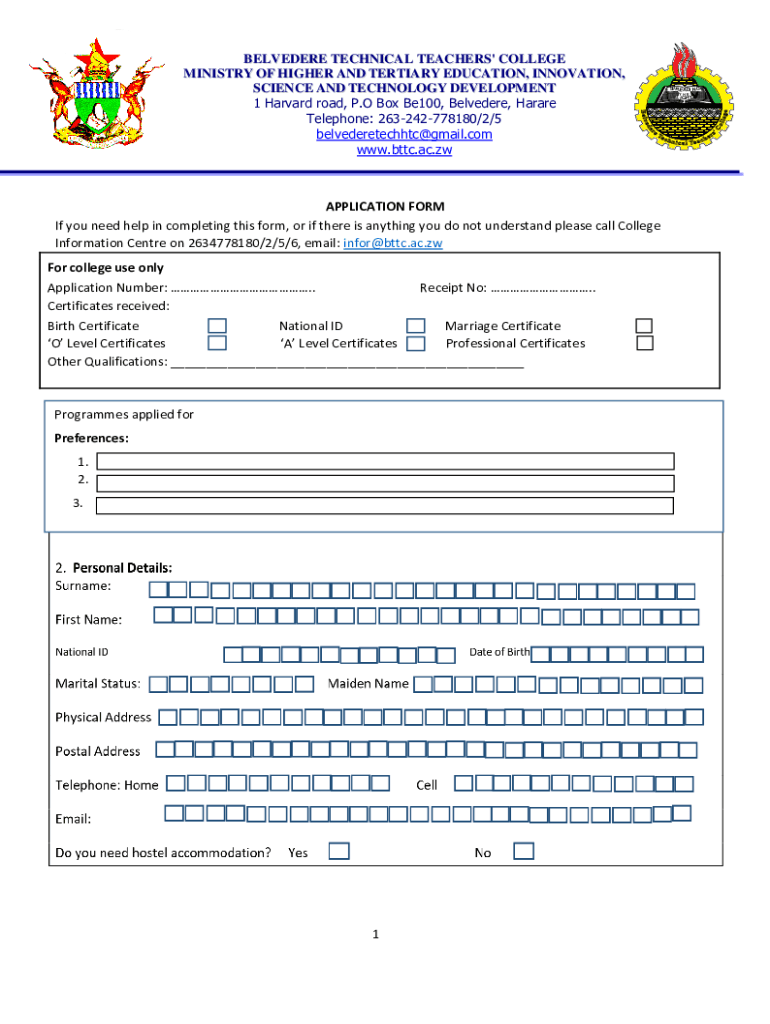
- Click ‘Get Form’ to open the application form in the editor.
- Begin by entering your personal details in the 'Particulars of Next of Kin' section. Fill in the full name, contact address, relationship, contact telephone number, and email.
- Indicate your gender by ticking the appropriate box under 'Sex'.
- In the 'Educational Qualifications' section, provide details about your 'O' Level and 'A' Level qualifications including the institution names and grades.
- Complete the 'Tertiary Education / Professional Qualifications' section by listing your degrees or diplomas along with the institutions attended and duration of study.
- If applicable, answer questions regarding previous enrollment with any educational institutions or ministries and provide reasons for leaving.
- Detail your work experience by filling out the period of employment, position held, organization name, and duties performed.
- Finally, review all information for accuracy before signing and dating the declaration at the end of the form.
Start filling out your application today using our platform for free!
It's free
See more Belvedere Teachers College - Fill Online, Printable versions
Got questions?
How can I sign my belvedere teachers college diploma in education entry requirements on iOS?
With DocHub, you can quickly approve your belvedere teachers college diploma in education entry requirements or any other paperwork on iOS, even without installing additional applications. You can access your DocHub account from any web-connected browser and complete and sign your form in any way you like with just a couple of clicks.
How do you edit belvedere teachers college application form pdf harare online?
With DocHub, you have several convenient ways to edit your belvedere teachers college application form pdf harare online. You can drag and drop the form and edit it directly at the DocHub site or use our browser extension to fill out your form right away. Additionally, you can edit your PDF on your smartphone, as DocHub works with all the available mobile platforms.
Security and compliance
At DocHub, your data security is our priority. We follow HIPAA, SOC2, GDPR, and other standards, so you can work on your documents with confidence.
Learn more


