



Here's how it works



How to use or fill out jamba juice application pdf with our platform

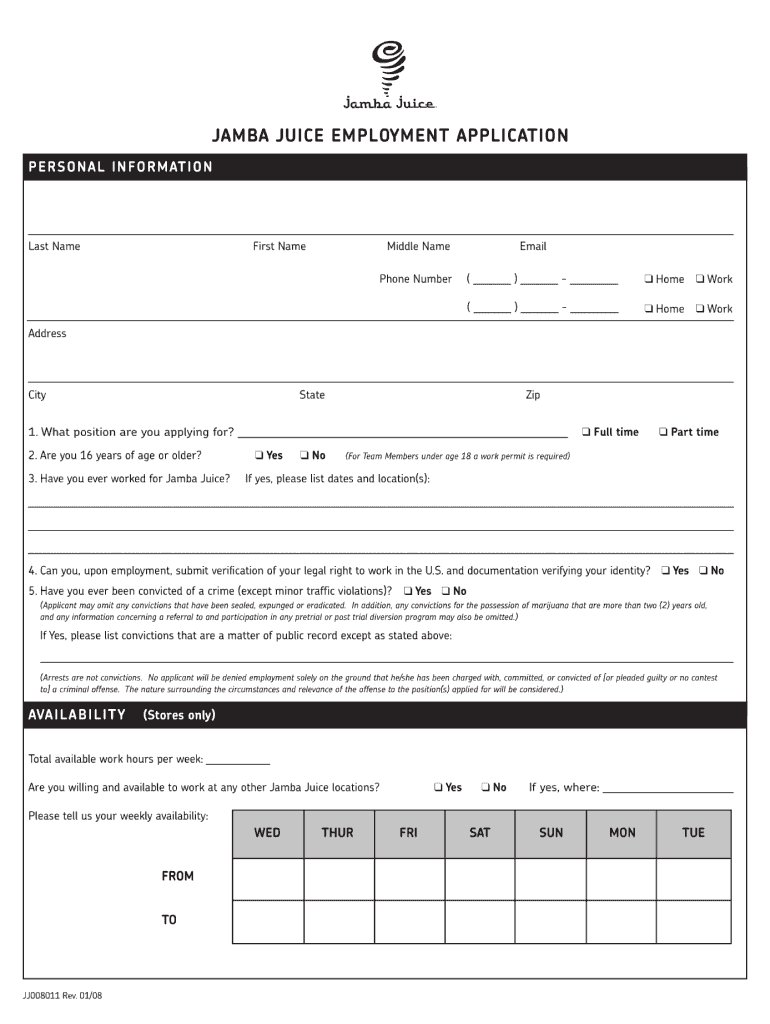
- Click ‘Get Form’ to open the Jamba Juice application PDF in the editor.
- Begin by entering your personal information in the designated fields, including your name, address, and contact details. Ensure accuracy for a smooth application process.
- Next, navigate to the employment history section. Fill in your previous job experiences, including company names, positions held, and dates of employment. This helps showcase your qualifications.
- Proceed to the availability section. Indicate your preferred working hours and days. This is crucial for scheduling purposes.
- Finally, review all entered information for completeness and accuracy before submitting. Use our platform’s editing tools to make any necessary adjustments easily.
Start filling out your Jamba Juice application today for free using our platform!
It's free
Got questions?
How do I sign my does jamba juice drug test without printing?
Electronic signatures are an excellent replacement for traditional signing, as they save time, effort, and money people spend on printing, scanning, and paper delivery. You can electronically sign your does jamba juice drug test utilizing a trustworthy and robust online document management tool like DocHub. It complies with main eSignature standards (ESIGN and UETA), so all forms approved there are legally binding and have the same validity as manually signed ones.
How do you get jamba juice application form for my state?
If you are searching for a state-specific jamba juice application form sample, you will find it in our DocHub Forms & Templates catalog. Use the search field, enter your form’s name, and search through the results for your state. You can also filter out irrelevant results while exploring our catalog by categories.
Is it easy to get hired at Jamba Juice?
How long does Jamba Juice take to respond to an application?
Is it hard to get hired at Jamba Juice?
Security and compliance
At DocHub, your data security is our priority. We follow HIPAA, SOC2, GDPR, and other standards, so you can work on your documents with confidence.
Learn more