




Here's how it works



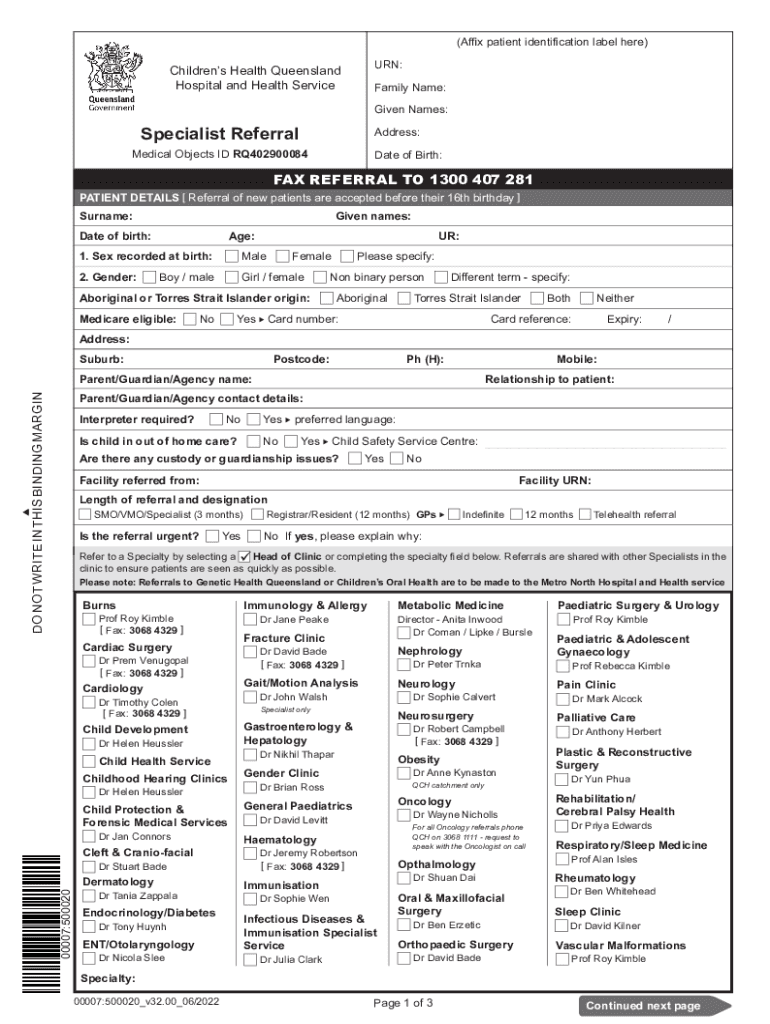
How to use or fill out pch health wa mediaAFFIX PATIENT IDENTIFICATION LABEL HERE AND OVERLEAF with our platform

- Click ‘Get Form’ to open it in the editor.
- Begin by affixing the patient identification label at the designated area on the first page. This ensures that all patient details are correctly linked.
- Fill in the 'Family Name' and 'Given Names' fields accurately, as these are crucial for identifying the patient.
- Complete the 'Date of Birth', 'Address', and 'Medical Objects ID' sections. Ensure that all information is current and correct to avoid any delays in processing.
- In the 'Patient Details' section, provide comprehensive information including sex recorded at birth, gender identity, and Medicare eligibility. This data is essential for proper referral handling.
- Continue filling out medical history, current medications, allergies, and immunization status in their respective fields. Be thorough to give a complete picture of the patient's health.
- For developmental assessments, indicate any concerns regarding thinking, communication, social skills, movement skills, and emotional wellbeing. This helps specialists understand the child's needs better.
- Finally, ensure that all sections are completed legibly before submitting your form through our platform for efficient processing.
Start using our platform today to streamline your document editing and form completion process for free!
It's free
See more pch health wa mediaAFFIX PATIENT IDENTIFICATION LABEL HERE AND OVERLEAF versions
Got questions?
How can I eSign my pch document in Word?
Microsoft Word doesn’t have signing tools to generate valid electronic signatures and enforceable forms. Fortunately, DocHub is an online eSignature-compliant editor that works with various document formats, such as .doc files. Log in to your account and import the Word version of your pch document from your device and cloud, or URL - our editor will automatically convert it into an editable PDF. Make all required changes in your document and click Sign to generate your own legally-binding eSignature. You will find four signing options from which to choose.
Can I sign my real pch documents while I edit it?
If you edit your real pch documents with DocHub, you will not need to look for other software or services to sign it. An electronic signature is part of DocHub’s comprehensive editing toolset, which allows you to apply changes in your form without jumping between websites. Simply complete your form, double-check the correctness of the data and place your electronic signature at the end to make it submission-ready in minutes.
Security and compliance
At DocHub, your data security is our priority. We follow HIPAA, SOC2, GDPR, and other standards, so you can work on your documents with confidence.
Learn more


