




Here's how it works



How to use or fill out Avon Fire Department Receives the VCOS-VFIS Illness and with our platform

- Click ‘Get Form’ to open it in the editor.
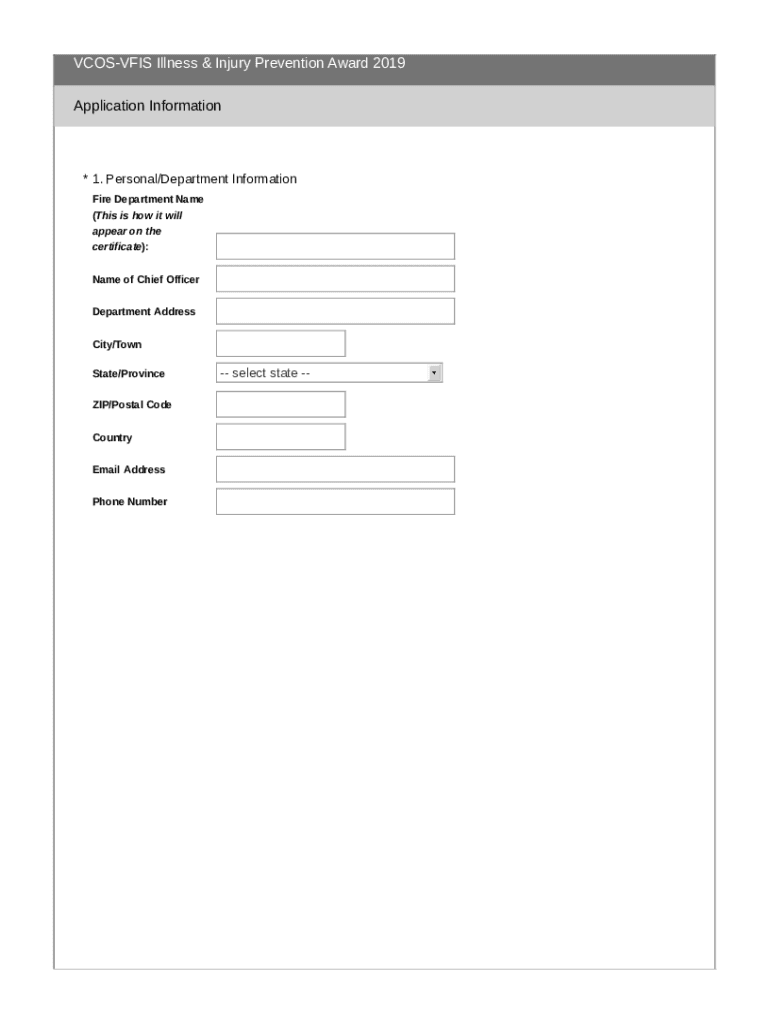
- Begin by filling out the Personal/Department Information section. Enter your Fire Department Name, Chief Officer's Name, and complete the address fields including City/Town, State/Province, ZIP/Postal Code, Country, Email Address, and Phone Number.
- In the next section, provide a detailed explanation of why your organization was successful in managing or reducing incidents during the reporting period. Include statistical details that support your claim of success.
- If you have any additional information to share, utilize the optional section provided for further insights.
- Finally, review all entered information for accuracy before submitting. By submitting this form, you agree to allow VCOS/VFIS to use related information as specified.
Start using our platform today for free to streamline your form completion process!
It's free
See more Avon Fire Department Receives the VCOS-VFIS Illness and versions
| Versions | Form popularity | Fillable & printable |
|---|---|---|
| 2019 | 4.8 Satisfied (84 Votes) |
Got questions?
Can I complete and sign my Avon Fire Department Receives the VCOS-VFIS Illness and online?
Yes, and it’s really straightforward! DocHub is a web-based PDF editor with advanced document processing capabilities that allow you rapidly edit your forms, fill out blank fields and add new ones for other people to fill out, and create eSignatures in several ways. Add your Avon Fire Department Receives the VCOS-VFIS Illness and, provide information as requested, and decide how you want to eSign your template - by typing your name, drawing your signature, uploading its image, or using a QR code.
How do you edit Avon Fire Department Receives the VCOS-VFIS Illness and online?
With DocHub, you have several convenient ways to edit your Avon Fire Department Receives the VCOS-VFIS Illness and online. You can drag and drop the form and edit it straight at the DocHub website or use our browser extension to fill out your form right away. On top of that, you can edit your PDF on your smartphone, as DocHub works with all the available mobile platforms.
Security and compliance
At DocHub, your data security is our priority. We follow HIPAA, SOC2, GDPR, and other standards, so you can work on your documents with confidence.
Learn more


