




Here's how it works



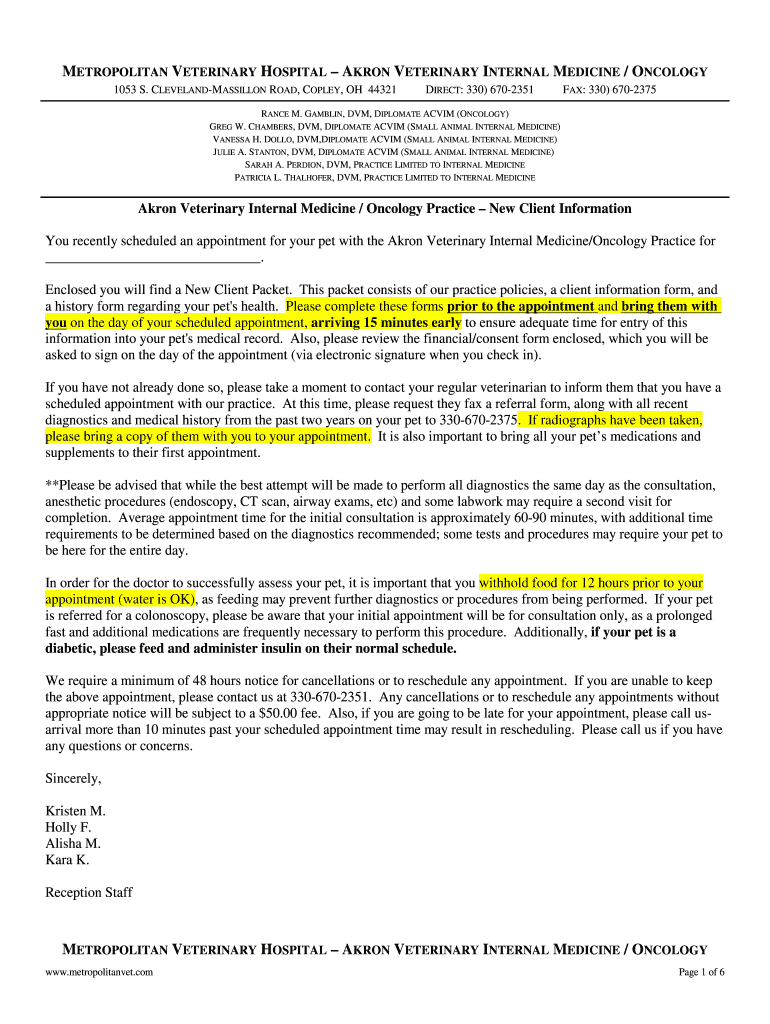
How to use or fill out Akron Veterinary Internal Medicine & Oncology(330) 666 with our platform

- Click ‘Get Form’ to open the Akron Veterinary Internal Medicine & Oncology form in the editor.
- Begin by filling out the 'Client Information' section. Provide your name, address, and contact details. Ensure all fields are completed for accurate communication.
- Next, move to the 'Patient Information' section. Enter your pet's name, age, breed, and any relevant medical history. This information is crucial for the veterinary team.
- Complete the 'Current Medical Problems' field by detailing why you are bringing your pet in for evaluation. Include any changes in appetite, weight, or behavior.
- Review the financial and consent information carefully. Sign electronically where indicated to authorize treatment and acknowledge financial responsibility.
- Once all sections are filled out, save your document and print it if necessary. Bring it with you on the day of your appointment.
Start using our platform today to streamline your form completion process for a hassle-free experience!
It's free
See more Akron Veterinary Internal Medicine & Oncology(330) 666 versions
| Versions | Form popularity | Fillable & printable |
|---|---|---|
| 2020 | 4.8 Satisfied (141 Votes) |
Got questions?
Can I sign my fax 330 on a mobile?
Yes, you’ll find many different apps for this on the web. Nevertheless, if you need to eSign your fax 330 without installing additional software, DocHub is the best choice you can make. This robust editor works on mobile devices just as on desktops. Open our editor in any internet browser, register or sign in to your account, and start processing your forms.
How do you create an e-signature for the Akron Veterinary Internal Medicine & Oncology(330) 666 on iOS?
In addition to an extensive toolset for editing PDFs on mobile devices, DocHub enables you to sign your Akron Veterinary Internal Medicine & Oncology(330) 666 along the way. Open our editor in your browser, make modifications using DocHub’s toolset, and finish your editing by eSigning the completed form.
How much do vets charge for an emergency visit?
What company owns the most veterinary clinics?
What services does MedVet Campbell offer?
Security and compliance
At DocHub, your data security is our priority. We follow HIPAA, SOC2, GDPR, and other standards, so you can work on your documents with confidence.
Learn more


