




Here's how it works



How to use or fill out West Coast Infectious Diseases - Safety Harbor and New Port with our platform

- Click ‘Get Form’ to open it in the editor.
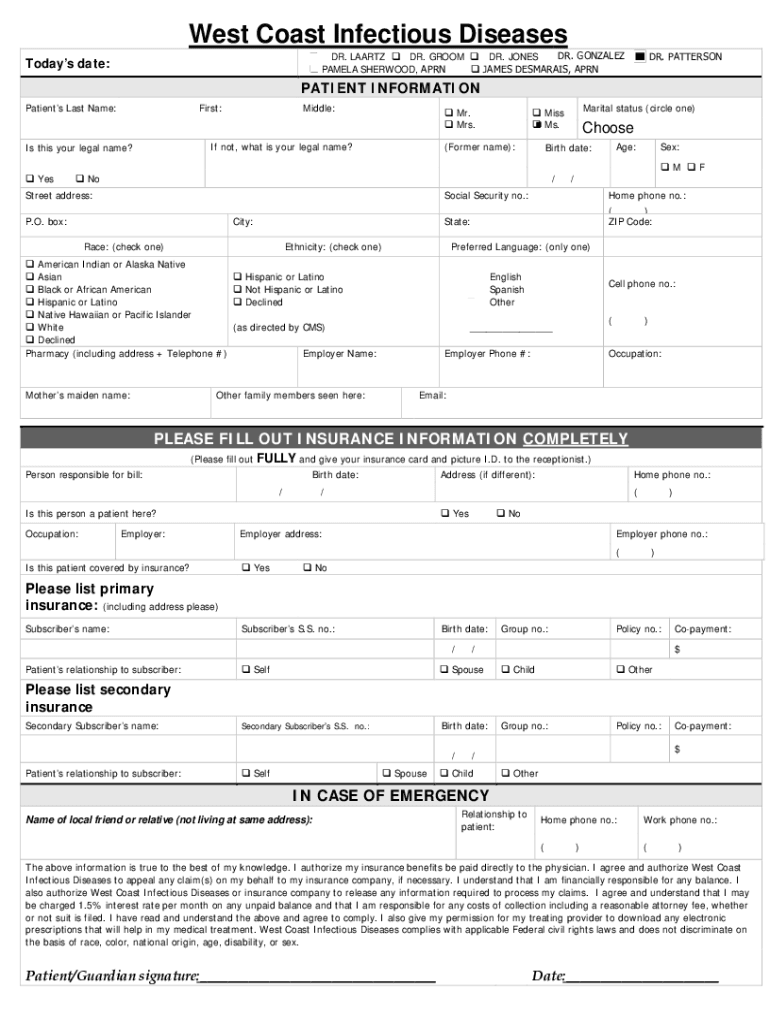
- Begin by entering your personal information in the 'Patient Information' section. Fill in your last name, first name, middle name, and select your title (Mr., Mrs., Ms.).
- Provide your contact details including home phone number, cell phone number, email address, and preferred language.
- Complete the 'Insurance Information' section thoroughly. Include details about the primary and secondary insurance providers, subscriber's name, relationship to subscriber, and policy numbers.
- In the 'Emergency Contact' section, list a local friend or relative along with their relationship to you and contact numbers.
- Review all sections for accuracy before signing at the bottom of the form. Ensure that you understand the financial policies outlined in the document.
Start using our platform today to streamline your form completion process for free!
It's free
See more West Coast Infectious Diseases - Safety Harbor and New Port versions
Got questions?
Can I fill out and sign my West Coast Infectious Diseases - Safety Harbor and New Port online?
Yes, and it’s really straightforward! DocHub is a web-based PDF editor with advanced document processing capabilities that allow you promptly adjust your documents, complete blank fields and add new ones for other people to fill out, and create electronic signatures in several ways. Import your West Coast Infectious Diseases - Safety Harbor and New Port, give information as required, and select how you want to eSign your template - by typing your name, drawing your signature, uploading its picture, or using a QR code.
How do you edit West Coast Infectious Diseases - Safety Harbor and New Port online?
With DocHub, you have several convenient methods to edit your West Coast Infectious Diseases - Safety Harbor and New Port online. You can drag and drop the form and edit it straight at the DocHub site or use our browser extension to fill out your form right away. On top of that, you can edit your PDF on your smartphone, as DocHub is compatible with all the available mobile platforms.
What is the best hospital to treat infectious diseases?
What is a doctor who specializes in infectious diseases called?
Who is the top infectious disease doctor in the United States?
Security and compliance
At DocHub, your data security is our priority. We follow HIPAA, SOC2, GDPR, and other standards, so you can work on your documents with confidence.
Learn more


