I 9 certificacion 2026

Get Form
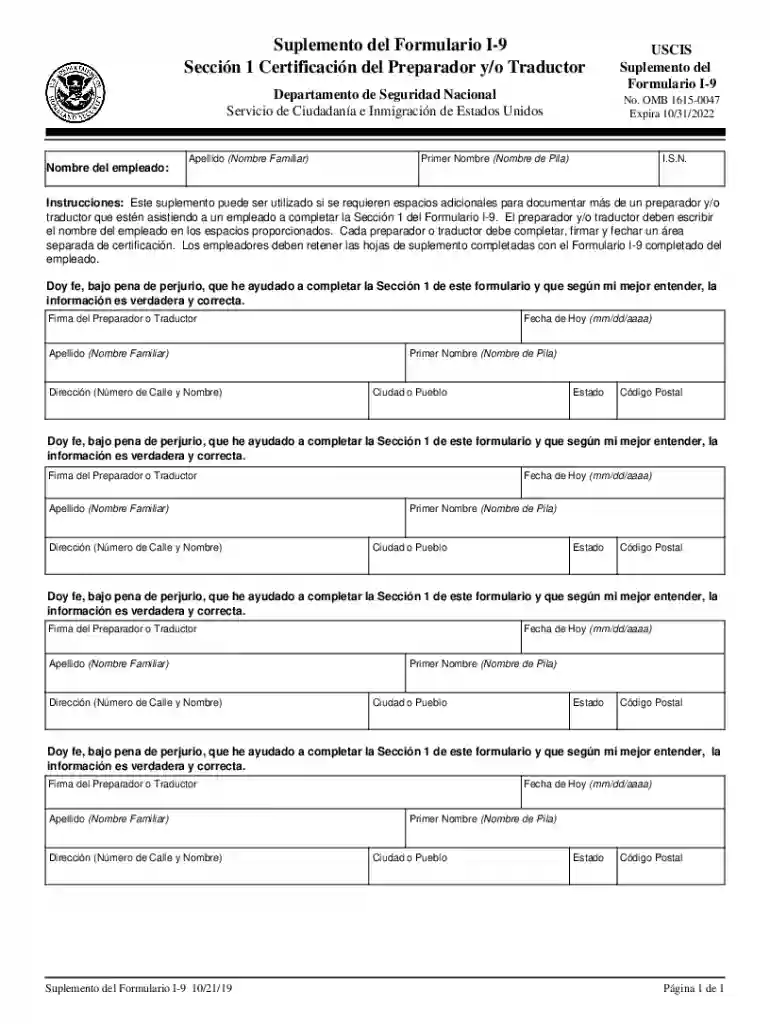
i 9 certificacion Preview on Page 1

Here's how it works

01. Edit your i 9 certificacion online
Type text, add images, blackout confidential details, add comments, highlights and more.

02. Sign it in a few clicks
Draw your signature, type it, upload its image, or use your mobile device as a signature pad.

03. Share your form with others
Send it via email, link, or fax. You can also download it, export it or print it out.

How to use or fill out i 9 certificacion with our platform

Form edit decoration
9.5
Ease of Setup
DocHub User Ratings on G2
9.0
Ease of Use
DocHub User Ratings on G2
  1. Click ‘Get Form’ to open the i 9 certificacion in the editor.
  2. Begin by entering the employee's last name in the designated field. This is crucial for identifying the individual associated with the form.
  3. Next, input the employee's first name. Ensure that this matches their official identification documents.
  4. If assistance is required, document the names of any preparers or translators in the provided spaces. Each must complete a separate certification area.
  5. Fill in the address details for each preparer or translator, including street number and name, city, state, and zip code.
  6. Finally, ensure that each preparer or translator signs and dates their section to validate their assistance under penalty of perjury.

Start using our platform today to fill out your i 9 certificacion easily and for free!

See more i 9 certificacion versions

We've got more versions of the i 9 certificacion form. Select the right i 9 certificacion version from the list and start editing it straight away!
Versions Form popularity Fillable & printable
2019 4.8 Satisfied (36 Votes)
2017 4.2 Satisfied (62 Votes)
be ready to get more

Complete this form in 5 minutes or less

Get form

Got questions?

We have answers to the most popular questions from our customers. If you can't find an answer to your question, please contact us.
Contact us
The difference between the W2 form and Form I-9 is that one is a tax form and the other is an eligibility verification form. There is no such thing as an I-9 tax form. Form I-9 is a form that verifies an employees eligibility to work in the country legally. Everything you need to know about Form i-9 - Skuad Skuad glossary what-is-form-i9 Skuad glossary what-is-form-i9
El formulario se utiliza para documentar la verificacin de identidad y la autorizacin de empleo de cada nuevo empleado (tanto ciudadano estadounidense como extranjero) contratado despus del 6 de noviembre de 1986 para trabajar en Estados Unidos.
La diferencia entre el formulario W-2 y el formulario I-9 radica en que uno es un formulario de impuestos y el otro, un formulario de verificacin de elegibilidad . No existe un formulario de impuestos I-9. El formulario I-9 verifica la elegibilidad de un empleado para trabajar legalmente en el pas.
Los empleadores pueden obtener una copia en blanco del Formulario I-9 del sitio web de USCIS .uscis.gov/i-9. Este formulario est en formato de documento porttil (. pdf) que puede ser llenado y guardado.

Security and compliance

At DocHub, your data security is our priority. We follow HIPAA, SOC2, GDPR, and other standards, so you can work on your documents with confidence.

Learn more
ccpa2
pci-dss
gdpr-compliance
hipaa
soc-compliance