




Here's how it works

01. Edit your fence permit online
Type text, add images, blackout confidential details, add comments, highlights and more.

02. Sign it in a few clicks
Draw your signature, type it, upload its image, or use your mobile device as a signature pad.

03. Share your form with others
Send permitence via email, link, or fax. You can also download it, export it or print it out.
How to use or fill out biggs-ca documentsfence permitFence Permit Application - biggs-ca

- Click ‘Get Form’ to open it in the editor.
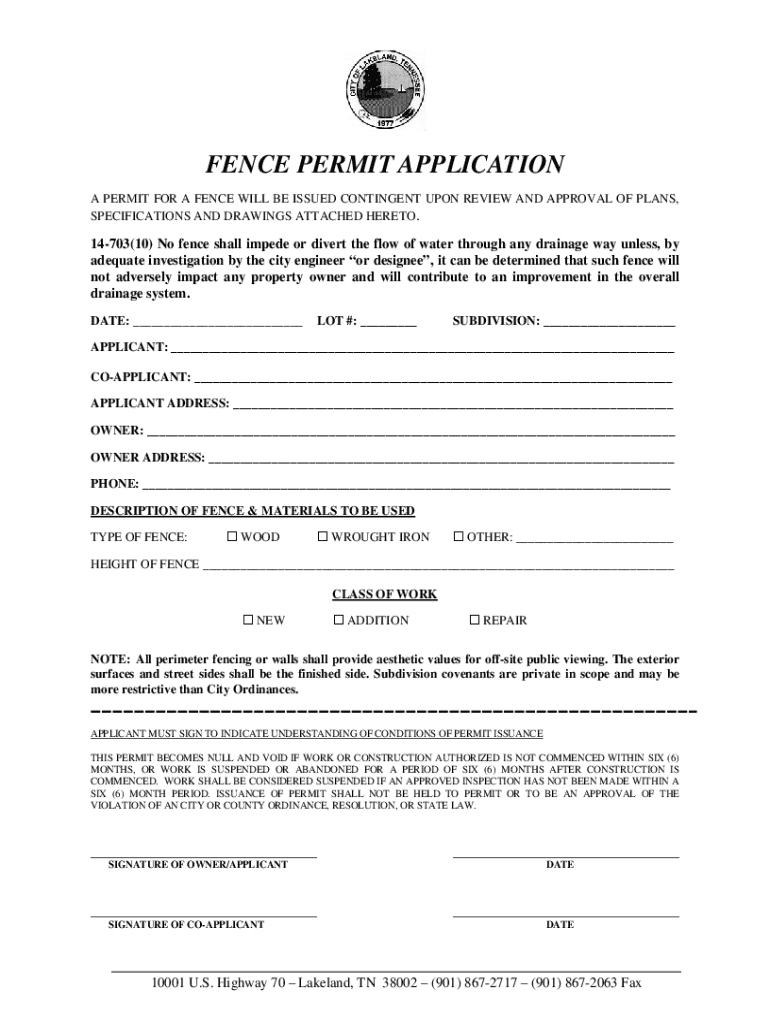
- Begin by entering the date at the top of the form. This is essential for tracking your application.
- Fill in your lot number and subdivision name accurately to ensure proper identification of your property.
- Complete the applicant and co-applicant sections with full names and addresses. This information is crucial for communication regarding your permit.
- Provide the owner's name and address, ensuring it matches official records for verification purposes.
- Indicate your phone number for any follow-up questions or clarifications needed by city officials.
- Describe the type of fence you plan to install by selecting from options like wood or wrought iron, or specify another type if necessary.
- Specify the height of the fence clearly, as this will be a key factor in approval.
- Select the class of work: new, addition, or repair. This helps categorize your project appropriately.
- Finally, sign and date where indicated to confirm your understanding of permit conditions before submitting your application.
Start using our platform today to fill out your Fence Permit Application easily and for free!
Fill out biggs-ca documentsfence permitFence Permit Application - biggs-ca online
It's free
See more biggs-ca documentsfence permitFence Permit Application - biggs-ca versions
We've got more versions of the biggs-ca documentsfence permitFence Permit Application - biggs-ca form. Select the right biggs-ca documentsfence permitFence Permit Application - biggs-ca version from the list and start editing it straight away!
| Versions | Form popularity | Fillable & printable |
|---|---|---|
| 2017 | 4.9 Satisfied (26 Votes) |
Security and compliance
At DocHub, your data security is our priority. We follow HIPAA, SOC2, GDPR, and other standards, so you can work on your documents with confidence.
Learn more


