




Here's how it works

01. Edit your connecticut prevencion online
Type text, add images, blackout confidential details, add comments, highlights and more.

02. Sign it in a few clicks
Draw your signature, type it, upload its image, or use your mobile device as a signature pad.

03. Share your form with others
Send violencia orden resolucion via email, link, or fax. You can also download it, export it or print it out.
How to use or fill out connecticut prevencion with our platform

- Click ‘Get Form’ to open the connecticut prevencion document in the editor.
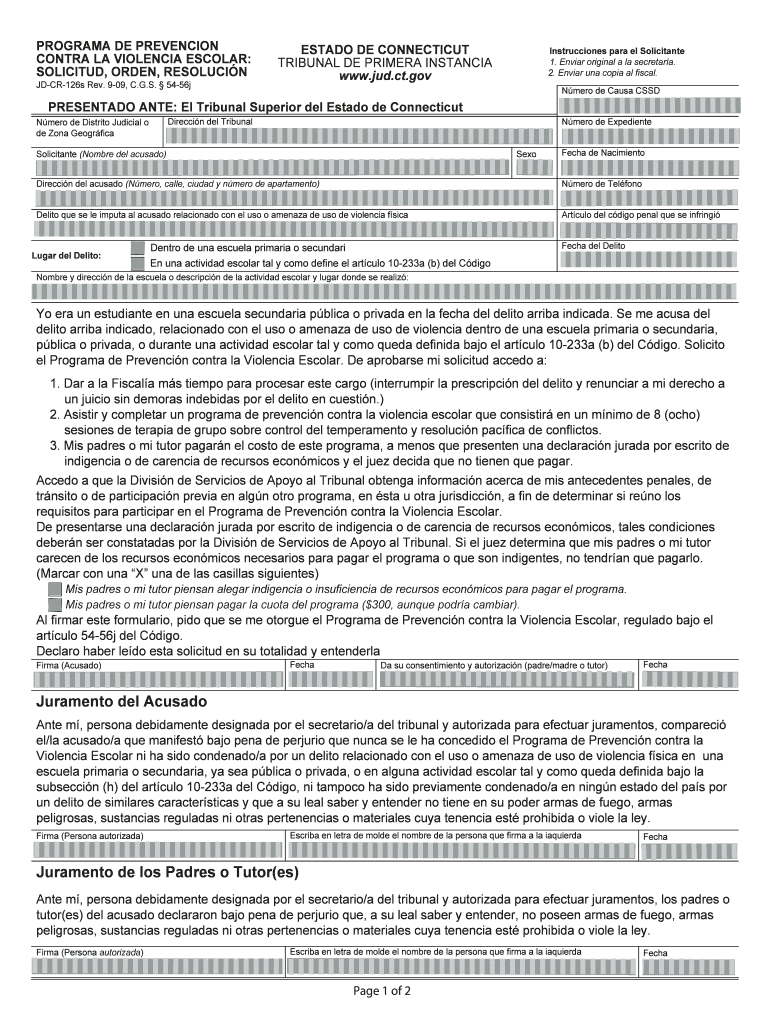
- Begin by entering the case number (Número de Causa CSSD) at the top of the form. This is essential for tracking your application.
- Fill in your personal details, including your name (Solicitante), date of birth (Fecha de Nacimiento), and address (Dirección del acusado). Ensure accuracy for proper identification.
- Indicate the crime you are accused of and provide relevant details such as the penal code article violated and the location of the incident.
- Complete sections regarding your status as a student and consent for program participation. Mark whether your parents or guardians will claim indigence for fee waivers.
- Sign and date the form, ensuring all required signatures are included, especially from a parent or guardian if applicable.
Start using our platform today to fill out your connecticut prevencion form easily and for free!
Fill out connecticut prevencion online
It's free
See more connecticut prevencion versions
We've got more versions of the connecticut prevencion form. Select the right connecticut prevencion version from the list and start editing it straight away!
| Versions | Form popularity | Fillable & printable |
|---|---|---|
| 2009 | 4.8 Satisfied (145 Votes) |
Security and compliance
At DocHub, your data security is our priority. We follow HIPAA, SOC2, GDPR, and other standards, so you can work on your documents with confidence.
Learn more


