




Here's how it works

01. Edit your dot medical card form mcsa 5876 online
Type text, add images, blackout confidential details, add comments, highlights and more.

02. Sign it in a few clicks
Draw your signature, type it, upload its image, or use your mobile device as a signature pad.

03. Share your form with others
Send dot medical card via email, link, or fax. You can also download it, export it or print it out.
How to use or fill out medical examiner certificate with our platform

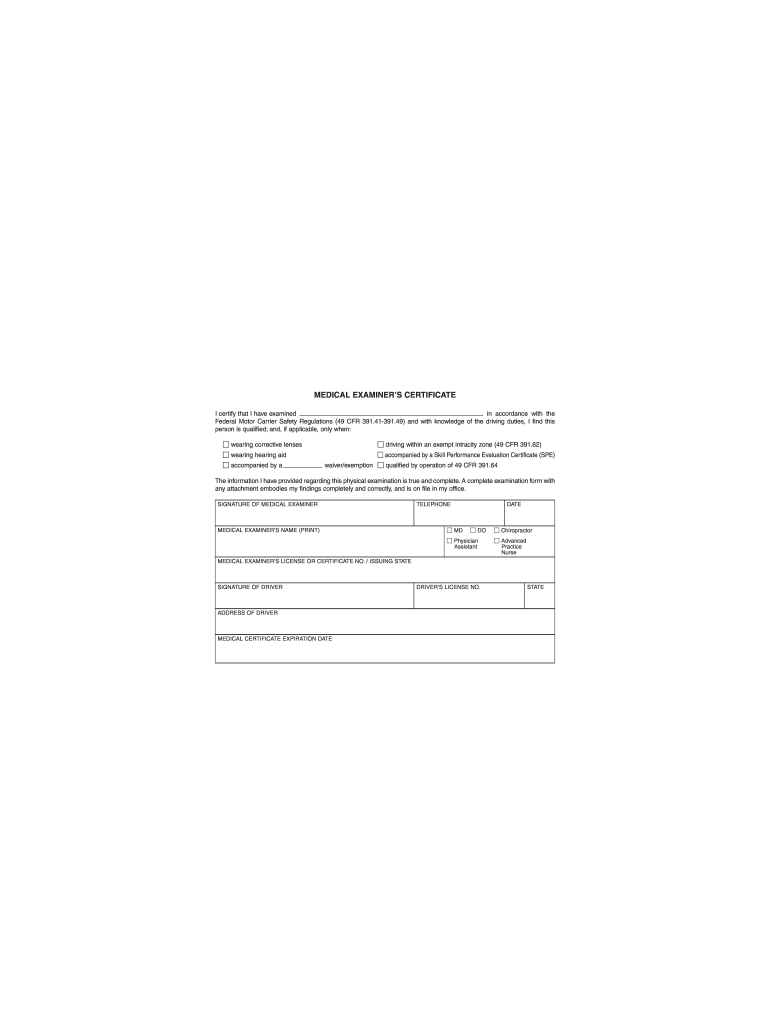
- Click ‘Get Form’ to open the medical examiner certificate in the editor.
- Begin by entering the name of the individual being examined in the designated field. Ensure that all information is legible.
- Select any applicable qualifications from the checkboxes, such as wearing corrective lenses or driving within an exempt intracity zone.
- The medical examiner must print their name and provide their contact telephone number in the specified fields.
- Indicate the medical examiner's credentials by selecting from options like MD, DO, Physician Assistant, etc.
- Fill in the medical examiner’s license or certificate number along with the issuing state.
- Have the driver sign in the appropriate section and enter their driver's license number and address.
- Finally, specify the expiration date of the medical certificate before saving or distributing copies as needed.
Start using our platform today for free to streamline your document editing and signing process!
Fill out medical examiner certificate online
It's free
Security and compliance
At DocHub, your data security is our priority. We follow HIPAA, SOC2, GDPR, and other standards, so you can work on your documents with confidence.
Learn more


Related forms

Nevada Expedited Title Processing Application
The document is an application form for expedited processing and shipping of Nevada vehicle titles. It outlines the fees ...
URAR APPRAISAL DESK REVIEW - Creative Entropy Inc
The document is a URAR Appraisal Desk Review form used to evaluate the compliance and accuracy of a property appraisal f ...
Plan holder contact information form: Fill out & sign online
The document is a Planholder Contact Information Form for individuals with Salary Allotment Accounts, requiring the plan ...
Being pregnant with twins, triplets and other multiples
The document is a self-referral form for maternity services, outlining the eligibility criteria for referrals based on g ...
SELECT ONE MARITAL UNIFORM PARENTAGE AGREEMENT
The document is a Settlement Agreement outlining the terms of custody, visitation, child support, spousal support, and p ...
Congressman Hank Johnson 4th Congressional District of
The document is a Privacy Release Form for constituents of Congressman Hank Johnson from Georgia's 4th Congressional Dis ...
Direct Deposit Form - Centric Federal Credit Union
The document is a Direct Deposit Form for Centric Federal Credit Union, allowing employees to set up automatic payroll d ...

Oral Presentation Evaluation Form
The document is an Oral Presentation Evaluation Form designed to provide feedback to presenters after their event. It in ...