



01. Edit your hs328 online
Type text, add images, blackout confidential details, add comments, highlights and more.

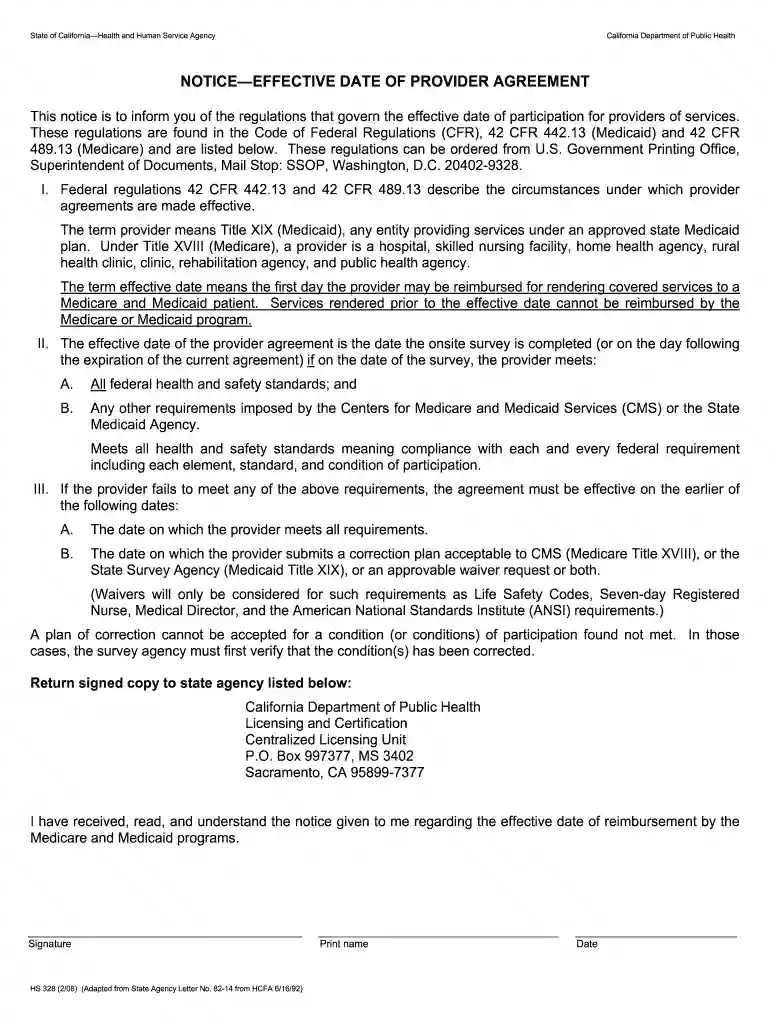
Type text, add images, blackout confidential details, add comments, highlights and more.

Draw your signature, type it, upload its image, or use your mobile device as a signature pad.

Send hs 328 form via email, link, or fax. You can also download it, export it or print it out.

Start using our platform today to easily fill out and manage your hs 328 form for free!
We've got more versions of the hs328 form. Select the right hs328 version from the list and start editing it straight away!
| Versions | Form popularity | Fillable & printable |
|---|---|---|
| 2008 | 4.8 Satisfied (215 Votes) |
Electronic signatures are a great replacement for traditional signing, as they save time, effort, and money people spend on printing, scanning, and paper delivery. You can electronically sign your hs 328 using a reliable and robust online document management tool like DocHub. It complies with main eSignature regulations (ESIGN and UETA), so all forms approved there are legally binding and have the same validity as manually signed ones.
If you are looking for a state-specific hs 328 sample, you will find it in our DocHub Forms & Templates catalog. Use the search field, enter your form’s name, and search through the results for your state. You may also filter out irrelevant results while searching our catalog by groups.
At DocHub, your data security is our priority. We follow HIPAA, SOC2, GDPR, and other standards, so you can work on your documents with confidence.
The course traces the ways that urban space provided new opportunities for sex work and the development of sexual identities.Read more
The information in this document was developed through a collaboration between the U.S.. EPA (Subsurface Protection and Remediation Division, National RiskRead more
This notice is to inform you of the regulations that govern the effective date of participation for providers of services.Read more


