




Here's how it works



How to use or fill out Public Comment Form - City of Decatur, IL with DocHub

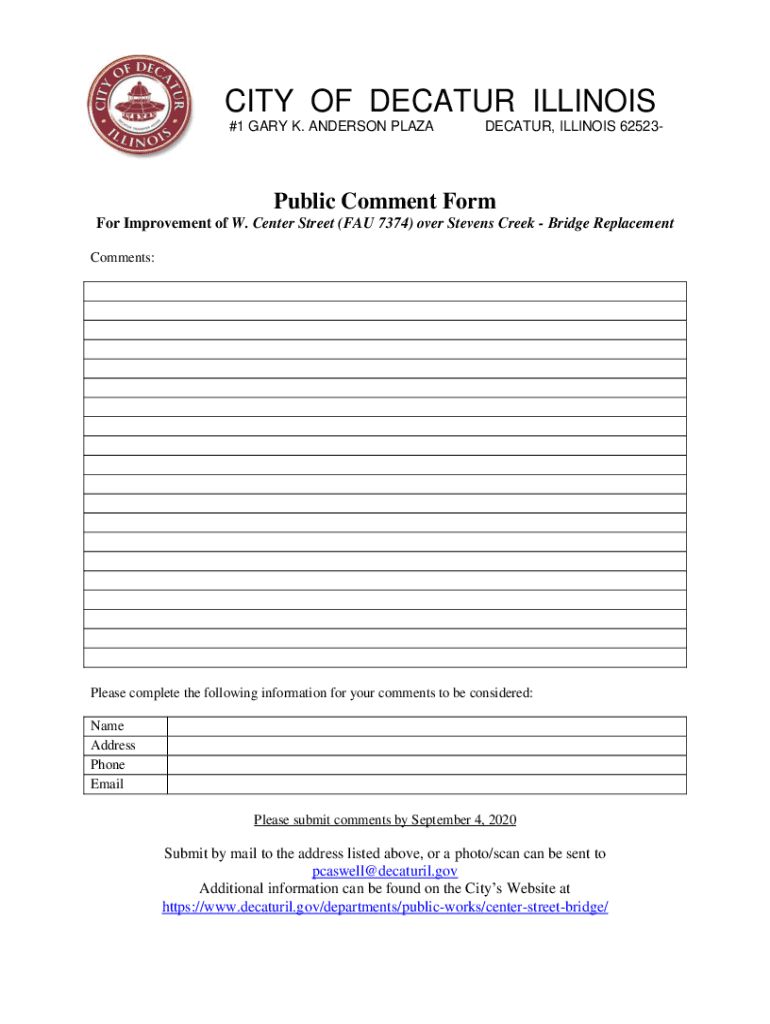
- Click ‘Get Form’ to open the Public Comment Form in our editor.
- Begin by entering your name in the designated field. This is essential for identifying your comments.
- Next, fill in your address. Providing this information helps the city understand the community perspective.
- Input your phone number and email address. These details allow for follow-up if necessary.
- In the comments section, share your thoughts regarding the improvement of W. Center Street over Stevens Creek. Be clear and concise to ensure your feedback is understood.
- Once completed, you can save your form directly within our platform or export it for submission via email or mail as indicated.
Start using our platform today to easily fill out and submit your Public Comment Form!
It's free
See more Public Comment Form - City of Decatur, IL versions
| Versions | Form popularity | Fillable & printable |
|---|---|---|
| 2020 | 4.8 Satisfied (186 Votes) |
Got questions?
Can I use DocHub to create legal electronic signatures on my Public Comment Form - City of Decatur, IL?
Yes, you can utilize DocHub for signing any business and private documentation, including your Public Comment Form - City of Decatur, IL. All eSignatures you generate with our tool are legally binding and court-admissible, as DocHub complies with criteria required by ESIGN and UETA. Save your accomplished paperwork with a detailed Audit Trail if needed.
How do you edit Public Comment Form - City of Decatur, IL on iOS?
You can easily edit and complete your Public Comment Form - City of Decatur, IL on any iOS gadget. Open an internet browser of your choice, go to the DocHub website, authorize or create a new account, add your file for editing, and make your desired changes. Our service is mobile-friendly, so utilizing its features on your phone will be a no-brainer, even on the first try.
What happens at a city council meeting?
What to say at a city Council meeting?
How to present to a city Council?
Security and compliance
At DocHub, your data security is our priority. We follow HIPAA, SOC2, GDPR, and other standards, so you can work on your documents with confidence.
Learn more


