Type text, add images, blackout confidential details, add comments, highlights and more.
02. Sign it in a few clicks
Draw your signature, type it, upload its image, or use your mobile device as a signature pad.
03. Share your form with others
Send qmb medicaid maryland via email, link, or fax. You can also download it, export it or print it out.
How to use or fill out State of Maryland - Maryland Department of Human Services with our platform
Ease of Setup
DocHub User Ratings on G2
Ease of Use
DocHub User Ratings on G2
Click ‘Get Form’ to open the application in the editor.
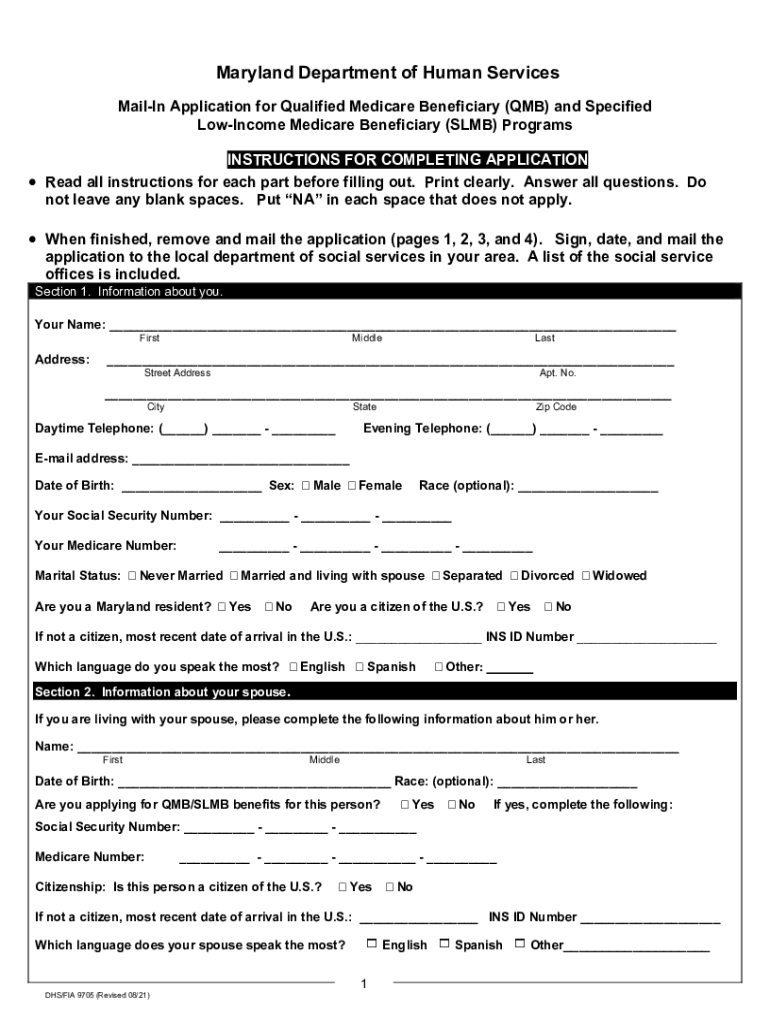
Begin with Section 1, providing your personal information. Fill in your name, address, contact details, date of birth, and Social Security number clearly.
Proceed to Section 2 if applicable, entering your spouse's information. Ensure you indicate whether you are applying for benefits on their behalf.
In Section 3, list your assets. Provide current values for savings, checking accounts, and any other relevant financial information.
Move to Section 4 to detail your income sources. Include amounts received from Social Security, pensions, or any other income streams.
Complete Sections 5 through 7 as needed. For vehicles and health insurance details, ensure all fields are filled accurately.
Finally, sign and date the application in Section 8 before removing pages 1 through 4 for mailing to your local department of social services.
Start using our platform today for free to streamline your application process!
Fill out State of Maryland - Maryland Department of Human Services online It's free
See more State of Maryland - Maryland Department of Human Services versions
We've got more versions of the State of Maryland - Maryland Department of Human Services form. Select the right State of Maryland - Maryland Department of Human Services version from the list and start editing it straight away!
My MD think portal loginMaryland department of human services near meDepartment of Human Services BaltimoreDhs marylandMydhr maryland loginDhs phone number mdMy MD think portal login Child supportEBT login md
Security and compliance
At DocHub, your data security is our priority. We follow HIPAA, SOC2, GDPR, and other standards, so you can work on your documents with confidence.
The Maryland Department of Human Services initiative is a sponsored research project intended to fulfill the service mission of the University of Maryland
Jul 26, 2017 Burial Assistance is the state funded assistance program, authorized under the. Human Services Article, 5-415, Annotated Code of Maryland,
Cookie consent notice
This site uses cookies to enhance site navigation and personalize your experience.
By using this site you agree to our use of cookies as described in our Privacy Notice.
You can modify your selections by visiting our Cookie and Advertising Notice.