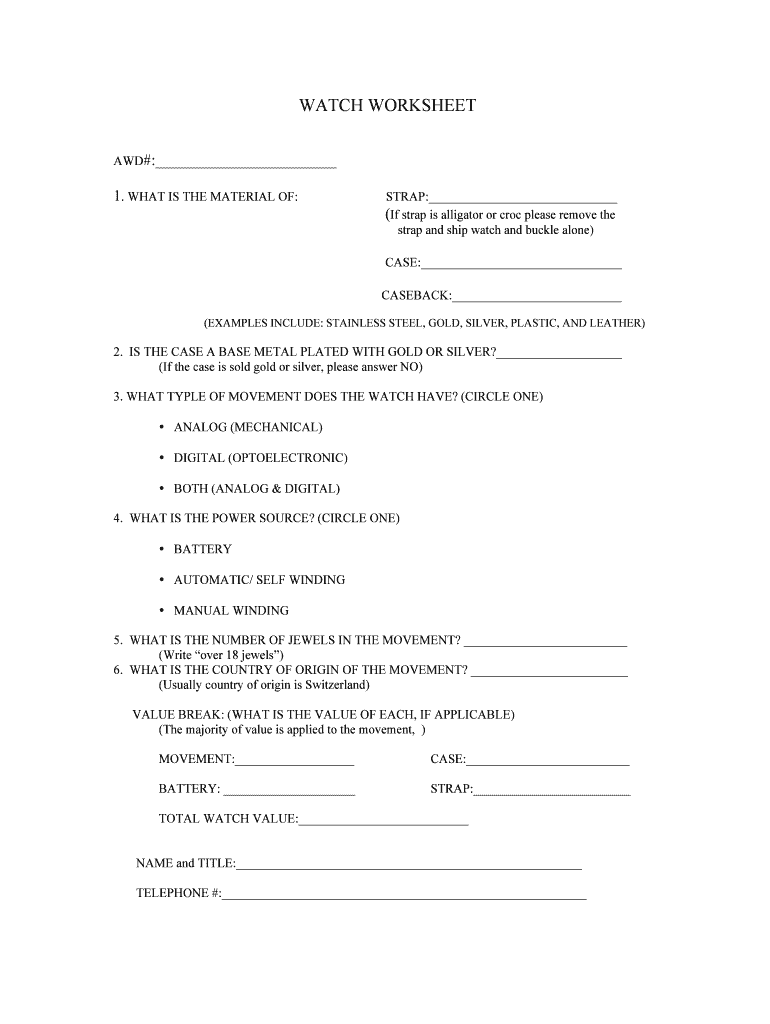
Fedex watch worksheet 2026

Get Form
fedex watch worksheet Preview on Page 1

Here's how it works

01. Edit your fedex watch worksheet online
Type text, add images, blackout confidential details, add comments, highlights and more.
02. Sign it in a few clicks
Draw your signature, type it, upload its image, or use your mobile device as a signature pad.
03. Share your form with others
Send watch worksheet via email, link, or fax. You can also download it, export it or print it out.

How to use or fill out fedex watch worksheet with our platform

Form edit decoration
9.5
Ease of Setup
DocHub User Ratings on G2
9.0
Ease of Use
DocHub User Ratings on G2
  1. Click ‘Get Form’ to open the fedex watch worksheet in the editor.
  2. Begin by filling in the AWD# at the top of the form. This unique identifier is essential for tracking your submission.
  3. In section 1, specify the material of the strap, case, and caseback. If the strap is alligator or croc, remember to note that it should be shipped separately.
  4. Answer whether the case is a base metal plated with gold or silver. If it’s solid gold or silver, indicate 'NO'.
  5. For movement type, circle one option: Analog (Mechanical), Digital (Optoelectronic), or Both.
  6. Indicate the power source by circling Battery, Automatic/Self Winding, or Manual Winding.
  7. Fill in the number of jewels in the movement; if there are over 18 jewels, simply write 'over 18 jewels'.
  8. Specify the country of origin for the movement; typically this is Switzerland.
  9. Complete the value break section by detailing values for movement, case, battery, and strap as applicable.
  10. Finally, provide your name and title along with a contact telephone number at the bottom of the form.

Start using our platform today to fill out your fedex watch worksheet online for free!

be ready to get more

Complete this form in 5 minutes or less

Get form

Got questions?

We have answers to the most popular questions from our customers. If you can't find an answer to your question, please contact us.
Contact us

Yes, you’ll find numerous apps for this on the web. Nonetheless, if you need to eSign your fedex watch worksheet without installing additional software, DocHub is the best choice you can make. This powerful editor works on mobile devices just as on desktops. Open our editor in your preferred internet browser, register or log in to your account, and start processing your forms.

If your go-to email service is Gmail, you can easily integrate your DocHub editor into your work. Modify your fedex watch worksheet with DocHub instruments and connect it to your drafts in Gmail. See how effortless it is to exchange files and work together having a swift PDF editing solution at hand.

Security and compliance

At DocHub, your data security is our priority. We follow HIPAA, SOC2, GDPR, and other standards, so you can work on your documents with confidence.

Learn more
ccpa2
pci-dss
gdpr-compliance
hipaa
soc-compliance