




Here's how it works



How to use or fill out poker staking contract with our platform

- Click ‘Get Form’ to open the poker staking contract in the editor.
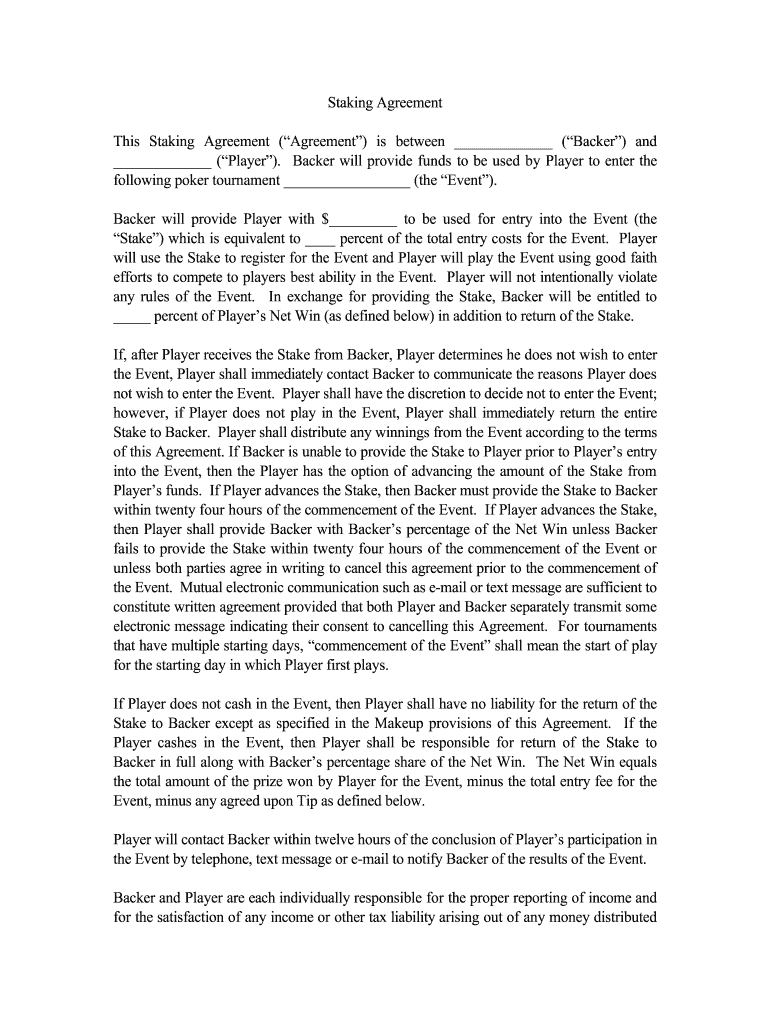
- In the first section, fill in the names of both parties: the Backer and the Player. This establishes who is involved in the agreement.
- Next, specify the tournament name in the designated field under 'Event'. This identifies which poker tournament the funds will be used for.
- Enter the amount of money being provided by the Backer as 'Stake'. Ensure this reflects a clear understanding of financial commitment.
- Indicate what percentage of winnings will go to the Backer after deducting any entry fees and tips. This clarifies profit-sharing terms.
- Review sections regarding Player's obligations and conditions for returning funds if they choose not to enter. Make sure these are clearly understood and agreed upon.
- Finally, both parties should sign and date at the bottom of the document to finalize the agreement. Use our platform’s signature feature for convenience.
Start using our platform today to easily complete your poker staking contract online for free!
It's free
See more poker staking contract versions
| Versions | Form popularity | Fillable & printable |
|---|---|---|
| 2012 | 4.8 Satisfied (68 Votes) |
Got questions?
Can I sign my the staking agreement outlines the of the players net winnings on a mobile?
Sure, you’ll find many different apps for this on the web. However, if you need to eSign your the staking agreement outlines the of the players net winnings without installing additional software, DocHub is the optimum choice you can make. This powerful editor works on mobile devices just as on desktops. Open our editor in your preferred internet browser, register or sign in to your account, and start managing your documents.
Can I print my poker stake contract and complete it by myself?
When you choose analog ways of completing your poker stake contract, you can easily download your file for printing. Search DocHub’s Forms & Templates catalog to find the exact document template you require and open it for editing or download it on your device in the format of your choice. It is possible to complete your form electronically and place your handwritten signature on it after printing or eSign your document with DocHub.
Security and compliance
At DocHub, your data security is our priority. We follow HIPAA, SOC2, GDPR, and other standards, so you can work on your documents with confidence.
Learn more


