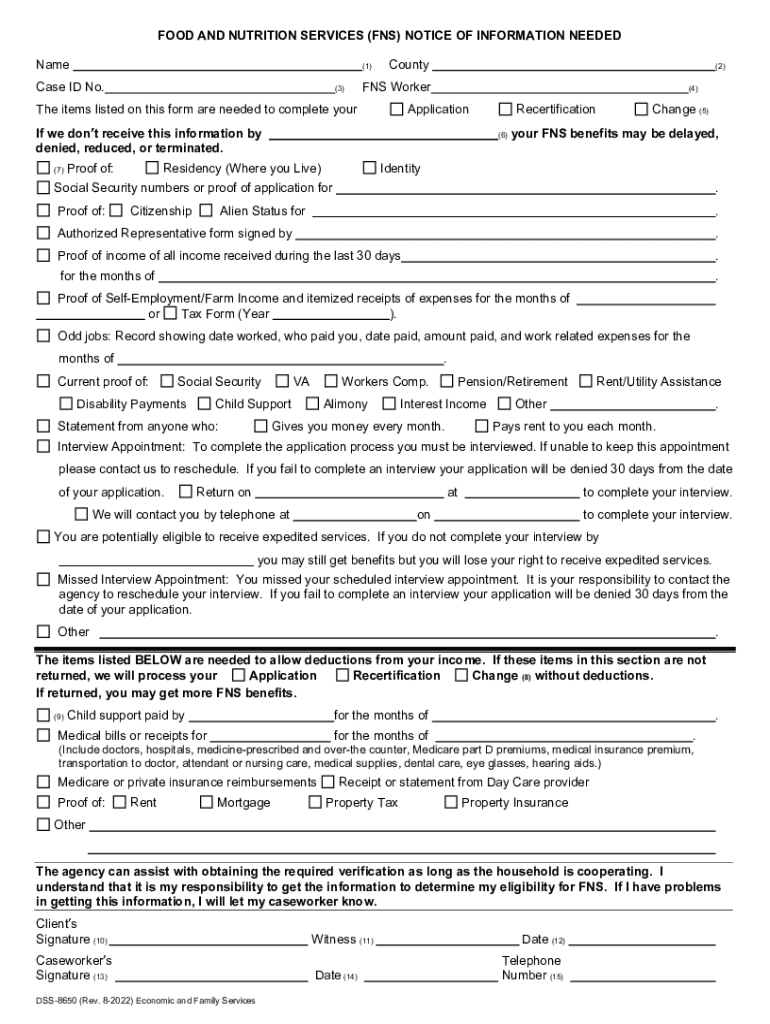
DSS-8650. Notice of Information Needed to Complete your Food and Nutrition Services (FNS)-2026

Get Form
dss 8650a Preview on Page 1

Here's how it works

01. Edit your dss 8650a online
Type text, add images, blackout confidential details, add comments, highlights and more.
02. Sign it in a few clicks
Draw your signature, type it, upload its image, or use your mobile device as a signature pad.
03. Share your form with others
Send dss 8650 via email, link, or fax. You can also download it, export it or print it out.

How to use or fill out DSS-8650. Notice of Information Needed to Complete your Food and Nutrition Services (FNS) with DocHub

Form edit decoration
9.5
Ease of Setup
DocHub User Ratings on G2
9.0
Ease of Use
DocHub User Ratings on G2
  1. Click ‘Get Form’ to open it in the editor.
  2. Begin by entering your name in the designated field. This is crucial for identifying your application.
  3. Next, input your County name and FNS Case ID number. These details help streamline the processing of your request.
  4. Indicate whether you are applying, recertifying, or reporting a change by selecting the appropriate option.
  5. Provide proof of identity, residency, and income as requested in the form. Ensure all documents are clear and legible.
  6. If applicable, check any additional boxes for deductions related to child support or medical expenses that you wish to claim.
  7. Finally, sign the form where indicated and ensure that your caseworker also signs it before submission.

Start using our platform today to easily complete your DSS-8650 form online for free!

See more DSS-8650. Notice of Information Needed to Complete your Food and Nutrition Services (FNS) versions

We've got more versions of the DSS-8650. Notice of Information Needed to Complete your Food and Nutrition Services (FNS) form. Select the right DSS-8650. Notice of Information Needed to Complete your Food and Nutrition Services (FNS) version from the list and start editing it straight away!
Versions Form popularity Fillable & printable
2022 4.4 Satisfied (30 Votes)
2011 4.2 Satisfied (36 Votes)
be ready to get more

Complete this form in 5 minutes or less

Get form

Got questions?

We have answers to the most popular questions from our customers. If you can't find an answer to your question, please contact us.
Contact us

Based on eSignature laws, documents approved digitally have the same validity as traditionally approved ones. You can eSign almost any business and private paperwork. Four types of paperwork still require wet signatures only - wills and testamentary trusts, court orders and other court forms, state statutes governing divorce, adoption, or other family law, and notice of cancellation of utility services. If you adhere to the guidelines and use a safe and compliant software solution, like DocHub, you can eSign your 8650a without printing it.

When you edit your dss8650a with DocHub, you simply will not need to look for other applications or services to eSign it. An electronic signature is part of DocHub’s substantial editing toolset, which allows you to apply changes in your form without switching between platforms. Just complete your form, double-check the correctness of your data and put your electronic signature at the end to make it submission-ready within minutes.

Security and compliance

At DocHub, your data security is our priority. We follow HIPAA, SOC2, GDPR, and other standards, so you can work on your documents with confidence.

Learn more
ccpa2
pci-dss
gdpr-compliance
hipaa
soc-compliance