



Here's how it works



How to use or fill out 2019 PH PRA-RRSC with our platform

- Click ‘Get Form’ to open the 2019 PH PRA-RRSC in our editor.
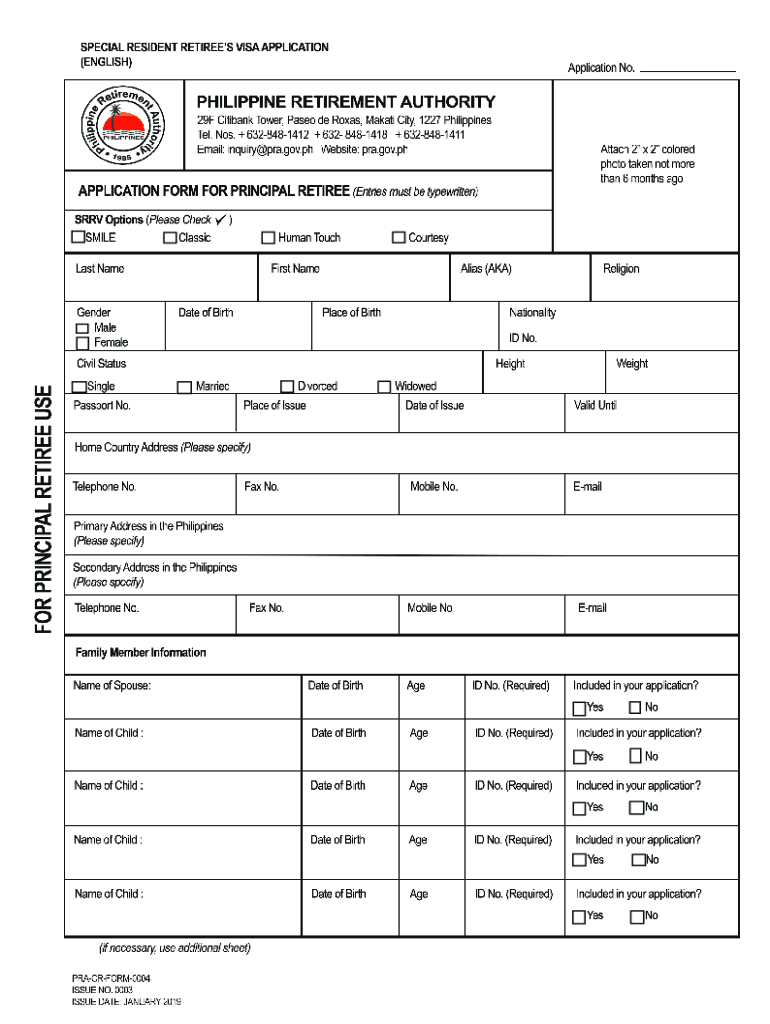
- Begin by entering your personal information in the designated fields, including your name, address, and contact details. Ensure accuracy for effective communication.
- Proceed to the sections that require specific data related to your application. Carefully read each prompt and fill in the required information, utilizing dropdown menus or text boxes as needed.
- Review any checkboxes or yes/no questions thoroughly. Make sure to select all applicable options that pertain to your situation.
- Once all fields are completed, utilize our platform’s signature feature to sign the document electronically. This ensures a secure and valid submission.
- Finally, save your changes and download the completed form for submission or share it directly via email using our integrated sharing options.
Start using our platform today for free and streamline your form completion process!
It's free
Got questions?
Can I sign my 2019 PH PRA-RRSC electronically?
Based on eSignature laws, forms approved digitally have the same validity as traditionally approved ones. You can electronically sign almost any business and private paperwork. Four types of paperwork still demand wet signatures only - wills and testamentary trusts, court orders and other court forms, state statutes regulating divorce, adoption, or other family law, and notice of cancellation of utility services. If you follow the regulations and utilize a safe and compliant software solution, like DocHub, you can eSign your 2019 PH PRA-RRSC without printing it.
Do I need to install software to edit my 2019 PH PRA-RRSC?
If you edit your 2019 PH PRA-RRSC with DocHub, you merely need a stable internet connection and virtually any browser installed on your device. No need to install any third-party software or research guides. Just open a tab with DocHub, drag and drop your file, and edit it immediately.
Security and compliance
At DocHub, your data security is our priority. We follow HIPAA, SOC2, GDPR, and other standards, so you can work on your documents with confidence.
Learn more