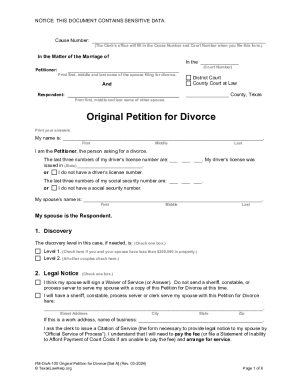
Fl300 pdf 2026

Get Form
form fl300 Preview on Page 1

Here's how it works

01. Edit your form fl300 online
Type text, add images, blackout confidential details, add comments, highlights and more.
02. Sign it in a few clicks
Draw your signature, type it, upload its image, or use your mobile device as a signature pad.
03. Share your form with others
Send fl 300 pdf via email, link, or fax. You can also download it, export it or print it out.

How to use or fill out fl300 pdf with our platform

Form edit decoration
9.5
Ease of Setup
DocHub User Ratings on G2
9.0
Ease of Use
DocHub User Ratings on G2
  1. Click ‘Get Form’ to open the FL-300 in the editor.
  2. Complete the caption at the top with your name, address, and telephone number, along with the court's address. Include the names of all parties as they appear in the original petition and write down the case number.
  3. Indicate whether you are requesting a change to an existing order or if you need temporary emergency orders by checking the appropriate boxes.
  4. In Item 1, list any other individuals involved in your case who will receive this request. Leave Item 2 blank for the court clerk to fill in.
  5. For Items 3 through 5, leave them blank; these will be completed by the court if your orders are granted.
  6. Complete pages 2 to 4 of form FL-300 as necessary, ensuring all required fields are filled accurately.
  7. Make copies of your completed forms and any additional documents needed before filing them with the court clerk.
  8. Submit your paperwork either in person or via mail, ensuring you pay any applicable filing fees or request a fee waiver if necessary.

Start using our platform today for free to streamline your document editing and form completion!

See more fl300 pdf versions

We've got more versions of the fl300 pdf form. Select the right fl300 pdf version from the list and start editing it straight away!
Versions Form popularity Fillable & printable
2020 4.8 Satisfied (115 Votes)
2016 4.4 Satisfied (345 Votes)
2012 4.4 Satisfied (59 Votes)
be ready to get more

Complete this form in 5 minutes or less

Get form

Got questions?

We have answers to the most popular questions from our customers. If you can't find an answer to your question, please contact us.
Contact us
USE Responsive Declaration to Request for Order (form FL-320) Use form FL-320 to let the court and the other party know that you agree or disagree with each of the requests made in the Request for Order (form FL-300). If you disagree, use form FL-320 to describe the orders you would like the court to make.
If you received a Request for Order (form FL-300), it means the other person in your family law case is asking the judge to make a decision. The court sets a date to hear from both sides (a hearing) before it makes a decision.
If you received a Request for Orders (form FL-300), it means the other party in your family law case is asking the court to make a decision. The court set a date to hear from both sides (a hearing) before it makes a decision.

Security and compliance

At DocHub, your data security is our priority. We follow HIPAA, SOC2, GDPR, and other standards, so you can work on your documents with confidence.

Learn more
ccpa2
pci-dss
gdpr-compliance
hipaa
soc-compliance