




Here's how it works

01. Edit your rct 132 online
Type text, add images, blackout confidential details, add comments, highlights and more.

02. Sign it in a few clicks
Draw your signature, type it, upload its image, or use your mobile device as a signature pad.

03. Share your form with others
Send it via email, link, or fax. You can also download it, export it or print it out.
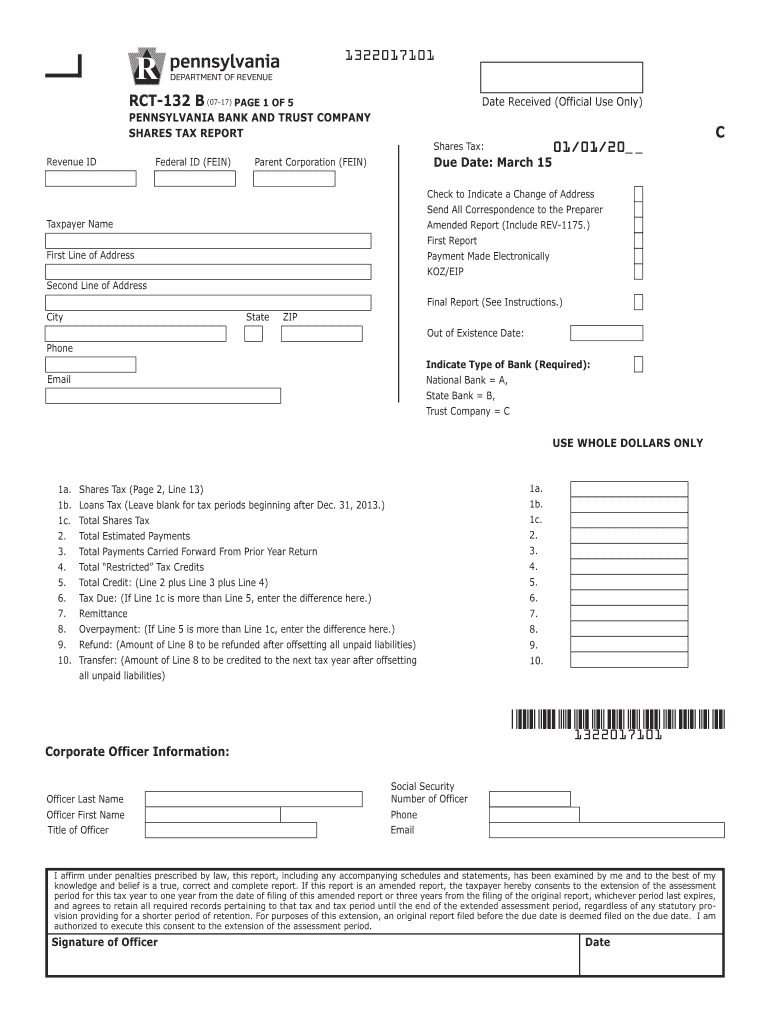
How to use or fill out Pennsylvania Bank and Trust Company Shares Tax Report (RCT-132B) -- Print Only Version. Forms/Publications with our platform

- Click ‘Get Form’ to open the Pennsylvania Bank and Trust Company Shares Tax Report (RCT-132B) in the editor.
- Begin by filling out the taxpayer information at the top of Page 1, including your Revenue ID, Federal ID, and contact details.
- Indicate the type of bank you are reporting for: National Bank, State Bank, or Trust Company.
- Complete Page 5, Schedule B for Edge Act Exclusion if applicable. Ensure all calculations are accurate.
- Proceed to Page 4, Schedule A1 to detail your Receipts Factor for apportionment purposes.
- Fill out Page 3, Schedule A with all relevant receipts from various sources as outlined in the instructions.
- On Page 2, calculate your End of Year Taxable Shares by following the provided lines carefully.
- Complete the tax liability section on Page 1, ensuring you accurately report any payments or overpayments.
- Sign and date the corporate officer information section at the bottom of Page 1 before submission.
- Finally, mail your completed report along with any supporting documents to the PA Department of Revenue.
Start using our platform today to streamline your form completion process for free!
Fill out Pennsylvania Bank and Trust Company Shares Tax Report (RCT-132B) -- Print Only Version. Forms/Publications online
It's free
It's free
See more Pennsylvania Bank and Trust Company Shares Tax Report (RCT-132B) -- Print Only Version. Forms/Publications versions
We've got more versions of the Pennsylvania Bank and Trust Company Shares Tax Report (RCT-132B) -- Print Only Version. Forms/Publications form. Select the right Pennsylvania Bank and Trust Company Shares Tax Report (RCT-132B) -- Print Only Version. Forms/Publications version from the list and start editing it straight away!
Security and compliance
At DocHub, your data security is our priority. We follow HIPAA, SOC2, GDPR, and other standards, so you can work on your documents with confidence.
Learn more


Related forms

How to Write an Internship Report (With Examples)Indeed
The document is an 'Intern Work Plan Template' designed to help interns outline their goals and tasks during their inter ...

Ksr dmv
The document contains various vehicle reports including a Vehicle Registration Inquiry Report, NMVTIS Reports, Safety Re ...

Harvard health food diary
The document outlines the use of a food and symptoms diary to help individuals identify potential food triggers for thei ...

Microsoft PowerPoint - Pickleball 90 Day Study pptx
The document outlines a 90-day study conducted by the Pickleball Committee in Punta Gorda, focusing on the growing popul ...
Rating best child care focus of Guiding Stars of Duval
The document 'Guiding Stars of Duval 5.0' serves as a comprehensive guide for providers participating in Duval County's ...

Can i request a bpqy online
The Benefits Planning Query Handbook (BPQY) is a resource from the Social Security Administration designed to assist SSD ...

State AgenciesSchool of Law
The document is an attestation form for errors and omissions insurance required by the Oregon Department of Consumer and ...
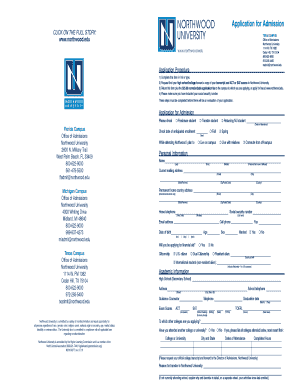
Northwood university print application form
The document is an application form for admission to Northwood University, detailing the application procedure, personal ...