




Here's how it works

01. Edit your form online
Type text, add images, blackout confidential details, add comments, highlights and more.

02. Sign it in a few clicks
Draw your signature, type it, upload its image, or use your mobile device as a signature pad.

03. Share your form with others
Send it via email, link, or fax. You can also download it, export it or print it out.
How to use or fill out the Oil Production Monthly Amended Tax Return with our platform

- Click ‘Get Form’ to open it in the editor.
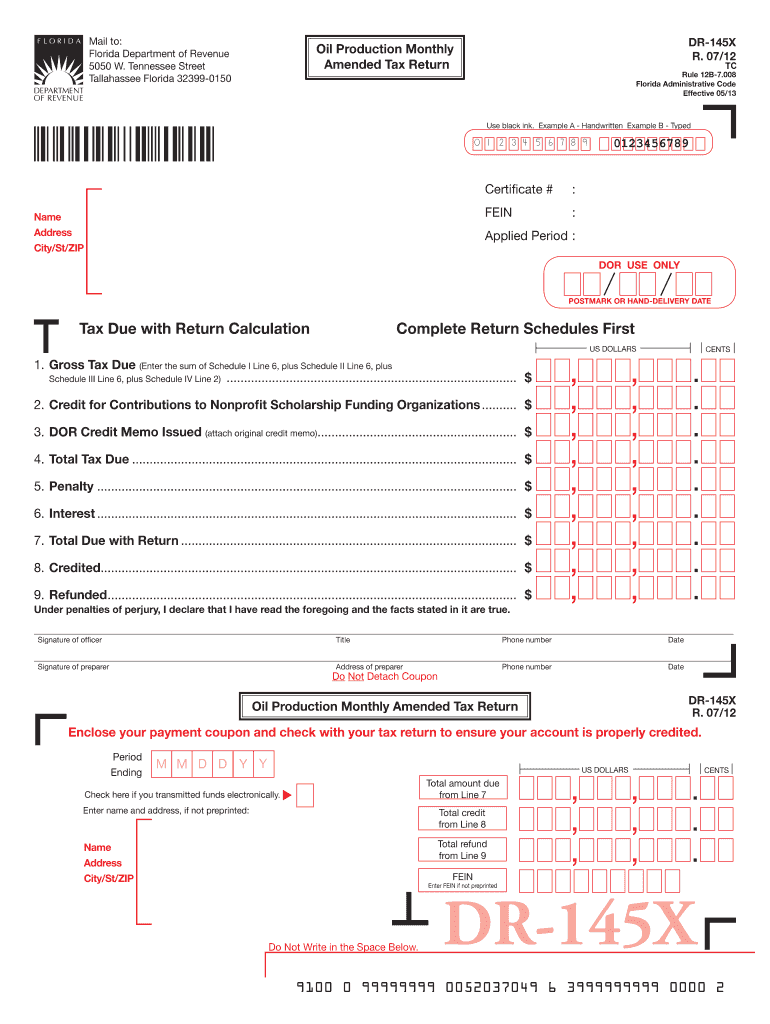
- Begin by entering your Certificate Number and FEIN at the top of the form. Ensure that your name, address, city/state/ZIP, and applied period are accurately filled out.
- Proceed to calculate the tax due. Complete Schedules I, II, III, and IV as necessary. For each schedule, enter previously reported values and amended figures for taxable barrels produced and their corresponding values.
- Calculate the total tax due by summing up all relevant lines from each schedule. Make sure to account for any credits or penalties applicable.
- Sign and date your amended return at the bottom of the form. If you are submitting electronically, check the box indicating electronic funds transfer.
Start using our platform today to streamline your document editing and submission process for free!
Fill out Florida Oil Production Monthly Amended Tax Return DR-145X online
It's free
It's free
See more Florida Oil Production Monthly Amended Tax Return DR-145X versions
We've got more versions of the Florida Oil Production Monthly Amended Tax Return DR-145X form. Select the right Florida Oil Production Monthly Amended Tax Return DR-145X version from the list and start editing it straight away!
Security and compliance
At DocHub, your data security is our priority. We follow HIPAA, SOC2, GDPR, and other standards, so you can work on your documents with confidence.
Learn more


Related forms

WV-800 Receipt for Firearms and Firearm Parts Judicial Council forms
The document is a legal form (WV-800) used in California for individuals who have been ordered by a judge to surrender t ...

NAME, ADDRESS, AND TELEPHONE NUMBER OF ATTORNEY OR PARTY WITHOUT ATTORNEY:
The document is an 'Application & Order to Withdraw Exhibits' from the Superior Court of California, County of Los Angel ...

California bar examination study aids
The document provides information on the availability and pricing of California Bar Examination study aids, including es ...

California Citation for Minor Abandonment
The document is a legal citation issued by the Superior Court of California, County of Los Angeles, regarding a case for ...

JV-445 Findings and Orders After Postpermanency HearingParental Rights Terminated; Permanent Plan of
JV-445 Findings and Orders After Postpermanency HearingParental Rights Terminated; Permanent Plan of
The document is a legal form used in California's Superior Court for postpermanency hearings regarding children whose pa ...
CH-800 Receipt for Firearms and Firearm Parts (Civil Harassment Prevention) Judicial Council forms
CH-800 Receipt for Firearms and Firearm Parts (Civil Harassment Prevention) Judicial Council forms
The document provides information and forms necessary for requesting a Civil Harassment Restraining Order in Stanislaus ...

APP-012 STIPULATION FOR EXTENSION OF TIME TO FILE BRIEF (CIVIL CASE) Judicial Council forms
APP-012 STIPULATION FOR EXTENSION OF TIME TO FILE BRIEF (CIVIL CASE) Judicial Council forms
The document APP-012 is a form used in the Court of Appeal for stipulating an extension of time to file a brief in a civ ...

Inventory template sheet
The document provides a structured format for entering equipment data, including physical condition, financial details, ...