




01. Edit your form online
Type text, add images, blackout confidential details, add comments, highlights and more.

Type text, add images, blackout confidential details, add comments, highlights and more.

Draw your signature, type it, upload its image, or use your mobile device as a signature pad.

Send it via email, link, or fax. You can also download it, export it or print it out.
The term "form online" refers to a web-based interface or digital document designed for users to input data, which is then typically collected, processed, or used for various purposes. It serves the fundamental function of transitioning traditional paper forms into a digital format, allowing users to access and complete these forms through their web browsers. Online forms are commonly used across various sectors, including government, education, healthcare, and business, to streamline data collection, enhance accessibility, and reduce paper waste. Detailed features of online forms often include fillable fields, such as text inputs, checkboxes, and dropdown menus, catering to the specific data collection needs of the user. Additionally, elements like automatic data validation and conditional logic can be employed to guide respondents through the form efficiently.
Using an online form typically involves several straightforward steps. First, the user must access the form via a provided link or through an organization's website. Upon opening, users will encounter a series of fields to complete. These might include basic information prompts, such as name and contact details, and more specific sections relevant to the form's purpose. Most modern online forms incorporate features such as auto-save and the ability to navigate between sections without losing entered data. After filling out the form, respondents must review their entries for accuracy. To complete the process, users typically submit the form by clicking a designated button. Submission may trigger an automated confirmation email or message to assure users that their entries have been successfully received.
Online forms contain several key components designed to facilitate data entry and capture. Common elements include text fields where users input information, such as names or addresses. Checkboxes allow users to select multiple options, while radio buttons offer exclusive choice selections, ensuring only one option is chosen per related question. Dropdown menus provide a list of choices, useful for questions with fixed responses. Additionally, signature fields may be included for instances where digital signatures are required, ensuring the authenticity and intent of the respondent. Each element plays a critical role in making the form efficient and easy to navigate.
Understanding key terminology associated with online forms is vital for both creators and users. Terms such as "fillable field" refer to sections of the form that require user input. "Data validation" involves automatic checks the form performs to ensure user inputs conform to specified formats or criteria, reducing errors. "Conditional logic" denotes rules set within the form to show or hide fields based on previous responses, streamlining the user experience. Another important term is "encryption," which ensures that the data entered into the form is securely transmitted and stored. These terms are crucial for understanding the functionalities and security measures implemented in online forms.
The legality of using online forms can depend on the context and the type of information being collected. In the U.S., online forms used for specific purposes, like signing legally binding contracts, must comply with laws and regulations such as the ESIGN Act, which confers electronic signatures the same legal standing as handwritten signatures. Compliance with regulations like GDPR for data protection and HIPAA for handling health information is essential when forms are used to collect sensitive information. Organizations must ensure that their online forms adhere to legal guidelines to maintain data privacy and security, thereby protecting the rights of the respondents and reducing liability risks.
Online forms have a wide range of applications across various sectors. In education, they are used for online enrollment, allowing students to fill out and submit admission forms electronically. In healthcare, patients may use online forms to pre-register for appointments or to complete health history questionnaires. Businesses frequently utilize online forms for customer feedback, job applications, or order processing. Government agencies employ online forms for services like tax filing and license applications. Each of these applications highlights the versatility and efficiency of online forms in collecting and processing information quickly and accurately.
Transitioning from paper forms to digital forms offers several advantages. Unlike paper forms, digital forms can be accessed anytime and anywhere provided there is internet connectivity. The digital format also supports features like data validation, which can minimize user errors and ensure the accuracy of the information provided. Moreover, digital forms often include built-in analytics, enabling organizations to better track submission metrics and derive insights from collected data. While paper forms may be preferred for certain scenarios where digital access is limited, digital forms typically offer greater operational efficiency and environmental benefits.
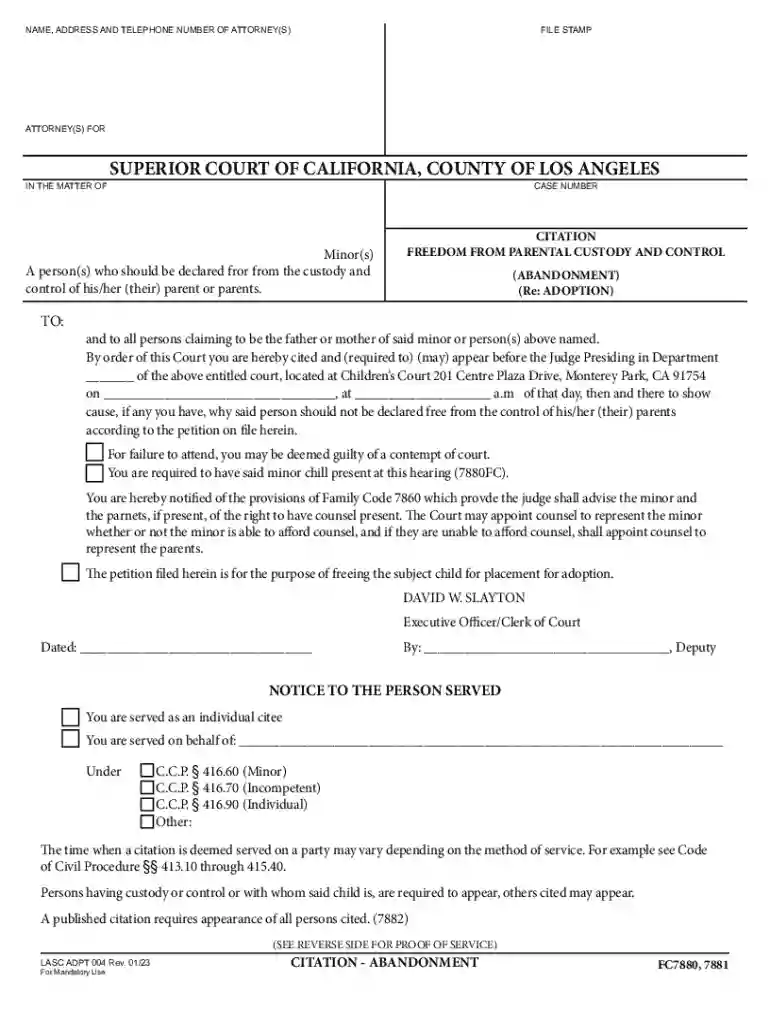
We've got more versions of the California Citation for Minor Abandonment form. Select the right California Citation for Minor Abandonment version from the list and start editing it straight away!
At DocHub, your data security is our priority. We follow HIPAA, SOC2, GDPR, and other standards, so you can work on your documents with confidence.


