




Here's how it works
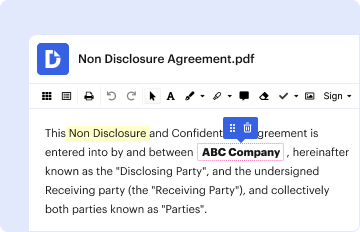
01. Edit your dees kennels online
Type text, add images, blackout confidential details, add comments, highlights and more.
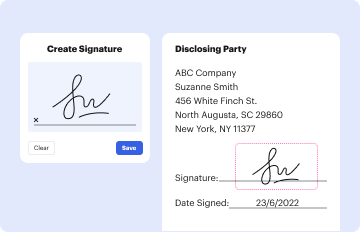
02. Sign it in a few clicks
Draw your signature, type it, upload its image, or use your mobile device as a signature pad.
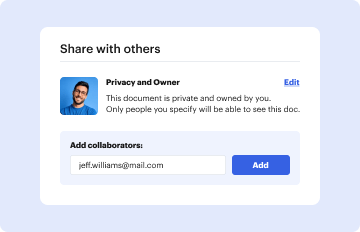
03. Share your form with others
Send dog grooming waiver form via email, link, or fax. You can also download it, export it or print it out.
How to use or fill out Dees Kennels-Dog Grooming Release Form

- Click ‘Get Form’ to open it in the editor.
- Begin by entering your name in the 'Owner’s Name' section, ensuring both first and last names are clearly filled out.
- Provide your address, including city and postal code, along with your contact numbers in the designated fields.
- Fill in your pet's name, age, sex, and breed accurately to ensure proper identification during grooming.
- Indicate whether your pet's vaccinations are current by selecting 'Yes' or 'No'. If there are any medical problems or past grooming issues, detail them in the provided spaces.
- Complete the veterinarian's name and phone number for emergency contacts. This is crucial for your pet’s safety.
- Read through the liability waiver carefully. Once you understand and agree to the terms, sign and date at the bottom of the form.
Start using our platform today to complete your Dees Kennels-Dog Grooming Release Form online for free!
Fill out Dees Kennels-Dog Grooming Release Form online
It's free
See more Dees Kennels-Dog Grooming Release Form versions
We've got more versions of the Dees Kennels-Dog Grooming Release Form form. Select the right Dees Kennels-Dog Grooming Release Form version from the list and start editing it straight away!
| Versions | Form popularity | Fillable & printable |
|---|---|---|
| 2017 | 4.7 Satisfied (20 Votes) |
Security and compliance
At DocHub, your data security is our priority. We follow HIPAA, SOC2, GDPR, and other standards, so you can work on your documents with confidence.
Learn more


Related forms

American rescue plan application
The document outlines the funding guidelines and instructions for emergency grants provided to students at Elmira Colleg ...
Uic application
The document is a Guaranteed Admissions Transfer Participation Form for the Guaranteed Admission Transfer Program (GAT) ...
Direct deposit unc form
The document outlines the Direct Deposit service offered by the University Payroll Office, which allows faculty, staff, ...
Fullerton faF1BUSPPARENT BUSINESS SUPPLEMENT FORM (202-2023 - fullerton
The document is a Parent Family Size Certification form for the 2022-2023 academic year, required by the Office of Finan ...
Request alice lloyd
The document is a transcript request form for Alice Lloyd College, detailing the process for students to request their a ...

Form ST-101:2 15:New York State and Local Annual Sales and
The document is the New York State and Local Annual Sales and Use Tax Return (Form ST-101) for the tax period from March ...

California Collaborative Fisheries Research Program (CCFRP
The document is an internship application form for the California Collaborative Fisheries Research Program (CCFRP). It c ...

Print temporary driver license florida