




Here's how it works

01. Edit your complaint affidavit sample online
Type text, add images, blackout confidential details, add comments, highlights and more.

02. Sign it in a few clicks
Draw your signature, type it, upload its image, or use your mobile device as a signature pad.

03. Share your form with others
Send summons and complaint via email, link, or fax. You can also download it, export it or print it out.
How to use or fill out summons on cross complaint with our platform

- Click ‘Get Form’ to open the summons on cross complaint in the editor.
- Begin by entering the name and address of the court in the designated field. This is crucial for ensuring that your document is properly filed.
- Next, fill in the short name of the case as indicated from your original complaint. This helps to identify your case clearly.
- Input the case number in the appropriate section. This number is essential for tracking your case within the court system.
- Provide the name, address, and telephone number of either the cross-complainant's attorney or the cross-complainant if they are self-represented. Ensure this information is accurate for effective communication.
- Review all entered information for accuracy before saving or printing your form. Use our platform’s features to easily edit any mistakes.
Start using our platform today to streamline your document editing and ensure a smooth filing process!
Fill out summons on cross complaint online
It's free
See more summons on cross complaint versions
We've got more versions of the summons on cross complaint form. Select the right summons on cross complaint version from the list and start editing it straight away!
| Versions | Form popularity | Fillable & printable |
|---|---|---|
| 2009 | 4.9 Satisfied (47 Votes) |
Security and compliance
At DocHub, your data security is our priority. We follow HIPAA, SOC2, GDPR, and other standards, so you can work on your documents with confidence.
Learn more


Related forms
Plan your visit Smithsonian Tropical Research Institute
The document discusses the unique characteristics and evolutionary adaptations of spider genitalia, focusing on male spi ...

ADOA: Walgreens Mail Order MedImpact
The document provides a comprehensive FAQ regarding Walgreens Mail Order services in collaboration with MedImpact. It co ...

Connecticut Wildlife March April 2012 Wildlife in Connecticut
The March/April 2012 edition of Connecticut Wildlife, published by the Connecticut Department of Energy and Environmenta ...

Norton Sound - SASAP : State of Alaska Salmon and People
The document is an annual report detailing the development of the Arctic-Yukon-Kuskokwim (AYK) Salmon Database Managemen ...
DRY CREEK JOINT ELEMENTARY SCHOOL DISTRICT
The document is a proposed decision from the Office of Administrative Hearings regarding accusations against multiple ce ...
Form 1108
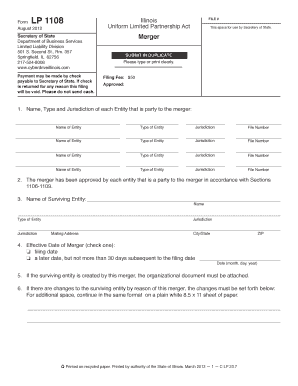
The document is a form (LP 1108) for filing a merger under the Illinois Uniform Limited Partnership Act. It outlines the ...
Illinois registration statement
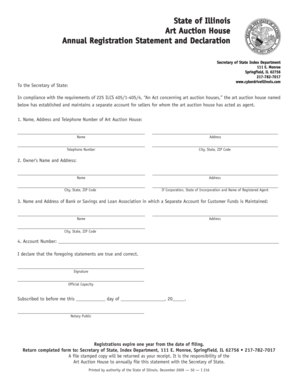
The document is an Annual Registration Statement and Declaration for art auction houses in Illinois, required by law to ...
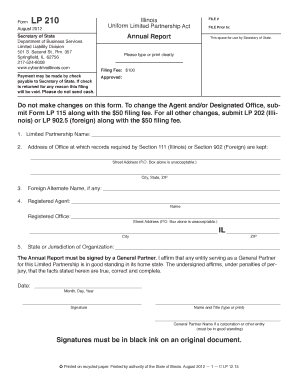
Il annual report form
The document is an Illinois Uniform Limited Partnership Act form for filing an Annual Report. It outlines the necessary ...