




Here's how it works

01. Edit your engagement application online
Type text, add images, blackout confidential details, add comments, highlights and more.

02. Sign it in a few clicks
Draw your signature, type it, upload its image, or use your mobile device as a signature pad.

03. Share your form with others
Send site dochub com american airlines via email, link, or fax. You can also download it, export it or print it out.
How to use or fill out engagement letter with our platform

- Click ‘Get Form’ to open the engagement letter in the editor.
- Begin by filling in the recipient's details at the top of the letter, including the name of the President, Corporation, and its address.
- In section A, specify the name of the corporation and the date for which you are reviewing financial statements. This is crucial for clarity on what period your review covers.
- Section B outlines the differences between a review and an audit. Ensure you understand these distinctions as they impact your expectations from this engagement.
- In section C, acknowledge your responsibilities regarding management decisions and internal controls. This section emphasizes your role in overseeing services provided.
- Detail any additional non-attest services in section D if applicable, such as tax preparation or bookkeeping services.
- Finally, complete the fee structure at the end of the document before signing. Ensure both parties sign and date where indicated to finalize the agreement.
Start using our platform today to streamline your engagement letter process for free!
Fill out engagement letter online
It's free
Security and compliance
At DocHub, your data security is our priority. We follow HIPAA, SOC2, GDPR, and other standards, so you can work on your documents with confidence.
Learn more


Related forms
Nchec form
The document is an Experience Verification Form for applicants seeking qualification as a Master Certified Health Educat ...
Request for congressional inquiry
The document is a request form for individuals seeking assistance from U.S. Representative Louie Gohmert regarding issue ...
Report of legal name change wisconsin form
The document is a legal form from the Wisconsin Department of Health Services for reporting a legal name change. It outl ...
District remit 031408 pdf
The document is a credit application form for CleanSource, Inc., detailing the necessary information required from busin ...
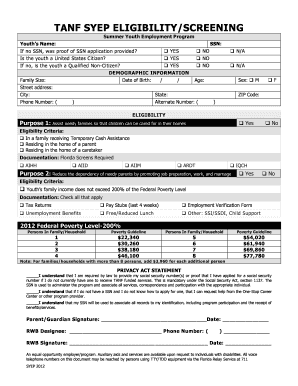
Syep eligibility screening form
The document outlines the eligibility and screening criteria for the Summer Youth Employment Program (SYEP) under the Te ...
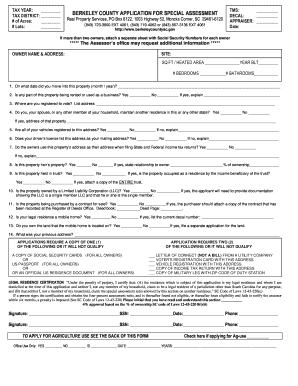
Sc berkeley county assessment
The document is an application form for special assessment of real property in Berkeley County, South Carolina. It outli ...