




Here's how it works

01. Edit your california traffic ticket forgiveness online
Type text, add images, blackout confidential details, add comments, highlights and more.

02. Sign it in a few clicks
Draw your signature, type it, upload its image, or use your mobile device as a signature pad.

03. Share your form with others
Send california traffic court via email, link, or fax. You can also download it, export it or print it out.
How to use or fill out traffic ticket amnesty form with our platform

- Click ‘Get Form’ to open the traffic ticket amnesty form in the editor.
- Begin by entering your personal information, including your name, driver's license number, current address, email, and contact numbers. Ensure all details are accurate for effective communication.
- In section 1, select whether you are seeking a reduction in unpaid bail/fines/fees and reinstatement of your driver’s license or just reinstatement. Check the appropriate box and confirm eligibility by checking the statements provided.
- Proceed to section 2 to provide financial information. Choose either option A or B based on your public assistance status. If applicable, check all forms of assistance you receive.
- If you do not receive public assistance, complete option B by stating your total gross monthly household income and the number of people living in your household.
- Finally, read the affirmations carefully before signing and dating the form at the bottom. This confirms that all information is true to the best of your knowledge.
Start filling out your traffic ticket amnesty form today for free using our platform!
Fill out traffic ticket amnesty form online
It's free
Security and compliance
At DocHub, your data security is our priority. We follow HIPAA, SOC2, GDPR, and other standards, so you can work on your documents with confidence.
Learn more


Related forms

Watch NomiNation, Ep 3: God's Power Broker - Vanity Fair
The Spring 2012 issue of Northwestern College Magazine, titled 'Classic', explores various themes including the challeng ...
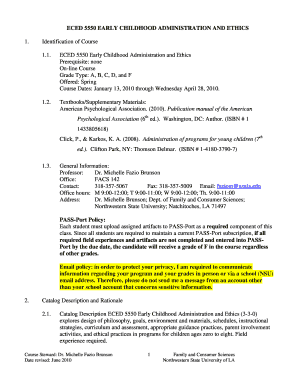
ECED 5550 EARLY CHILDHOOD ADMINISTRATION AND ETHICS
The document outlines the course ECED 5550 Early Childhood Administration and Ethics, which is offered online at Northwe ...

X Interpreting phonetic interpretation over the lexicon - faculty wcas northwestern
The document by Mary E. Beckman and Janet Pierrehumbert explores the concept of 'phonetic interpretation' within the lex ...

Correct Care Technologies Disaster Recovery (DR) Services - PDF
The document is a presentation on Business Continuity Planning (BCP) by Stanislav Nurilov, focusing on the importance of ...

Evaluation of air quality and human health - Purdue University - fn cfs purdue
The document evaluates Michigan's proposed 1998 Fish Advisory Program, focusing on the health risks associated with cons ...

Trading and Volatility
The article analyzes stock market volatility in 25 countries before and after the introduction of equity-index futures t ...

Lecture 10: Key Distribution for Symmetric Key
Lecture 10 discusses key distribution for symmetric key cryptography and random number generation. It covers the necessi ...

Network Working Group G Sidebottom Request for Comments - ftp cerias purdue
This document, RFC 3332, defines the MTP3-User Adaptation Layer (M3UA) protocol for transporting SS7 MTP3-User signaling ...