




Here's how it works



How to use or fill out SSA 795 with DocHub

- Click ‘Get Form’ to open the SSA 795 in our editor.
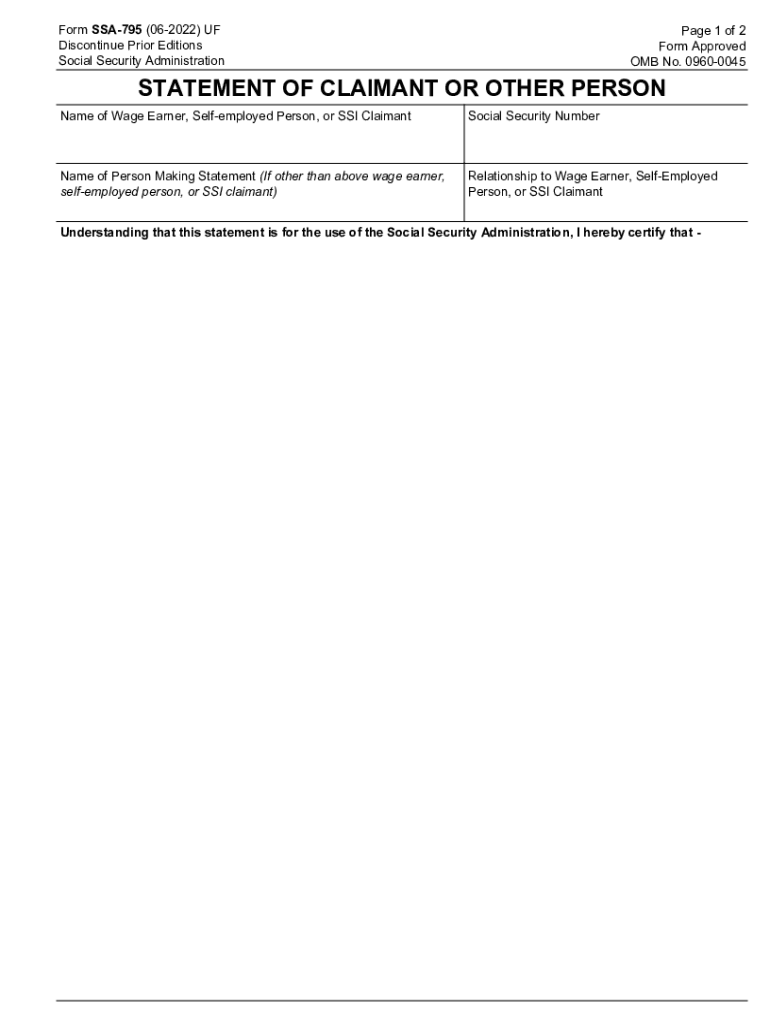
- Begin by entering the name of the wage earner, self-employed person, or SSI claimant in the designated field. Ensure accuracy as this information is crucial for processing.
- Next, input the Social Security Number of the claimant. This number is essential for identification purposes.
- If you are not the wage earner, provide your name and relationship to them in the respective fields. This helps clarify your connection to the claim.
- Review all provided information carefully. Once confirmed, sign and date the form where indicated. If you signed by mark (X), ensure two witnesses sign below with their addresses.
- Finally, save your completed form and export it directly from our platform for submission.
Start using our platform today to fill out your SSA 795 form online for free!
It's free
See more ssa 795 versions
Got questions?
How do I sign my social security form 795 without printing?
Electronic signatures are a great alternative to traditional signing, as they save time, effort, and money people spend on printing, scanning, and paper delivery. You can electronically sign your social security form 795 utilizing a reliable and robust online document management tool like DocHub. It complies with main eSignature regulations (ESIGN and UETA), so all documents approved there are legally binding and have the same validity as manually signed ones.
How do you edit 795 form ssa on iOS?
You can easily edit fill out your 795 form ssa on any iOS gadget. Open an internet browser of your liking, visit the DocHub site, authorize or create a new account, add your file for editing, and make your required alterations. Our service is mobile-friendly, so using its functions on your phone will be a no-brainer, even on the first try.
What is a 795?
What does ins stand for on a Social Security check?
What is Social Security form SSA 2458?
Security and compliance
At DocHub, your data security is our priority. We follow HIPAA, SOC2, GDPR, and other standards, so you can work on your documents with confidence.
Learn more


