




Here's how it works



How to use or fill out WOODBRIDGE HIGH SCHOOL PTSA PAYMENT AUTHORIZATION FORM DATE - woodbridgeptsa with our platform

- Click ‘Get Form’ to open it in the editor.
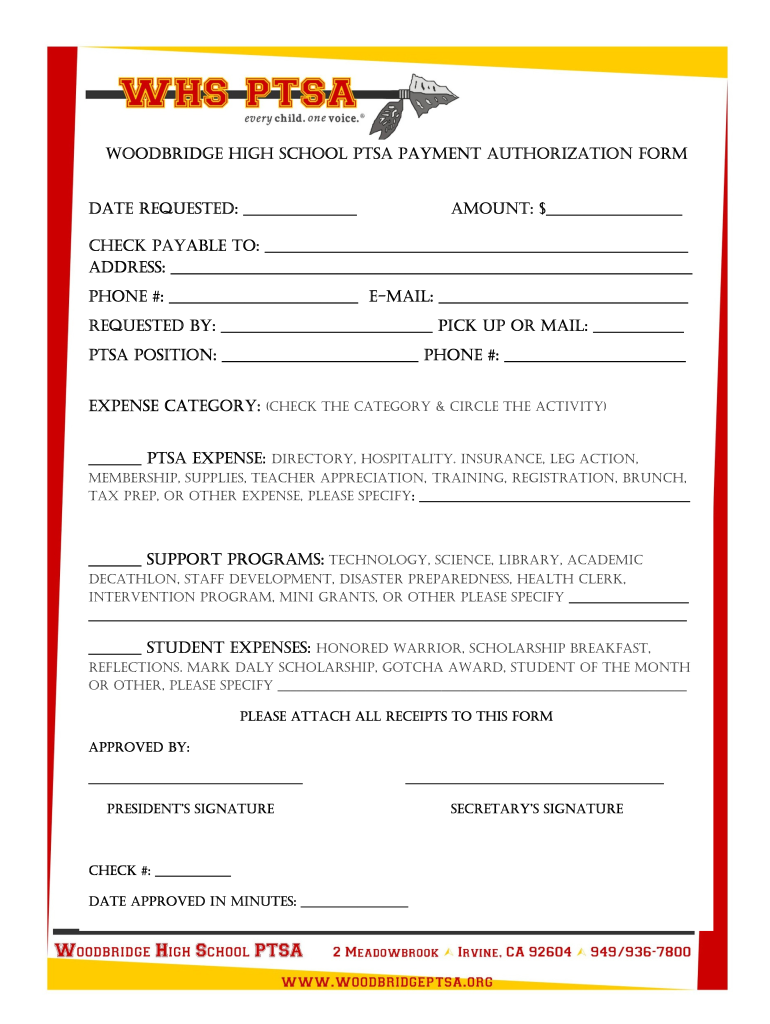
- Begin by entering the 'DATE REQUESTED' at the top of the form. This helps track when the payment is needed.
- Fill in the 'AMOUNT' section with the total amount requested, ensuring accuracy for processing.
- Specify who the check should be payable to in the 'CHECK PAYABLE TO' field, along with their address and contact information.
- Indicate whether you prefer to pick up or have the check mailed by filling out that section accordingly.
- Select your PTSA position and provide your phone number for any follow-up questions.
- Choose an expense category from the provided options and circle any relevant activities. If applicable, specify other expenses clearly.
- Attach all necessary receipts to this form before submission for verification purposes.
- Finally, ensure that both the President's and Secretary's signatures are obtained for approval before finalizing your submission.
Start using our platform today to streamline your document editing and signing process for free!
It's free
See more WOODBRIDGE HIGH SCHOOL PTSA PAYMENT AUTHORIZATION FORM DATE - woodbridgeptsa versions
| Versions | Form popularity | Fillable & printable |
|---|---|---|
| 2010 | 4 Satisfied (43 Votes) |
Got questions?
How can I eSign my WOODBRIDGE HIGH SCHOOL PTSA PAYMENT AUTHORIZATION FORM DATE - woodbridgeptsa in Word?
Microsoft Word doesn’t have signing tools to generate valid eSignatures and enforceable documents. Luckily, DocHub is an online eSignature-compliant editor that supports various document formats, including .doc files. Log in to your account and import the Word edition of your WOODBRIDGE HIGH SCHOOL PTSA PAYMENT AUTHORIZATION FORM DATE - woodbridgeptsa from your device and cloud, or URL - our editor will automatically transform it into an editable PDF. Make all essential alterations in your form and click Sign to generate your own legally-binding eSignature. There are four signing methods from which to choose.
How do you complete WOODBRIDGE HIGH SCHOOL PTSA PAYMENT AUTHORIZATION FORM DATE - woodbridgeptsa online?
You may complete and sign your WOODBRIDGE HIGH SCHOOL PTSA PAYMENT AUTHORIZATION FORM DATE - woodbridgeptsa on the internet, even on a tight deadline. All you need to access top-notch editing instruments on any device is a DocHub account, that you can sign up within a couple of moments. When you sign up, add your document or find what you are looking for in our catalog, complete it utilizing the editing instruments you need, and place your electronic signature on it at the end.
Security and compliance
At DocHub, your data security is our priority. We follow HIPAA, SOC2, GDPR, and other standards, so you can work on your documents with confidence.
Learn more


