




Here's how it works



How to use or fill out Athena award - Chemung County Chamber of Commerce - chemungchamber

- Click ‘Get Form’ to open it in the editor.
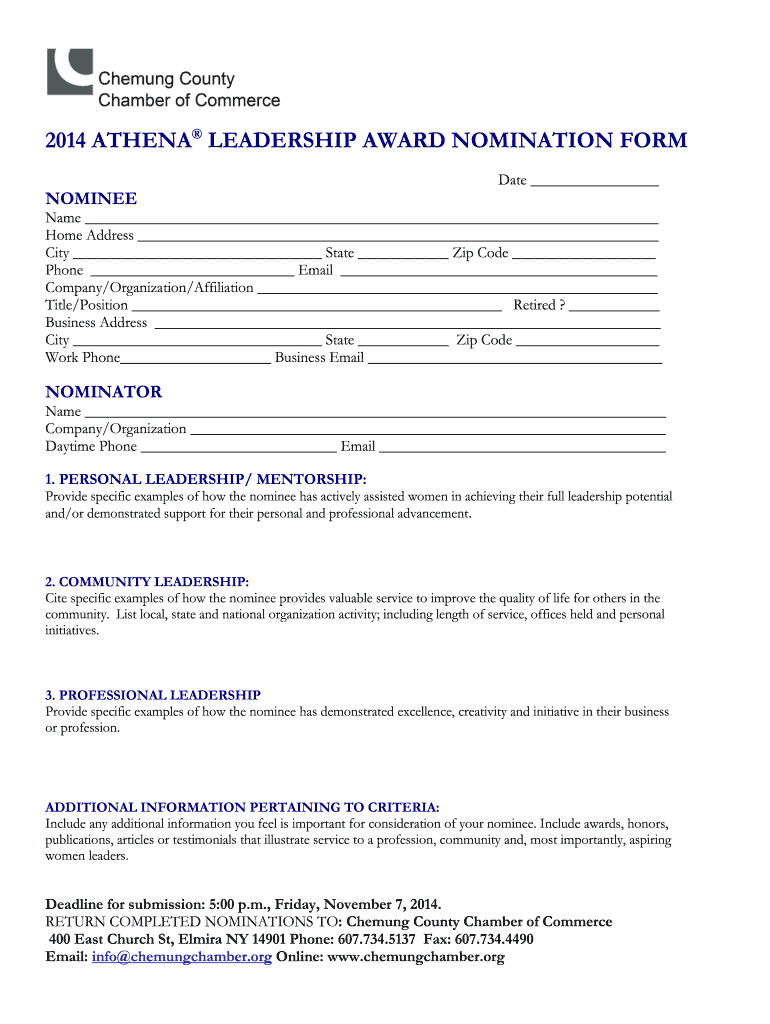
- Begin by filling out the nominee's information. Include their name, home address, phone number, and email. Ensure accuracy as this information is crucial for communication.
- Next, provide details about the nominee's company or organization, including their title and business address. If the nominee is retired, indicate this clearly.
- Move on to the nominator's section. Fill in your name, company or organization, daytime phone number, and email address.
- In the 'Personal Leadership/Mentorship' section, provide specific examples of how the nominee has supported women in achieving leadership potential.
- For 'Community Leadership', cite examples of how the nominee has improved community quality of life through service and initiatives.
- In 'Professional Leadership', detail how the nominee has shown excellence and creativity in their profession.
- Finally, include any additional information that supports your nomination such as awards or testimonials that highlight the nominee’s contributions.
Start using our platform today to complete your nomination form effortlessly!
It's free
See more Athena award - Chemung County Chamber of Commerce - chemungchamber versions
| Versions | Form popularity | Fillable & printable |
|---|---|---|
| 2014 | 4.8 Satisfied (125 Votes) |
Got questions?
How can I generate an electronic signature on my athena fax from Google Chrome?
Managing your paperwork with DocHub this way is extremely simple after you have downloaded its extension for Google Chrome. Go to the Chrome Web Store and install DocHub - Sign PDF from Gmail to get it. Give our tool access to your Google account, and then open an email containing athena fax as an attachment and point to the file with your cursor - the DocHub extension button will automatically appear there. Click on it to open your form in our editor. Make any necessary modifications, fill out the blanks, and click Sign to create your legally-binding eSignature.
How do you edit award submission examples in Chrome?
If you use Chrome, there are two easy methods to edit your award submission examples online. First, go to the DocHub website, add your file, and edit it utilizing our toolbar. You can also install our Chrome extension and edit any document by dragging and dropping it in your web browser tab.
What is the Athena Award GPC?
What is the Athena Award Chamber of Commerce?
Security and compliance
At DocHub, your data security is our priority. We follow HIPAA, SOC2, GDPR, and other standards, so you can work on your documents with confidence.
Learn more


