




Here's how it works



How to use or fill out petition determine 2015 form with our platform

- Click ‘Get Form’ to open the petition determine 2015 form in the editor.
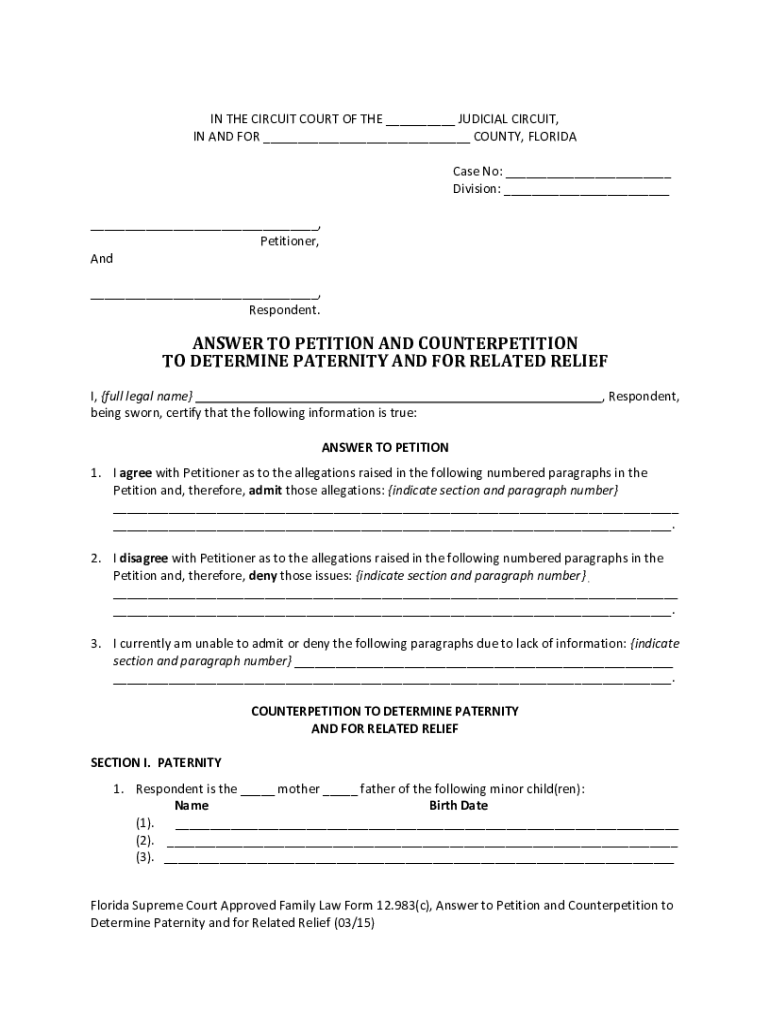
- Begin by filling out your personal information, including your full legal name and current address. Ensure all details are accurate.
- In the 'Answer to Petition' section, indicate which allegations you admit or deny by referencing the specific numbered paragraphs from the petition.
- Proceed to the 'Counterpetition' section where you will provide details about paternity, including names and birth dates of any minor children involved.
- Complete the Parenting Plan section by selecting how parental responsibility should be shared and outlining time-sharing arrangements for the children.
- Fill out the Child Support section, specifying requests for support amounts and insurance coverage for medical expenses related to the children.
- Review all entries for accuracy before signing. Once completed, save your document and follow e-filing procedures as required by Florida law.
Start using our platform today to fill out your petition determine 2015 form online for free!
It's free
See more petition determine 2015 form versions
Got questions?
How can I eSign my petition determine 2015 form from Gmail?
With DocHub, it’s pretty simple. The editor offers users an add-on called DocHub for Gmail, which you can locate in the Google Workspace Marketplace free of charge. Install it and grant it access to your Google account. Open your email with your petition determine 2015 form attached and click on the add-on button in the right-side panel. Sign in to your DocHub account, and import the form to our editor, where you can complete it and sign.
How do you edit petition determine 2015 form on Android?
Document editing with DocHub is equally convenient on desktop and mobile devices. You just need an internet browser to edit your petition determine 2015 form on Android. Open our website and sign in to access the tools you require. Add your file and introduce your intended modifications. Next, you can keep your form in your file storage or send it out immediately.
Security and compliance
At DocHub, your data security is our priority. We follow HIPAA, SOC2, GDPR, and other standards, so you can work on your documents with confidence.
Learn more


