




Here's how it works



How to use or fill out medstudy pediatrics 9th edition pdf download with our platform

- Click ‘Get Form’ to open the medstudy pediatrics 9th edition PDF in the editor.
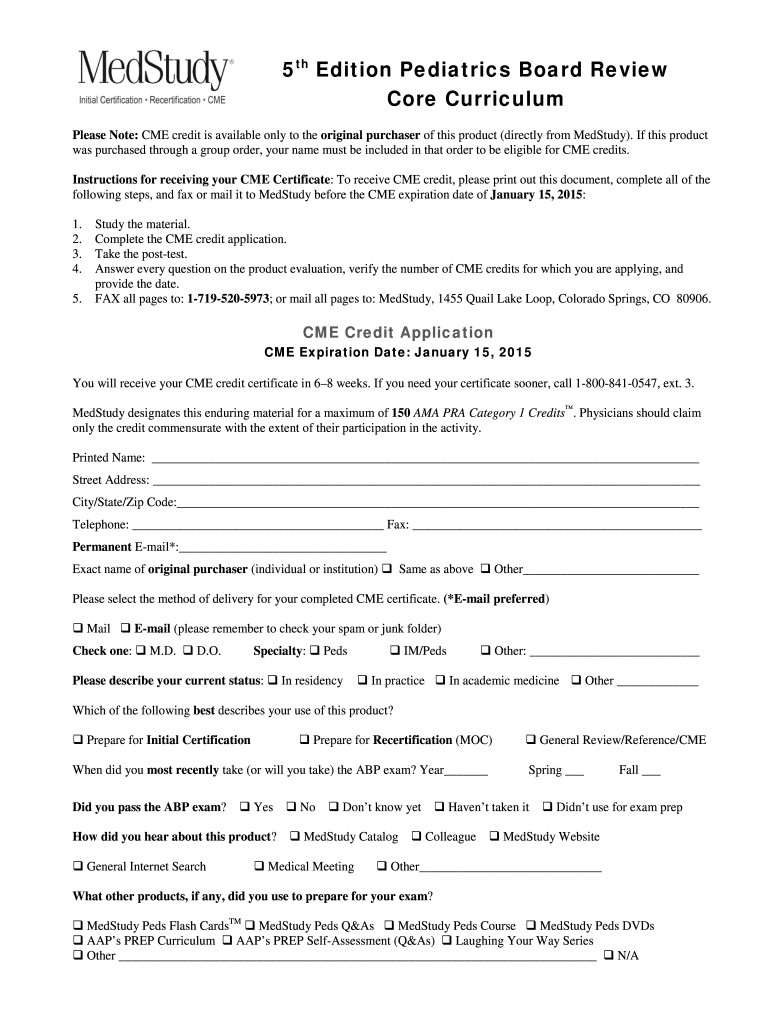
- Begin by entering your printed name, street address, city/state/zip code, and telephone number in the designated fields.
- Complete the CME credit application section by selecting your delivery method for the CME certificate and indicating your medical designation (M.D. or D.O.).
- Fill out your specialty and current status, ensuring you check all applicable boxes regarding your use of this product.
- Answer the post-test questions carefully, marking your answers directly on the form. Ensure you achieve at least 60% correct responses for CME credit eligibility.
- Rate your experience using the evaluation section on a scale from 1 to 5, circling your responses as instructed.
- Finally, review all entries for accuracy before saving and exporting the completed document for submission via fax or mail.
Start editing your medstudy pediatrics PDF today for free and streamline your CME application process!
It's free
See more medstudy pediatrics 9th edition pdf download versions
| Versions | Form popularity | Fillable & printable |
|---|---|---|
| 2013 | 4.2 Satisfied (35 Votes) |
Got questions?
Can I sign my medstudy pediatrics pdf free download on a mobile?
Yes, you’ll find many different applications for this on the web. Nevertheless, if you need to eSign your medstudy pediatrics pdf free download without installing additional software, DocHub is the optimum choice you can make. This robust editor works on mobile devices just like on desktops. Open our editor in your preferred internet browser, register or log in to your account, and start processing your forms.
Can I sign my medstudy pediatrics 9th edition pdf while I edit it?
When you edit your medstudy pediatrics 9th edition pdf with DocHub, you will not need to look for other software or services to sign it. An electronic signature is a component of DocHub’s substantial editing toolset, which allows you to implement changes in your form without switching between platforms. Simply complete your form, double-check the correctness of your data and place your electronic signature at the end to make it submission-ready quickly.
How many Moca ped questions per quarter?
What is the MedStudy question bank like?
Is MedStudy good for residency prep?
Security and compliance
At DocHub, your data security is our priority. We follow HIPAA, SOC2, GDPR, and other standards, so you can work on your documents with confidence.
Learn more


