




Here's how it works
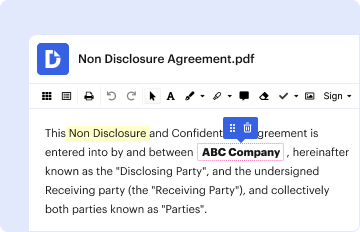
How to use or fill out Bicycle Request Form 2011.pdf - HealTorture.org - healtorture with DocHub

- Click ‘Get Form’ to open it in the editor.
- Begin by entering your Client’s number and Social Worker’s initials in the designated fields at the top of the form.
- Fill in the Date of Request, ensuring you provide either an email or phone contact for follow-up.
- Indicate where you would like the bike delivered by checking either 'St Paul house' or 'Client’s home', and include the necessary address and phone number for delivery.
- Provide personal information such as Age, Gender, Height, and Weight in their respective fields to assist in selecting the appropriate bike.
- Select your preferred type of bike by checking one of the options: Mountain Bike, Upright handlebar Bike, or Racing/Road handlebar style.
- If you require additional equipment, check any items you wish to request such as a helmet, lock and cable, rear rack, or water bottle cage.
Start using our platform today to complete your Bicycle Request Form easily and for free!
It's free
See more Bicycle Request Form 2011.pdf - HealTorture.org - healtorture versions
| Versions | Form popularity | Fillable & printable |
|---|---|---|
| 2011 | 4 Satisfied (39 Votes) |
Got questions?
Can I use DocHub to generate legal electronic signatures on my Bicycle Request Form 2011.pdf - HealTorture.org - healtorture?
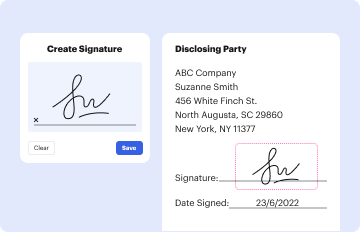
Yes, you can utilize DocHub for signing any business and personal documentation, including your Bicycle Request Form 2011.pdf - HealTorture.org - healtorture. All eSignatures you create with our service are legally binding and court-admissible, as DocHub complies with criteria required by ESIGN and UETA. Save your completed form with a detailed Audit Trail if needed.
How do you edit Bicycle Request Form 2011.pdf - HealTorture.org - healtorture online?
With DocHub, there are several convenient methods to edit your Bicycle Request Form 2011.pdf - HealTorture.org - healtorture online. You can drag and drop the form and modify it straight at the DocHub site or use our browser extension to fill out your form right away. On top of that, you can modify your PDF on your phone, as DocHub works with all the available mobile platforms.
Security and compliance
At DocHub, your data security is our priority. We follow HIPAA, SOC2, GDPR, and other standards, so you can work on your documents with confidence.
Learn more


