




Here's how it works



How to use or fill out enhanced driver's license minnesota with our platform

- Click ‘Get Form’ to open the enhanced driver's license minnesota application in the editor.
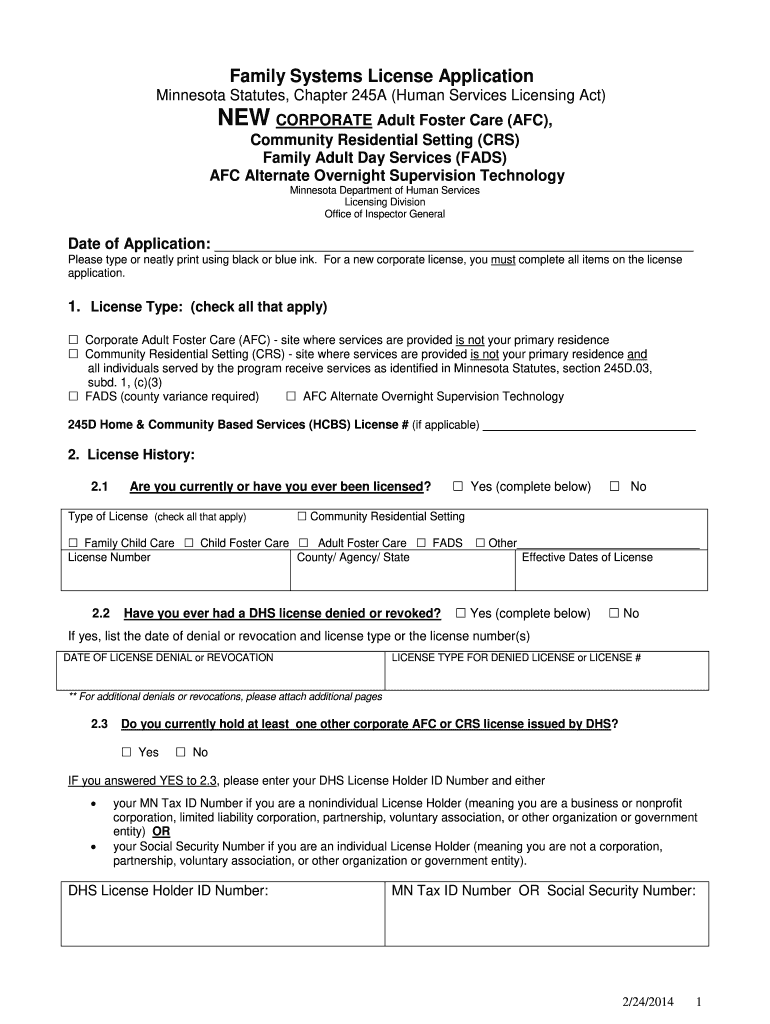
- Begin by entering the 'Date of Application' at the top of the form. Ensure you use black or blue ink if printing.
- In Section 1, select the appropriate 'License Type' by checking all that apply. This includes options like Corporate Adult Foster Care and Community Residential Setting.
- Proceed to Section 2, where you will provide your 'License History.' Indicate whether you have ever been licensed and provide details if applicable.
- Fill out Section 3 with your 'License Holder Information.' Choose between individual or nonindividual status and provide necessary details such as business name or legal name.
- Continue through each section, ensuring all required fields are completed accurately, including tax identification information and controlling individual details.
- Once all sections are filled out, review your entries for accuracy before submitting your application through our platform.
Start filling out your enhanced driver's license minnesota application today for free using our editor!
It's free
See more enhanced driver's license minnesota versions
Got questions?
How do I sign my minnesota drivers license for free?
Most eSignature solutions require users to have a paid subscription. With DocHub, there are two options for you to add an electronic signature to your minnesota drivers license at no cost:
- You can do it during a 7-day trial period;
- You can subscribe to a free plan.
The second option, however, has restrictions on the number of signatures, sign requests, emails, and forms for adjusting available per month. You can check for full details here.
Can I sign my minnesota enhanced drivers license while I edit it?
When you edit your minnesota enhanced drivers license with DocHub, you will not need to look for other software or services to eSign it. An electronic signature is a component of DocHub’s substantial editing toolset, which enables you to apply changes in your form without switching between platforms. Just complete your form, double-check the correctness of your information and place your electronic signature at the end to make it submission-ready within minutes.
Security and compliance
At DocHub, your data security is our priority. We follow HIPAA, SOC2, GDPR, and other standards, so you can work on your documents with confidence.
Learn more


