




Here's how it works

01. Edit your form online
Type text, add images, blackout confidential details, add comments, highlights and more.

02. Sign it in a few clicks
Draw your signature, type it, upload its image, or use your mobile device as a signature pad.

03. Share your form with others
Send it via email, link, or fax. You can also download it, export it or print it out.
How to use or fill out Student Income and Expense Form 2014 - Fisher College with our platform

- Click ‘Get Form’ to open it in the editor.
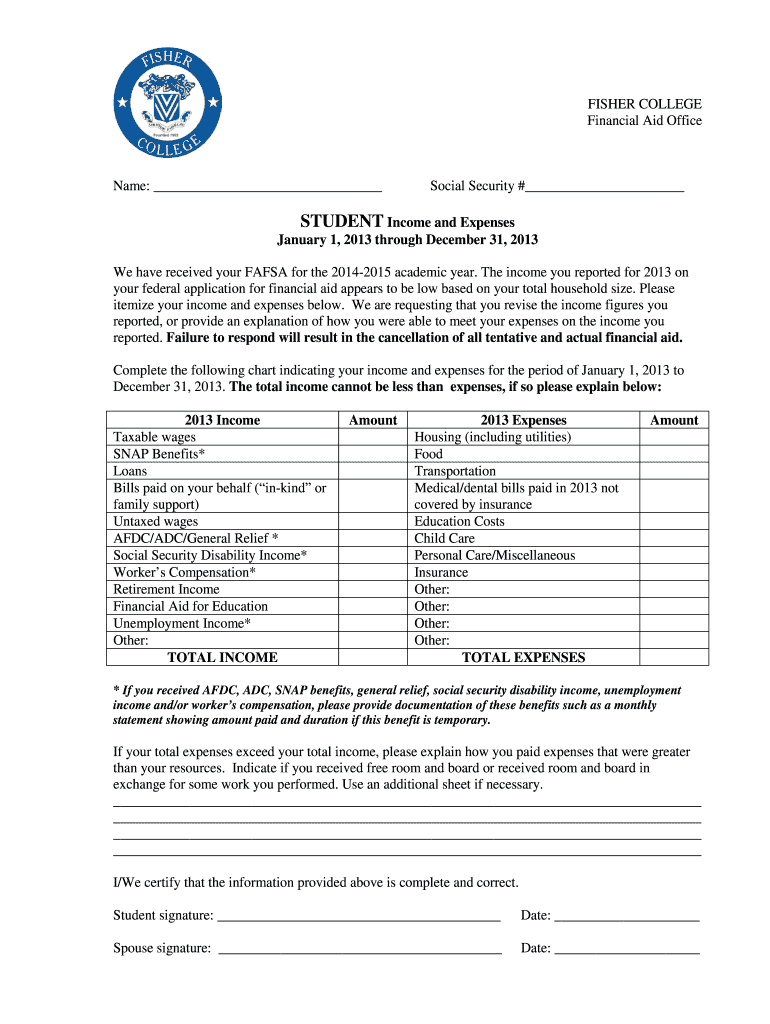
- Begin by entering your name and Social Security number at the top of the form. This personal information is essential for processing your financial aid.
- In the '2013 Income' section, itemize your income sources from January 1, 2013, to December 31, 2013. Fill in each field with accurate amounts for taxable wages, loans, and any benefits received. Ensure that you include documentation for benefits like SNAP if applicable.
- Next, move to the '2013 Expenses' section. List all relevant expenses such as housing, food, transportation, and education costs. Be thorough to provide a complete picture of your financial situation.
- If your total expenses exceed your total income, provide an explanation in the designated area below the expense chart. Detail how you managed these expenses and mention any support received.
- Finally, ensure both you and your spouse (if applicable) sign and date the form at the bottom to certify that all information is correct before submitting.
Start filling out your Student Income and Expense Form today for free using our platform!
Fill out Student Income and Expense Form 2014 - Fisher College online
It's free
See more Student Income and Expense Form 2014 - Fisher College versions
We've got more versions of the Student Income and Expense Form 2014 - Fisher College form. Select the right Student Income and Expense Form 2014 - Fisher College version from the list and start editing it straight away!
Security and compliance
At DocHub, your data security is our priority. We follow HIPAA, SOC2, GDPR, and other standards, so you can work on your documents with confidence.
Learn more


