
Sales printable Order Forms - Page 2
Enhance your document management with DocHub's Sales printable Order Forms templates. Adjust, distribute, and securely store your order forms hassle-free.

Create a new Sales printable Order Form
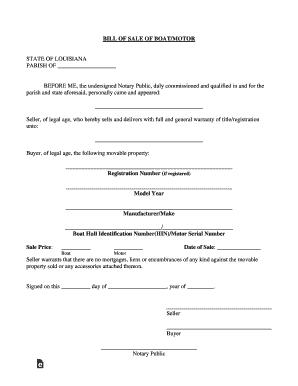
Bill of Sale of Boat/Motor - Louisiana Download Printable ...
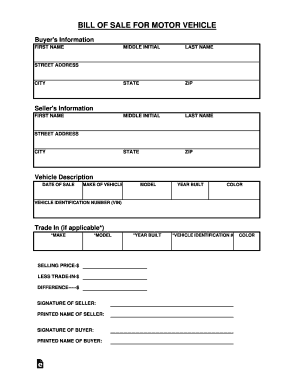
Complete Printable 8 Sample Vehicle Bill of Sale Forms ...

Printable tennessee sales tax exemption certificate

Instructions for Form ST-100, New York State and Local Quarterly Sales and Use Tax Return, For 1st q
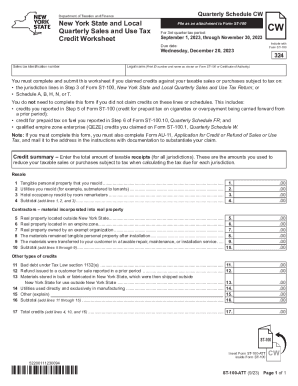
Form ST-100-ATT New York State and Local Quarterly Sales and Use Tax Credit Worksheet Revised 9 23

Valentine's Day Candy Gram Order Form
- 1
-
2
Supercharge your production with Sales printable Order Forms
Papers administration takes up to half of your business hours. With DocHub, you can easily reclaim your time and enhance your team's productivity. Get Sales printable Order Forms collection and check out all document templates relevant to your everyday workflows.
Effortlessly use Sales printable Order Forms:
- Open Sales printable Order Forms and use Preview to get the relevant form.
- Click on Get Form to begin working on it.
- Wait for your form to upload in our online editor and begin modifying it.
- Add new fillable fields, icons, and pictures, change pages order, etc.
- Complete your template or set it for other contributors.
- Download or deliver the form by link, email attachment, or invite.
Boost your everyday document administration with the Sales printable Order Forms. Get your free DocHub profile today to discover all forms.
Video Guide on Sales printable Order Forms management

Commonly Asked Questions about Sales printable Order Forms
Does Google have an order form template?
Step 1: Create a form Navigate to Google Forms and choose from a blank form or one of the provided templates. There is an order form template available, but it doesnt include any payment questions.
How do I make a paper order form?
Youll need a few key pieces of information to put together an order form template: Customers name and contact info (phone number and/or email address) Delivery address (for physical products) Payment information. Product order information (name/SKU, quantity, pricing, etc.) Your business address.
How to create a sales order form?
Lets discuss some best practices for creating order forms to make it an effective sales channel. Understand Your Target Audience. Create Clear and Compelling Product Descriptions. Add High-Quality Product Images. Streamline the Order Form Design. Add multiple payment options. Build trust and ensure data security.
What is the best program to create an order form?
Google Forms is a popular tool that allows users to create order forms quickly and easily using pre-made templates or by designing their own forms. PDFs with fillable forms are also an option for creating order forms, which can be filled out and submitted electronically.
How do I create my own order form?
Steps to Create an Order Form Decide what to sell. Choose a form builder tool. Customize the template with proper fields. Add photos of the products. Customize the order form with branding. Set up a payment method. Set up a success message. Share the order form.
How do I make a purchase order form?
Heres a breakdown of the typical purchase order form format: Header. Buyer and seller details, addresses, contacts, and a unique PO number. Date and delivery. Issue date and expected delivery date. Itemized list. Payment terms. Shipping/billing. Signatures. Logo and branding.
Related Templates

FARM DWELLING APPLICATION
The document is a Farm Dwelling Application form from the Polk County Community Development Department, outlining the ne ...

VARIANCE APPLICATION - Polk County Oregon
The document is a Variance Application form from the Polk County Community Development Department, Planning Division. It ...
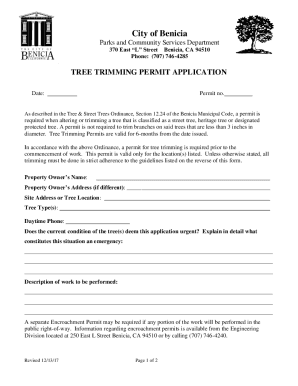
Parks and Community Services - Benicia, California
The document is a Tree Trimming Permit Application from the City of Benicia's Parks and Community Services Department. I ...

California food license application
The document is an application form for pet food processor registration in California, issued by the California Departme ...

Eymaps mapauburn-police-department-73333484Auburn Police Department in Auburn, California, United St
Eymaps mapauburn-police-department-73333484Auburn Police Department in Auburn, California, United St
The document is an application form for enrollment in the Citizens’ Awareness Academy offered by the Auburn Police Depar ...
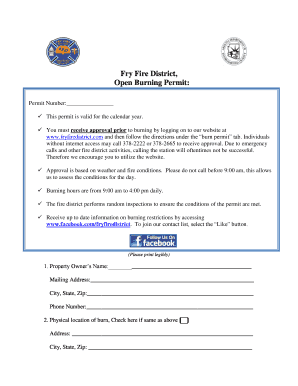
Fry Fire District, Open Burning Permit
The document outlines the procedures and requirements for obtaining an open burning permit from the Fry Fire District. I ...

Form online

Harborcompliance informationagencyVillage of Shorewood Building Department (IL)Harbor Compliance
Harborcompliance informationagencyVillage of Shorewood Building Department (IL)Harbor Compliance
The document is a Shed Permit Application from the Village of Shorewood Building Department, outlining the requirements ...