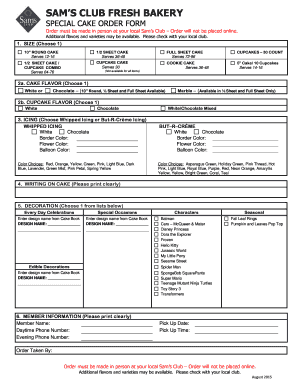
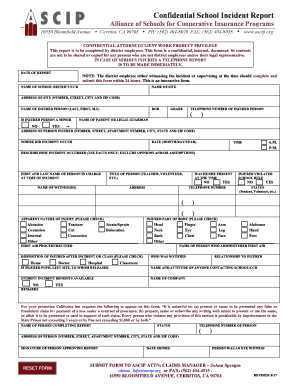
Manage Printable special Order Forms easily online

Document management can stress you when you can’t find all the forms you require. Luckily, with DocHub's substantial form categories, you can find all you need and easily handle it without the need of switching between applications. Get our Printable special Order Forms and start working with them.

The best way to manage our Printable special Order Forms using these simple steps:

  1. Browse Printable special Order Forms and choose the form you require.
  2. Preview the template and click Get Form.
  3. Wait for it to upload in our online editor.
  4. Alter your template: include new information and images, and fillable fields or blackout some parts if needed.
  5. Complete your template, preserve modifications, and prepare it for sending.
  6. When all set, download your form or share it with other contributors.

Try out DocHub and browse our Printable special Order Forms category easily. Get a free account right now!


Video Guide on Printable special Order Forms management

video background

Commonly Asked Questions about Printable special Order Forms

Step-by-step Guide to Creating a Purchase Order in Google Forms Access Google Forms. First things first, youll need a Google account. Create a New Form. Designing the Purchase Order Form. Customizing Your Purchase Order Form. Set Up Notifications. Sharing Your Purchase Order Form. Collecting and Managing Purchase Orders.
You can use Google Forms many question options like dropdown, checkboxes, and multiple choice questions to create the order form that makes the most sense for your business.
Youll need a few key pieces of information to put together an order form template: Customers name and contact info (phone number and/or email address) Delivery address (for physical products) Payment information. Product order information (name/SKU, quantity, pricing, etc.) Your business address.
Whether you are a small business or a large-scale company, you can use forms. apps free purchase order form templates and collect online orders with much information such as contact information, address, and whatever data you need to collect per order.
Steps to Create an Order Form Decide what to sell. Choose a form builder tool. Customize the template with proper fields. Add photos of the products. Customize the order form with branding. Set up a payment method. Set up a success message. Share the order form.
How to create an order form in Google Forms. Log in to your Google account and open Google Forms. Click the Blank button to create a new form. Add fields for the essential information you need to gather from your buyers, such as their name, business address, contact information, and preferred contact method.
How to create an order form in Google forms Step 1: Access Google Forms and Start a New Form. Step 2: Add Order Details Questions. Step 3: Incorporate Pricing Information. Step 4: Include Contact and Delivery Information. Step 5: Utilize File Upload for Customization. Step 6: Apply Themes and Branding.
First, label your form and add the question you want to ask as a multiple-choice grid. Add each item you want respondents to select from as a row, and add each ranking option you want to use as a column. Toggle on Require a response in each row to make sure each item will be given a ranking.