Enhance your document operations with Google tee shirt Order Forms

Your workflows always benefit when you are able to locate all the forms and documents you require at your fingertips. DocHub gives a a large collection documents to ease your daily pains. Get a hold of Google tee shirt Order Forms category and quickly find your form.

Begin working with Google tee shirt Order Forms in several clicks:

  1. Access Google tee shirt Order Forms and discover the form you require.
  2. Click Get Form to open it in our online editor.
  3. Start editing your document: add more fillable fields, highlight paragraphs, or blackout sensitive details.
  4. The app saves your changes automatically, and after you are ready, you are able to download or share your form with other contributors.

Enjoy easy form managing with DocHub. Discover our Google tee shirt Order Forms collection and look for your form today!

Video Guide on Google tee shirt Order Forms management

video background

Commonly Asked Questions about Google tee shirt Order Forms

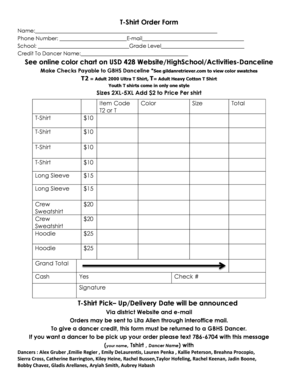
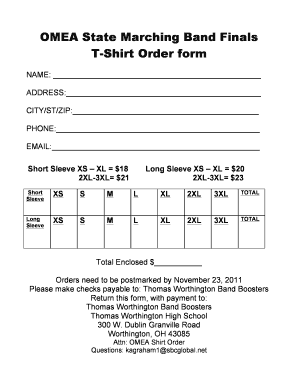
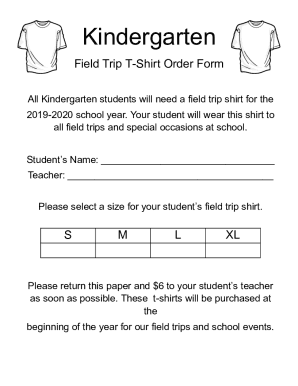
How to Make a Shirt Order Form on Google Forms Launch Google Forms. Create a new form by clicking the + Blank or Blank Form option. Give Your Form a Name and Description. Add T-Shirt Order Questions. Customize Question Types. Personalize Your Forms Appearance. Share Your T-Shirt Order Form. Keep Tabs on Incoming Order.
If youre using a template, you can skip to Update questions. Open a form in Google Forms. Click Add . To the right of the question title, choose the type of question you want. Type the possible responses to your question. To prevent people from not answering, turn on Required.
How to Create a Free Tshirt Order Form Step 1: Choose a Form Builder. Step 2: Start with a Free T Shirt Order Form Template or Build from Scratch. Step 3: Add Essential Form Fields. Step 4: Customize Your Form. Step 5: Add a Contact Form. Step 6: Set Up Payment Integration. Step 7: Test Your Form. Step 8: Distribute Your Form.
Go to Sheets from a Google page and either create a blank sheet or click Template Gallery to expand the options, navigate to Work, and then choose Purchase Order. If you use the latter approach which is the closest you can get to a Google Docs purchase order template everything has been done for you.
How to create an order form in Google forms Step 1: Access Google Forms and Start a New Form. Step 2: Add Order Details Questions. Step 3: Incorporate Pricing Information. Step 4: Include Contact and Delivery Information. Step 5: Utilize File Upload for Customization. Step 6: Apply Themes and Branding.
How to use Google Forms Step 1: Set up a new form or quiz. Go to forms.google.com. Step 2: Edit and format a form or quiz. You can add, edit, or format text, images, or videos in a form. Step 3: Send your form for people to fill out. When you are ready, you can send your form to others and collect their responses.
Follow these remaining steps to create your t-shirt order form: Create your form. Fill in your details. Add multiple choice questions. Add a variety of question types. Add images. EXTRA CREDIT: Change your theme. Adjust your settings to collect email addresses (and more) Send it off!
Step 1: Create a form Navigate to Google Forms and choose from a blank form or one of the provided templates. There is an order form template available, but it doesnt include any payment questions.