
Google sheet Order Forms - Page 2
Enhance your organization's transparency with Google sheet Order Forms. Pick and modify documents to ensure your workflows stay on the right track.

Create a new Google sheet Order Form
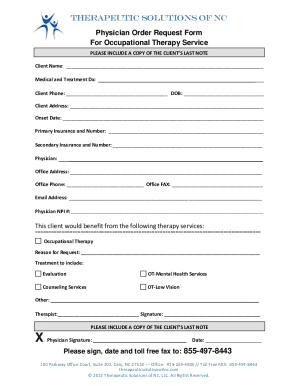
Physician Order Request Form For Occupational Therapy
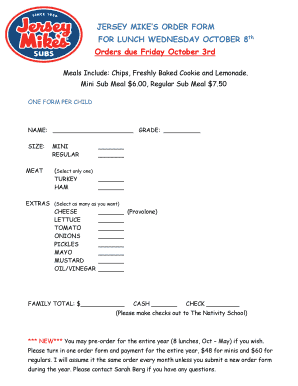
Jersey mike's order form
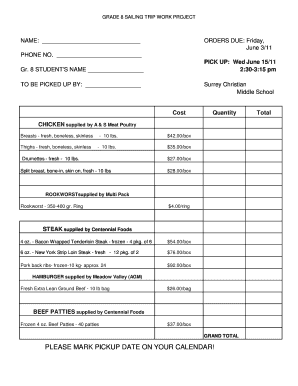
Meat order form template

Protocol endorsement form

Physician Medication Order Form - Documents
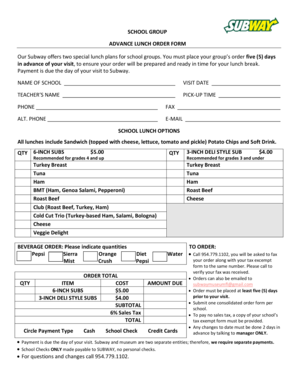
Subway group order form

Supplement sheet order template

T shirt fundraiser order form template
- 1
-
2
Handle Google sheet Order Forms quickly online
Document management can stress you when you can’t locate all the forms you require. Fortunately, with DocHub's vast form collection, you can find all you need and promptly handle it without changing among applications. Get our Google sheet Order Forms and begin utilizing them.
The best way to manage our Google sheet Order Forms using these simple steps:
- Browse Google sheet Order Forms and choose the form you require.
- Preview the template and click Get Form.
- Wait for it to upload in our online editor.
- Alter your document: add new information and images, and fillable fields or blackout certain parts if needed.
- Prepare your document, conserve adjustments, and prepare it for delivering.
- When all set, download your form or share it with other contributors.
Try out DocHub and browse our Google sheet Order Forms category with ease. Get your free profile right now!
Video Guide on Google sheet Order Forms management

Commonly Asked Questions about Google sheet Order Forms
Does Google have order forms?
So, there you have it with Google Forms and the Form Publisher add-on, you can quickly and easily create order forms and share them with vendors and other stakeholders. And best of all you can get started for free with Form Publisher. Download it today and start creating custom order forms in no time!
How to make a fillable order form?
Steps to Create an Order Form Decide what to sell. Choose a form builder tool. Customize the template with proper fields. Add photos of the products. Customize the order form with branding. Set up a payment method. Set up a success message. Share the order form.
How to make an order form in Google Sheets?
Creating a purchase order in Google Forms Go to docs.google.com/forms. Select a template. Make a form. Add the necessary fields. Customize the form. Test your form. Start sending.
Does Google have a work order system?
Create work orders with ease and save them in your Google Drive. Work Order Snap helps you create clean and professional work orders, and keep them safe and secure in your Google Drive account. Using Work Order Snap is simple: 1. Get Work Order Snap from the Google Chrome Web Store.
How do I create a Google Form for a purchase order?
Step-by-step Guide to Creating a Purchase Order in Google Forms Access Google Forms. First things first, youll need a Google account. Create a New Form. Designing the Purchase Order Form. Customizing Your Purchase Order Form. Set Up Notifications. Sharing Your Purchase Order Form. Collecting and Managing Purchase Orders.
How do I put things in order in Google Sheets?
Sort an entire sheet At the top, right-click the letter of the column you want to sort by. Click Sort sheet A to Z or Sort sheet Z to A.
Can Google Forms be an order form?
Efficiently collecting orders is essential for any business, and Google Forms provides a user-friendly platform to create seamless order forms.
Related Templates

Cut on the dotted lines
The document contains the Ohio IT 1040ES vouchers for estimated income tax payments due in 2017 and early 2018. It provi ...

California Long Cause Trial Package Guidelines
The document outlines the guidelines for submitting Long Cause Trial packages to the Superior Court of California, Count ...

SC-101 Attorney Fee Dispute (After Arbitration)(Attachment to Plaintiff's Claim and ORDER to Go to S
SC-101 Attorney Fee Dispute (After Arbitration)(Attachment to Plaintiff's Claim and ORDER to Go to S
The document SC-101 is a form used in small claims court for disputes regarding attorney fees of $6,250 or less after ar ...

FORM ID 10a - Identity Malta Agency
The document is an application form (Form ID 10a) for a Maltese Identity Card, detailing the necessary personal informat ...

CH-116 Order on Request to Continue Hearing (Temporary Restraining Order) (CLETS-TCH)
The document CH-116 is an official court order regarding a request to continue a hearing related to a Temporary Restrain ...

California Firearms Prohibition Relief Request
The document is a request form for individuals in California seeking a hearing to restore their rights to own or possess ...

DISC-015 Request For Statement of Witnesses and EvidenceFor Limited Civil Cases (Under $35,000) Judi
DISC-015 Request For Statement of Witnesses and EvidenceFor Limited Civil Cases (Under $35,000) Judi
The document is a legal form titled 'Request for Statement of Witnesses and Evidence' for limited civil cases in Califor ...

I was served with forms DV-100, DV-109, or DV-110 What
The document provides guidance for individuals who have been served with a request for a domestic violence restraining o ...