Handle Appointment dates Booking Templates easily online

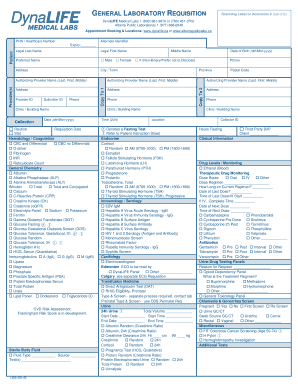
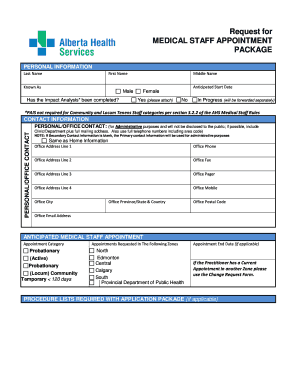
Document administration can stress you when you can’t discover all the documents you need. Fortunately, with DocHub's substantial form library, you can find all you need and promptly take care of it without changing between software. Get our Appointment dates Booking Templates and start utilizing them.

How to use our Appointment dates Booking Templates using these basic steps:

  1. Browse Appointment dates Booking Templates and select the form you need.
  2. Preview the template and click Get Form.
  3. Wait for it to upload in our online editor.
  4. Alter your document: add new information and pictures, and fillable fields or blackout some parts if necessary.
  5. Fill out your document, conserve adjustments, and prepare it for sending.
  6. When ready, download your form or share it with other contributors.

Try out DocHub and browse our Appointment dates Booking Templates category with ease. Get a free account today!


Video Guide on Appointment dates Booking Templates management

video background

Commonly Asked Questions about Appointment dates Booking Templates

Create a new appointment schedule. On a computer, open Google Calendar. At the top left, click Create. Enter appointment details. Enter a title. Set your appointment duration. Share your booking page. Once created, click the appointment schedule on the calendar grid to get a link to the booking page to share with others.
Hi [Customers Name], This is a friendly reminder about your upcoming appointment with [Business Name] on [Date] at [Time]. We look forward to seeing you! To confirm your appointment, please reply with CONFIRM. If you need to reschedule, please reply with RESCHEDULE.
How to write an appointment letter Include a header. In the top left corner of your appointment letter, its important to include all necessary contact information for your candidate. Begin with a greeting. Offer the position. Include a job description. Mention a start date. Discuss working hours.
Writing to someone you dont know I am (followed by company info if appropriate) and I would like to meet with you to discuss My name is and I would like to schedule a convenient time to meet. Be sure to request a semi-specific time; next week, the week of October 1, etc.
Creating Effective Appointment Emails Write a clear subject line. An email should have glance-value. Use a salutation. Introduce yourself (if necessary). Explain why you want to meet. Be flexible about time and place. Request a reply or confirmation. Send a reminder.
You can use these steps to effectively schedule a meeting by email: Write a clear and concise subject line. Use a salutation. Introduce yourself to colleagues you havent met. Explain the purpose of the meeting. Offer multiple times and dates for the meeting. Request a reply or confirmation. Send a reminder.
Here are all of the steps: Write a clear subject line. An email should have glance-value. Use a salutation. Introduce yourself (if necessary). Explain why you want to meet. Be flexible about time and place. Request a reply or confirmation. Send a reminder.