
Get any PDF form from the DocHub library of ready-made templates - Page 369

ZF MICROSYSTEM BASED EMBEDDED SYSTEM APPLICATION - csus-dspace calstate

A Role-Based Access Control Approach For Application Level - csus-dspace calstate

THE STUDY OF WEB APPLICATION DEVELOPMENT VERSUS - sdsu-dspace calstate

A MOBILE APPLICATION TO AID CONSUMERS IN ACCESSING

November 26, 2012 News Memorial service for Professor Nick Trujillo The Communication Studies Depart

Directo Katie or of Gradu e Cardenas uate Studie s s - Associated - asi csus

ANNUAL REPORT FORMAT For Submission during 2008-2009 - csus

Withdrawal policy - College of Continuing Education - California

EDSS 547B-DiazGreenberg doc

Ebooks-Gratuits Me Teaching Special Education Students

EDTE Culminating Experience and Human Subjects Application (PDF

EDMS 543 (02) Elementary Mathematics Education
2010-2011 Division Assessment Report - Webapps2 Web Server

Graduate Assistant Application FALL 2010 - California State

EDUC35001-Alexander doc

EDSS 547B-DiazGreenberg doc

*Secondary World Languages Education B*

Download - California State University San Marcos

EDUC 649-Rodriguez doc

The California State University does not - public csusm

A Short Tutorial on Using Visio 2010 for

EDUC 364 AND 364B THE ROLE OF CULTURAL DIVERSITY IN

GOING ONCE, GOING TWICE - csus

College of Education EDUC 422 TEACH LEARN TECH College of

Parent-reported mental health in preschoolers: findings using a

CSU San Bernardino Environmental Health andamp - adminfin csusb

Presentations are difficult to develop because you are often trying to summarize a

Registration Brochure - College of Continuing Education - cce csus

The American Indians - Porter History-Social Science Resource

Is Creativity Domain-Specific? Latent Class Models of Creative - psychology csusb

A GEOMETRIC APPROACH TO DEFINING MULTIPLICATION

PIF Project Information Form PIF # CSUSB Research andamp

Entry form for Best of the Best award - Coachella Valley Health

Demand Curve

Jeffery Yang

Cahuilla Indian Curriculum Guide - Porter History-Social Science - porterroom csusb

Request Form Download 2013 - Associated Students, Incorporated

And Exercise

THE CALIFORNIA STATE UNIVERSITY O F F IC E O F TH E C HA N C E L LO R BAKERSFIELD CHANNEL ISLANDS CH

Tree Template Structures

Notes 50th

SKELETON GIRL

April 25, 2005 Issue (

CSUN Home Page

College of Humanities - irqry csun

Academic Technology Committee -DRAFT - California State

Ebooks-Gratuits Me Ehs Specialist Salary

Academic Technology Committee - California State University

Description of Study OMR Readable Form - imet csus
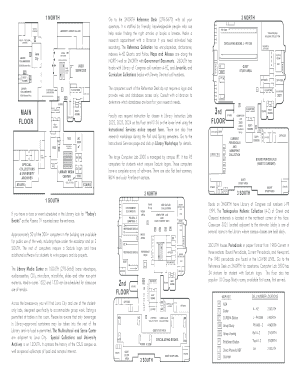
Go to the 2NORTH Reference Desk (278-5673) with all your - library csus

Latimes news opinion editorials la-ed-gap2dec02, OMR Readable Form - csun

Protection of C nic Information Policy

The Impact of the Railroad:

Microsoft PowerPoint - chap005 NC Read-Only

Expenditure Limits Within the General Fund - CSUN ScholarWorks

Flea Market System

Presented by: Eric Garcia, Reference Librarian
THE SPACES IN BETWEEN

California State University, Northridge College of Education - edutech csun

Spring 2013 Course Descriptions - California State University - csus

Skip Nav CSUN Home Page Accessibility People Finder A to Z Webmail Search Home FYI About CSUN Share

The Northridge Review

Research report: Intel

The Effectiveness of Implementing A Violence Prevention Curriculum Second Step

Temporary Faculty Hiring - Compensation

5 to 110 - CSUN ScholarWorks - California State University, Northridge

Skip Nav CSUN Home Page Accessibility People Finder A to Z Webmail Search Home FYI About CSUN Share

Archive for october, 2010 - CSUN ScholarWorks - California State

The Visualization of the Twisted Tongue:

Archive for january, 2011 - CSUN ScholarWorks - California State

Archive for february, 2011 - CSUN ScholarWorks - California State

CALIFORNIA STATE UNIVERSITY, NORTHRIDGE A PSYCHOEDUCATIONAL SUPPORT GROUP FOR SURVIVORS OF SEXUAL AS

Low-Flow (Minimal Drawdown) Ground-Water Sampling Procedures - csus
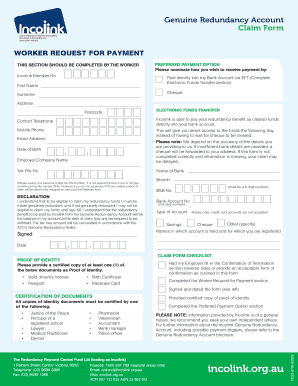
Genuine Redundancy Account Claim Form - Incolink

PC 634, Annual Report of Guardian on Condition of

Fillable Online COMMERCIAL LEASE AGREEMENT

New Jersey #140 - Seller Property Disclosure NJ - SPD

Application for examination employment - Westchester County

Domestic Violence Protection Order Application

The Adoption Birth Certificate: What You Need to Know

Joint agreement to affirm independent relationship for certain building and construction workers

Idaho Motor Vehicle Record Request

UT Austin Campus Mobile Crane Program

Encroachment Permit Application

Water ca -mediaENCROACHMENT PERMIT APPLICATION - water ca

OWNER BUILDER STATEMENT AFFIDAVIT - City of Oviedo

County Owner Builder Statement Affidavit - City of Oviedo - cityofoviedo

Calibrate ie request form 2016 xls
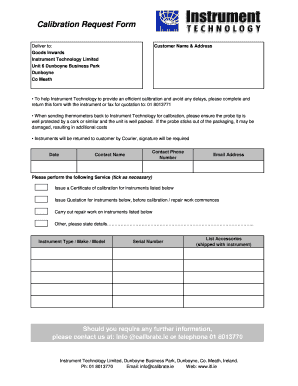
Calibration request form

1987 gay manifesto

WENT OUT-OF-NETWORK

Eyemed reimbursement form

PBEM Claim Form 1

IDEXX Small Animal Request Form

Idexx small animal request form

Mcgm property tax name change application form pdf
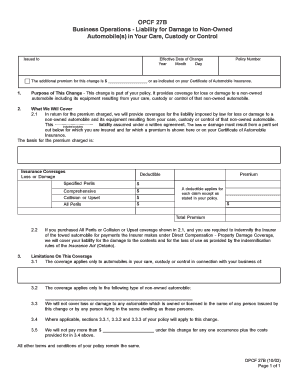
Opcf 27b endorsement

Box 6300 Winnipeg, MB R3C 4A4 Phone: (204) 9857000 Tollfree: 1 8006652410 Hearing Impaired Line: (20
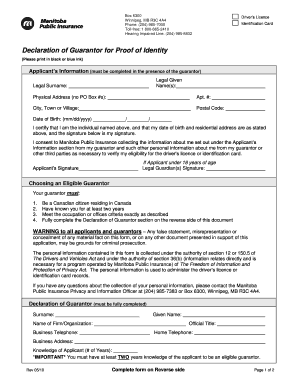
Guarantor declaration form

Applicants Information (must be completed in the presence of the guarantor) Legal Given Name(s): Leg
Benefit from the DocHub online library of fillable PDF forms
Searching the PDF forms doesn't have to be a tedious and time-consuming process. With the DocHub online library, it has become easier to find the fillable PDF forms and modify them in your browser. The service allows you to adjust the document to your needs using powerful editing tools.
You can use online document editing features to modify almost any type of document with ease. You just need to find the template of your choice, open it in the editor, and use the toolbar to make the necessary corrections.
Follow this guide to get your document done with DocHub:
- Find the PDF template you need.
- Click the Get Form button to open the file in the editor.
- Use the toolbar to fill out and edit the document.
- Easily add and highlight text, insert images, checkmarks, and symbols.
- Drop new fillable fields, and rearrange or delete pages from your file.
- Save changes and download your record.
DocHub empowers everyone to streamline document editing, signing, and distribution, and form completion. Create an account and benefit from our well-organized PDF Forms library and comprehensive editor.