




Here's how it works

01. Edit your ecitizen login up good conduct online
Type text, add images, blackout confidential details, add comments, highlights and more.

02. Sign it in a few clicks
Draw your signature, type it, upload its image, or use your mobile device as a signature pad.

03. Share your form with others
Send ecitizen login up good conduct download via email, link, or fax. You can also download it, export it or print it out.
How to use or fill out ecitizen login good conduct download with our platform

- Click ‘Get Form’ to open the ecitizen login good conduct download in the editor.
- Begin by entering your full name, selecting the appropriate title (Dr/Mr/Mrs/Miss) as required.
- If applicable, provide your maiden name in the designated field.
- Fill in your nationality and specify your country and place of birth accurately.
- Enter your date of birth in the format requested on the form.
- Complete the education section by detailing your highest level of education attained.
- Indicate your marital status from the options provided.
- Input your passport number as it appears on your document.
- List the dates of residence in Kenya, ensuring all relevant periods are included.
- Provide a full address where you resided while in Kenya, along with your current address and telephone number.
- Detail your present employment information clearly.
- Include your father’s name, address, and occupation as requested on the form.
- Specify the certificate required for signature and date it accordingly.
Start filling out your ecitizen login good conduct download today for free using our platform!
Fill out ecitizen login good conduct download online
It's free
Security and compliance
At DocHub, your data security is our priority. We follow HIPAA, SOC2, GDPR, and other standards, so you can work on your documents with confidence.
Learn more


Related forms
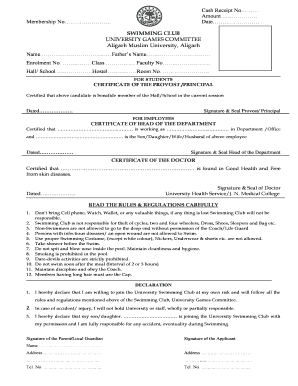
Amu swimming pool form
The document is a cash receipt and membership form for the Swimming Club at Aligarh Muslim University, detailing the nec ...

HOSPITAL RELEASE FORM
The document is a Hospital Release Form that grants permission for specified hospitals to administer emergency treatment ...

Letter of credit example pdf
The document is a sample form of an Irrevocable Standby Letter of Credit issued for a specific amount in favor of the Ca ...

Mediation intake form
The document is a confidential Family Mediation Intake Form designed to gather essential information from individuals se ...

Please use block letters - Health Cash Plans from Health
The document is a claim form for Health Shield members to submit claims for medical expenses. It includes sections for p ...

Nyc hra forms
The document is a request form for appealing a decision regarding reasonable accommodations made by the HRA. It outlines ...