




Here's how it works

01. Edit your waiver of service online
Type text, add images, blackout confidential details, add comments, highlights and more.

02. Sign it in a few clicks
Draw your signature, type it, upload its image, or use your mobile device as a signature pad.

03. Share your form with others
Send waiver of service form texas via email, link, or fax. You can also download it, export it or print it out.
How to use or fill out divorce texas service online with our platform

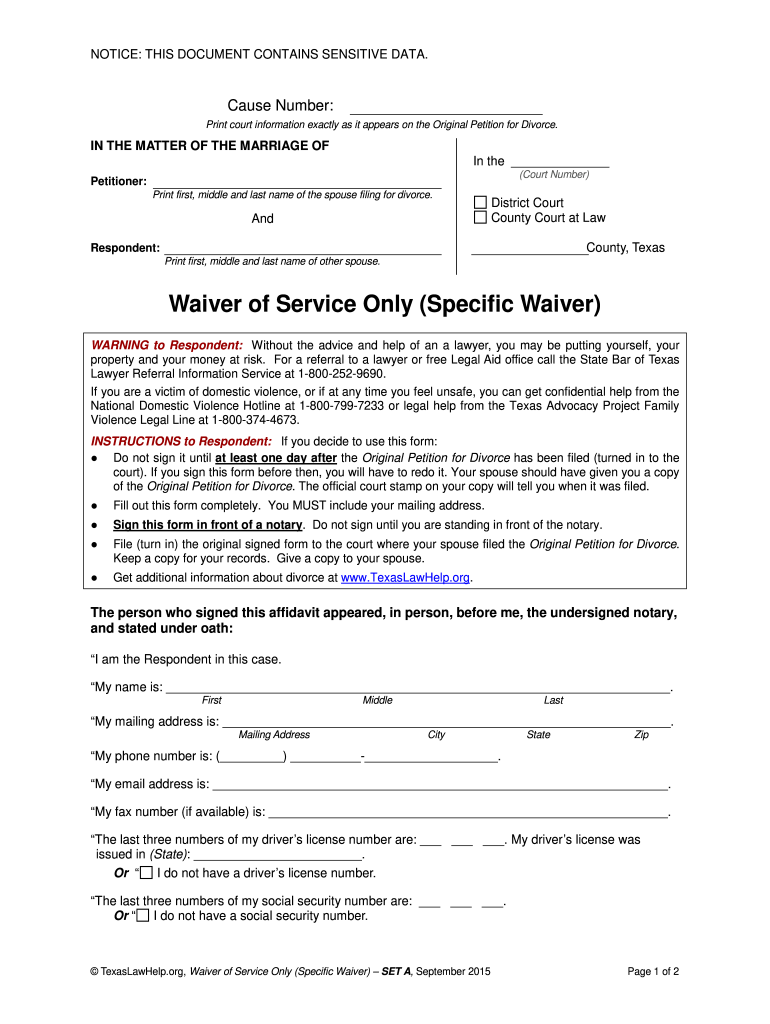
- Click ‘Get Form’ to open the Waiver of Service in the editor.
- Begin by entering the Cause Number and selecting the appropriate court type (District or County) as indicated on your Petition for Divorce.
- Fill in the Petitioner’s name, ensuring you print their first, middle, and last names clearly.
- Next, provide the Respondent’s details, including their full name and mailing address. Remember to include city, state, and zip code.
- Complete the phone number section and include the last three digits of your driver’s license number or social security number if applicable.
- Review all entries for accuracy before signing in front of a notary. Ensure that you have a copy of the Petition for Divorce before signing.
- Once signed, submit the Waiver of Service to the Petitioner or file it with the clerk’s office as required.
Start using our platform today to streamline your divorce process for free!
Fill out divorce texas service online online
It's free
It's free
See more divorce texas service online versions
We've got more versions of the divorce texas service online form. Select the right divorce texas service online version from the list and start editing it straight away!
| Versions | Form popularity | Fillable & printable |
|---|---|---|
| 2012 | 4.9 Satisfied (43 Votes) |
Security and compliance
At DocHub, your data security is our priority. We follow HIPAA, SOC2, GDPR, and other standards, so you can work on your documents with confidence.
Learn more


Related forms

FedEx Airwaybill Aluminum Extrusions Worksheet
The document is a worksheet for assessing antidumping (ADD) and countervailing (CVD) duties on aluminum extrusions produ ...

AFFIDAVIT OF SCRIVENERS ERROR - Pitkin County Colorado
The document is an Affidavit of Scrivener’s Error from the Public Trustee of a Colorado county, which declares a correct ...

Fillable Online immunization record form north central
The document outlines the immunization requirements for students attending post-secondary schools in Minnesota, as manda ...

EA-110 Temporary Restraining Order (CLETS-TEA or TEF)
The document EA-110 is a Temporary Restraining Order form designed to protect elders or dependent adults from abuse. It ...

DV-108 Request for Order: No Travel with Children (Domestic Violence Prevention)
The document DV-108 is a legal form used to request court orders aimed at preventing child abduction in cases of domesti ...

Restraining Order After Hearing (Order of Protection) (Ltfite
The document is a legal form for a Restraining Order After Hearing (Order of Protection) in California, detailing the te ...

TR-300 AGREEMENT TO PAY AND FORFEIT BAIL IN INSTALLMENTS
The document TR-300 is an agreement form for defendants in California who wish to pay and forfeit bail for traffic infra ...

Application form for Child Benefit
The document provides detailed information about the Child Benefit application process in Ireland, including eligibility ...