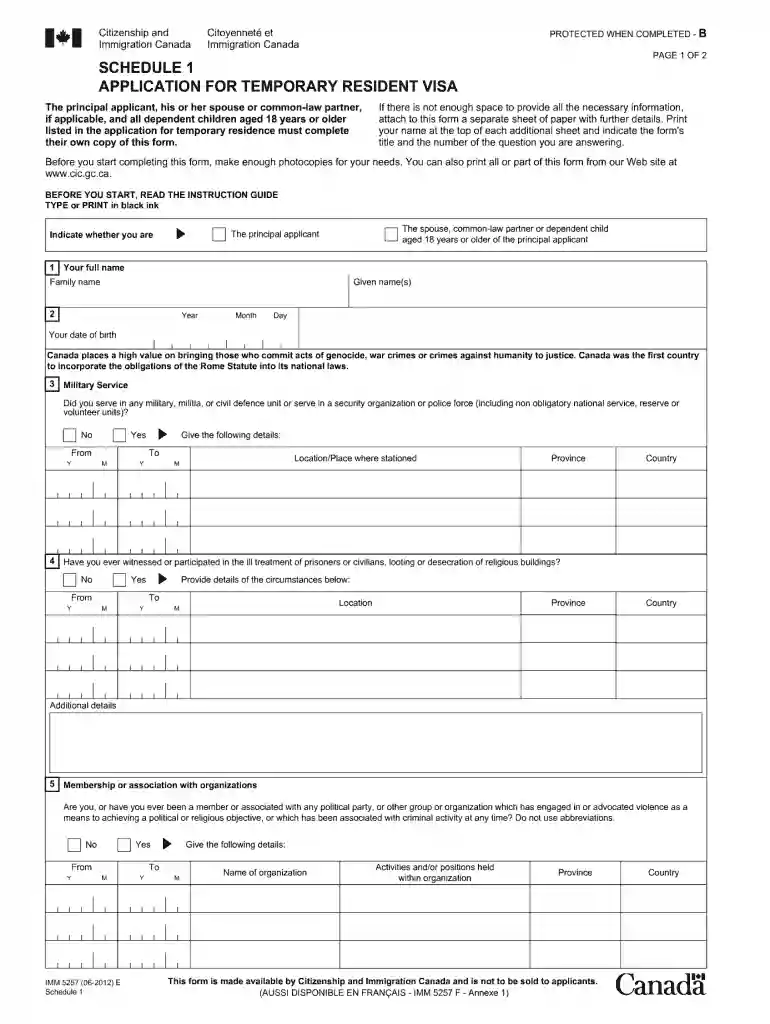
Imm5257 2012 form-2026

Get Form
imm5257 2012 form Preview on Page 1

Here's how it works

01. Edit your form online
Type text, add images, blackout confidential details, add comments, highlights and more.

02. Sign it in a few clicks
Draw your signature, type it, upload its image, or use your mobile device as a signature pad.

03. Share your form with others
Send it via email, link, or fax. You can also download it, export it or print it out.

How to use or fill out imm5257 2012 form with our platform

Form edit decoration
9.5
Ease of Setup
DocHub User Ratings on G2
9.0
Ease of Use
DocHub User Ratings on G2
  1. Click ‘Get Form’ to open the imm5257 2012 form in the editor.
  2. Begin by filling out your personal information in Section A. This includes your name, date of birth, and contact details. Ensure all entries are accurate to avoid processing delays.
  3. Move on to Section B, where you will provide details about your travel history. Be thorough and include all relevant trips taken in the past ten years.
  4. In Section C, answer questions regarding your family information. This section is crucial for assessing your application, so double-check that all relationships are correctly stated.
  5. Finally, review all sections for completeness and accuracy before submitting. Use our platform’s tools to sign and save your document securely.

Start using our platform today for free to complete your imm5257 2012 form effortlessly!

See more imm5257 2012 form versions

We've got more versions of the imm5257 2012 form form. Select the right imm5257 2012 form version from the list and start editing it straight away!
Versions Form popularity Fillable & printable
2023 4.4 Satisfied (46 Votes)
2022 4.6 Satisfied (29 Votes)
2022 4.8 Satisfied (121 Votes)
2022 4.1 Satisfied (36 Votes)
2019 4.8 Satisfied (105 Votes)
2019 4.2 Satisfied (122 Votes)
2019 4.8 Satisfied (24 Votes)
2018 4.3 Satisfied (175 Votes)
2018 4 Satisfied (170 Votes)
2017 4.4 Satisfied (275 Votes)
2015 4.3 Satisfied (61 Votes)
2014 4.2 Satisfied (66 Votes)
2012 4.4 Satisfied (575 Votes)
2011 4.1 Satisfied (71 Votes)
2009 4.4 Satisfied (569 Votes)
be ready to get more

Complete this form in 5 minutes or less

Get form

Got questions?

We have answers to the most popular questions from our customers. If you can't find an answer to your question, please contact us.
Contact us
Applying for your new TRV from outside of Canada If you apply for your new Study Permit from outside of Canada, a TRV will be automatically issued to you. You will receive instructions indicating how and where to mail your passport so that the TRV counterfoil can be affixed to your passport.
To download the IMM 5257 form, go to the official Canada.ca website, click the form link, then right-click and choose Save as or simply click the link (it often downloads automatically). Crucially, use a computer (not a phone/tablet), save it, and open it with DocHub Reader (version 10+), as browsers struggle to open it. This video shows how to download and fill the form: 59sMapleland ChannelYouTube Jan 6, 2023Step-by-step guide: Find the Form: Navigate to the official IRCC page for the Application for visitor visa (temporary resident visa) (IMM 5257) on Canada.ca. Initiate Download: Best Method: Right-click the link for the form and select Save link as or Save target as. Alternative: Click the link directly; it might download automatically. Save the File: Choose a location on your computer (like your Desktop or Documents) and click Save. Open with DocHub: Locate the downloaded PDF file. Right-click it, choose Open with, and select DocHub Reader (version 10 or higher). Important Tips: Use a Computer: This form wont work correctly on tablets or phones. DocHub Reader is Key: You need DocHub Reader installed to fill it out properly; browsers often fail. Save First: Always download and save the form to your computer before opening and filling it. AI can make mistakes, so double-check responsesApplication for visitor visa (temporary resident visa) (IMM 5257) - Canada.caCanada.caHow do I download and open a PDF form from IRCCs website?To download and open a PDF form, you need to have DocHub Reader 10 or higher installed. Mobile devices such as iPads, tablets and mCanada.ca
You may download them from the USCIS forms page.
Application for Temporary Resident Visa [IMM 5257] - The application form listed in your document checklist will be called Application for Visitor Visa (Temporary Resident Visa) Made Outside of Canada (IMM 5257). This is the form you need to fill out, even when you apply from inside Canada.
The application for Temporary Resident Visa Canada is the IRCC IMM 5257 form, commonly referred to as IMM5257e or the English visitor visa form.

Security and compliance

At DocHub, your data security is our priority. We follow HIPAA, SOC2, GDPR, and other standards, so you can work on your documents with confidence.

Learn more
ccpa2
pci-dss
gdpr-compliance
hipaa
soc-compliance

People also ask

To download IRCC forms, find the form on the Canada.ca website, right-click the link, and select Save link as to save it to your computer, as these forms require DocHub Reader (version 10 or higher) to open, not a web browser, and must be filled out on a computer, not mobile devices. This video demonstrates how to find and download forms on the IRCC website: 1mMavwa - Canadian Immigration Made EasyYouTube Oct 2, 2020 Step-by-Step Guide to Downloading: Locate the Form: Go to the official Immigration, Refugees and Citizenship Canada (IRCC) website and find the specific form you need, often under Find forms and guides. Right-Click the Link: Instead of clicking the link directly, find the forms link (e.g., IMM 5257) and right-click it. Save the File: From the menu, choose Save link as or Save target as. Choose a Location: Select a folder on your computer (like your Desktop or Documents) and click Save. Watch this video for a visual guide on downloading the forms: 56sPushpendra SinghYouTube Mar 11, 2023 How to Open the Form: Use DocHub Reader: Navigate to where you saved the file. Open with Reader: Right-click the downloaded PDF and select Open with, then choose DocHub Reader. Check Always Use: Tick the box to Always use this program to open these files for future forms. This video explains how to fix common problems with opening IRCC forms: 49sJetset ImmigrationYouTube Apr 26, 2022 Important Considerations: Computer Only: You must use a desktop or laptop computer; mobile devices (iPhones, tablets) cannot open these forms. DocHub Reader is Required: These forms use special features and wont work correctly in a browser or other PDF viewers; you need version 10 or higher of DocHub Reader. Download First: Always download the form before trying to fill it out to avoid errors. AI can make mistakes, so double-check responsesHow do I download and open a PDF form from IRCCs website?To download and open a PDF form, you need to have DocHub Reader 10 or higher installed. Mobile devices such as iPads, tablets and mCanada.caFind IRCC application forms and instructions - Canada.caCheck your application status. Canada-United States trade: federal supports. Sign in. IRCC sign in. You are here: Canada.ca. ImmigCanada.ca
Download the IMM5257E PDF form from the official website of Immigration, Refugees and Citizenship Canada (IRCC). Open the downloaded form using a PDF viewer such as DocHub Reader. Read the instructions provided on the form carefully.
All information is automatically saved when each page is completed, so your application will not be lost. You will need to enter the application ID number, and answer other questions as prompted, to retrieve your application. Once your application has been retrieved, it will begin at the last page you completed.

Related links