




Here's how it works

01. Edit your police vehicle inventory form online
Type text, add images, blackout confidential details, add comments, highlights and more.

02. Sign it in a few clicks
Draw your signature, type it, upload its image, or use your mobile device as a signature pad.

03. Share your form with others
Send police inventory form via email, link, or fax. You can also download it, export it or print it out.
How to use or fill out vehicle inventory form with our platform

- Click ‘Get Form’ to open the vehicle inventory form in the editor.
- Begin by filling in the 'Case/Evidence Number' at the top of the form. This is crucial for tracking and reference.
- In the 'Vehicle Information' section, enter details such as VIN, license plate number, state, year, make, model, style, and color. Ensure accuracy for proper identification.
- Complete the 'Legal Owner' and 'Registered Owner' sections with names and addresses. This information is vital for ownership verification.
- In the 'Authorization and Receipt' area, input the date and time of impoundment along with your electronic signature to authenticate the document.
- Finally, review all entries for completeness and accuracy before saving or sharing your completed form.
Start using our platform today to streamline your vehicle inventory documentation process for free!
Fill out vehicle inventory form online
It's free
Got questions?
We have answers to the most popular questions from our customers. If you can't find an answer to your question, please contact us.
Contact us
Does Excel have an inventory template?
Its performance can suffer as the volume of data increases. Access, however, can efficiently manage larger databases and is optimized for more complex data relationships, making it the preferred choice for managing substantial inventory numbers.
What is a vehicle inventory?
The VIUS has been the principal data source on the physical and operational characteristics of the United States truck population. Its primary goal is to gain an understanding nationally and statewide on how trucks are being utilized for various goods transport.
How to create an inventory form?
What to Include on Inventory Lists Name of item: SKU (stock-keeping unit), serial number, and/or barcode: Category and item description: Name of manufacturer or supplier: Unit cost: Sale price: Quantity in stock: Total value:
How do I make a simple inventory list?
Yes, Google Sheets offers a selection of pre-made inventory templates that you can customize to your needs. These are accessible from the Google Sheets template gallery.
Security and compliance
At DocHub, your data security is our priority. We follow HIPAA, SOC2, GDPR, and other standards, so you can work on your documents with confidence.
Learn more


Related forms

S 504-08 - HACLA - hacla
The document is a Disability Related Grievance Form from the Housing Authority of the City of Los Angeles (HACLA) for in ...

Marion Cole Application - ICAS Foundation - icasfoundation
The document outlines the application process for the Marion Cole Memorial Scholarship offered by the International Coun ...

Voter registration form
The document is a North Carolina Voter Registration Application that requires individuals to provide personal informatio ...

In Iowa, you are not qualified to vote following a felony conviction until your right to vote is res
In Iowa, you are not qualified to vote following a felony conviction until your right to vote is res
The document is the official voter registration form for the state of Iowa, revised on October 2, 2020. It outlines the ...

3772-12-02 Application for Ohio voluntary exclusion
The document outlines the guidelines and procedures for individuals seeking removal from the Ohio Casino Control Commiss ...
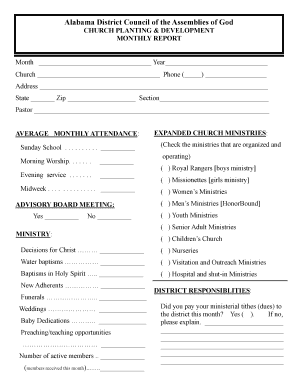
Adcag
The document is a monthly report template for the Alabama District Council of the Assemblies of God, focusing on church ...

Dma 5001
The document outlines the requirements for providing Social Security Numbers (SSNs) for family members seeking Food Assi ...
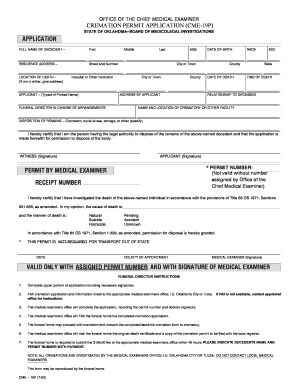
Autopsy request form
The document is a Cremation Permit Application (CME-19P) from the Office of the Chief Medical Examiner in Oklahoma. It o ...