




Here's how it works

01. Edit your whole soldier concept online
Type text, add images, blackout confidential details, add comments, highlights and more.

02. Sign it in a few clicks
Draw your signature, type it, upload its image, or use your mobile device as a signature pad.

03. Share your form with others
Send total soldier concept via email, link, or fax. You can also download it, export it or print it out.
How to use or fill out whole soldier counseling with our platform

- Click ‘Get Form’ to open the whole soldier counseling document in the editor.
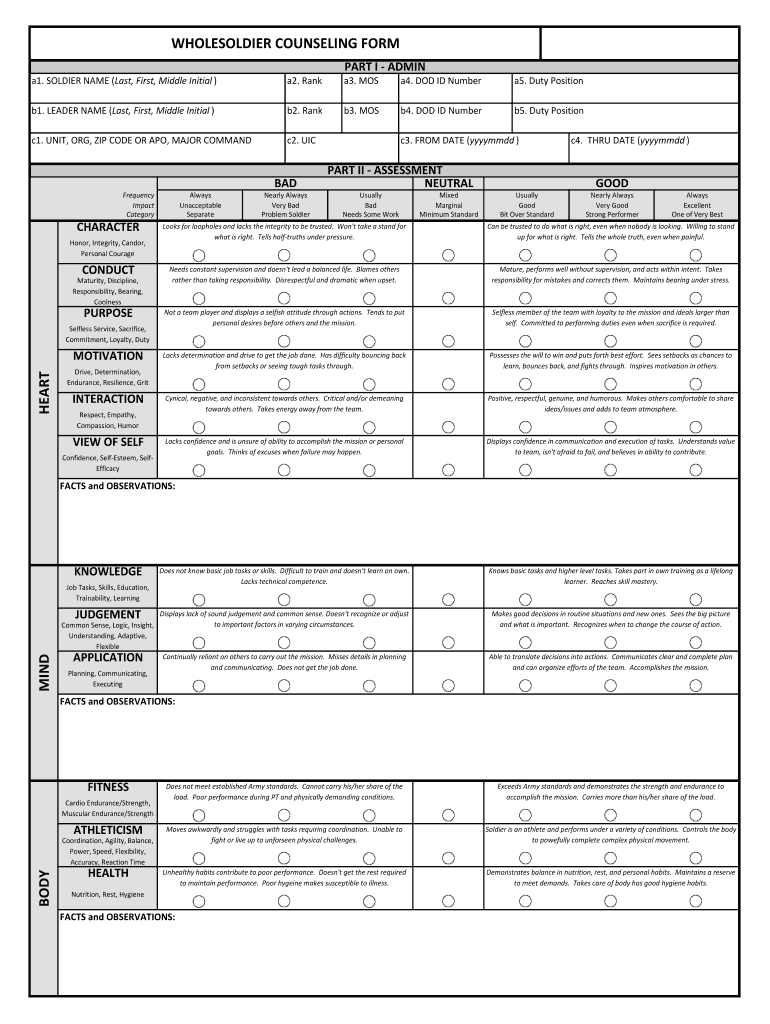
- Begin with Part I - ADMIN. Fill in the soldier's name, rank, MOS, DOD ID number, and duty position. Then, complete the leader's information similarly.
- In section c1, provide the unit or organization details along with UIC. For frequency and impact assessments, select appropriate options based on observed behaviors.
- Move to Part II - ASSESSMENT. Evaluate performance across various categories such as CHARACTER and CONDUCT by selecting ratings that reflect the soldier’s behavior.
- Document facts and observations for each category to provide a comprehensive overview of strengths and areas needing improvement.
- In Part III - ANALYSIS, summarize insights regarding performance and outline strategies for improvement based on your evaluations.
- Finally, complete Part IV - AGREEMENTS by setting long-term goals and SMART short-term objectives. Ensure both soldier and leader sign at the end.
Start using our platform today to streamline your whole soldier counseling process for free!
Fill out whole soldier counseling online
It's free
Security and compliance
At DocHub, your data security is our priority. We follow HIPAA, SOC2, GDPR, and other standards, so you can work on your documents with confidence.
Learn more


