




Here's how it works

01. Edit your ecp form online
Type text, add images, blackout confidential details, add comments, highlights and more.

02. Sign it in a few clicks
Draw your signature, type it, upload its image, or use your mobile device as a signature pad.

03. Share your form with others
Send ecp claims via email, link, or fax. You can also download it, export it or print it out.
How to use or fill out ecp claims with our platform

- Click ‘Get Form’ to open the ecp claims document in the editor.
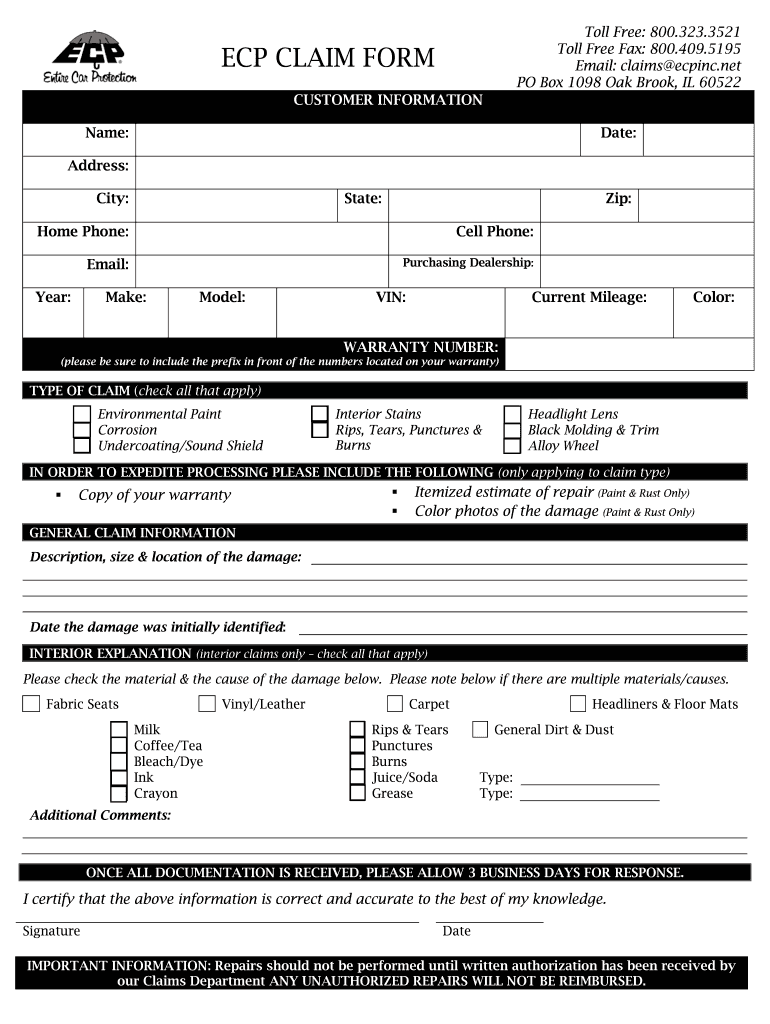
- Begin by filling out the CUSTOMER INFORMATION section. Enter your name, date, address, city, state, zip code, home phone, cell phone, email, purchasing dealership, vehicle year, make, model, VIN, current mileage, and color.
- In the WARRANTY NUMBER field, ensure you include the prefix along with the warranty number.
- Select the TYPE OF CLAIM by checking all applicable options such as Environmental Paint or Corrosion.
- To expedite processing, attach required documentation like a copy of your warranty and an itemized estimate of repair if applicable. Include color photos of damage for paint and rust claims.
- Provide GENERAL CLAIM INFORMATION by describing the damage's size and location along with the date it was identified.
- For interior claims only, check relevant materials and causes of damage in the INTERIOR EXPLANATION section.
- Add any additional comments if necessary and ensure to sign and date at the bottom of the form.
Start using our platform today to fill out your ecp claims easily and for free!
Fill out ecp claims online
It's free
Security and compliance
At DocHub, your data security is our priority. We follow HIPAA, SOC2, GDPR, and other standards, so you can work on your documents with confidence.
Learn more


