




Here's how it works

01. Edit your residense online
Type text, add images, blackout confidential details, add comments, highlights and more.

02. Sign it in a few clicks
Draw your signature, type it, upload its image, or use your mobile device as a signature pad.

03. Share your form with others
Send it via email, link, or fax. You can also download it, export it or print it out.
How to use or fill out lutheran residense intent vacate with our platform

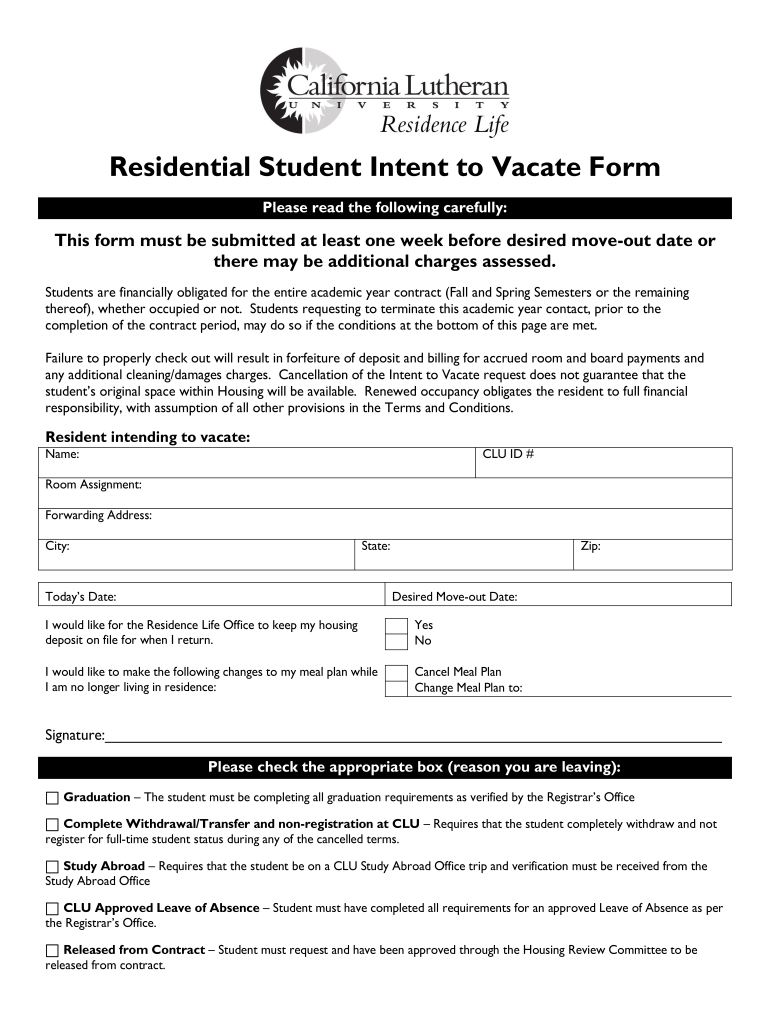
- Click ‘Get Form’ to open the lutheran residense intent vacate in the editor.
- Begin by entering your name and CLU ID # in the designated fields. This information is essential for identifying your application.
- Fill in your room assignment and forwarding address, including city, state, and zip code. Accurate details ensure proper communication regarding your move-out.
- Specify your desired move-out date. Remember, this form must be submitted at least one week prior to avoid additional charges.
- Indicate whether you would like the Residence Life Office to keep your housing deposit on file for future use by selecting 'Yes' or 'No'.
- If applicable, make any changes to your meal plan by selecting 'Cancel Meal Plan' or specifying a new plan.
- Sign the form electronically in the signature field provided. This confirms your request and understanding of the terms.
- Finally, check the appropriate box indicating your reason for leaving. Ensure that all conditions are met as outlined in the document.
Start using our platform today to easily complete and submit your lutheran residense intent vacate form for free!
Fill out lutheran residense intent vacate online
It's free
Security and compliance
At DocHub, your data security is our priority. We follow HIPAA, SOC2, GDPR, and other standards, so you can work on your documents with confidence.
Learn more


