







Definition & Meaning
"USCIS#FilingTipFriday: If You're Paper-Filing A Form" refers to a set of guidelines and tips provided by the U.S. Citizenship and Immigration Services (USCIS) designed to assist individuals who are submitting paper-based forms related to immigration applications or petitions. These tips aim to enhance accuracy and efficiency in the paper-filing process and help avoid common errors that could lead to delays or rejections.
Key Tips Overview
- Use Correct Forms: Always ensure you're using the most current form versions by checking the USCIS website.
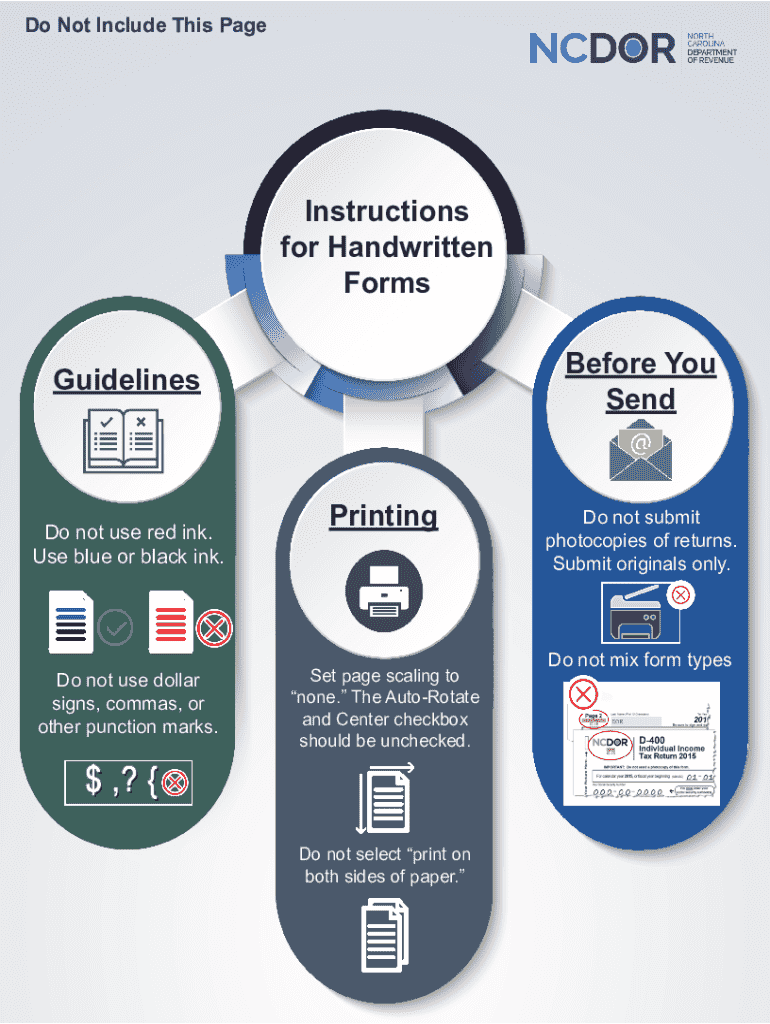
- Avoid Red Ink: Fill out forms using blue or black ink only to ensure readability.
- No Special Characters: Refrain from using dollar signs or commas on numerical entries.
How to Use the USCIS#FilingTipFriday: If You're Paper-Filing A Form
Understanding how to implement filing tips will improve your paper-filing process. Here's how you can utilize them effectively:
- Review Instructions: Thoroughly read the form-specific instructions provided on the USCIS website for detailed guidance.
- Checklists: Utilize any provided checklists to ensure all necessary documents and information are included.
- Form Accuracy: Double-check all entries for correctness and completeness before submission.
Examples
- Names and Identifiers: Ensure names match exactly across all accompanying documents.
- Signature Requirements: Confirm that all required signatures are present to avoid unnecessary processing delays.
Steps to Complete the USCIS#FilingTipFriday: If You're Paper-Filing A Form
Following a structured approach is vital in completing the form accurately:
- Gather Necessary Documents: Collect all supporting documentation such as identification, financial affidavits, and proof of residency.
- Complete Form Fields: Fill out each section concisely, adhering to USCIS guidelines.
- Package for Submission: Arrange documents neatly within the mailing envelope, including any required fees in the form of checks or money orders.
Further Tips
- Copy Documents: Make photocopies of your complete submission package for your records.
- Tracking Mail: Opt for certified mail to track your submission and confirm delivery.
Why Should You Paper-File a Form?
Despite the availability of digital submissions, paper-filing remains relevant for numerous reasons:
- Lack of Internet Access: Some filers may not have reliable online access.
- Preference for Physical Records: A tangible paper trail offers reassurance for some applicants.
- Specific Form Requirements: Certain forms may require original signatures or documents that are unsuitable for electronic submission.
Required Documents
Critical documentation accompanies most USCIS forms. Common requirements include:
- Proof of Identity: Copies of passports or national identity cards.
- Financial Evidence: Bank statements or sponsor affidavits.
- Residency and Employment Proofs: Utility bills or employment letters.
Important Considerations
- Translations: All non-English documents must be accompanied by certified translations.
- Certified Copies: When original documents are requested, ensure they are certified by notary publics.
Form Submission Methods (Online / Mail / In-Person)
Explore various submission options to determine the preferred method based on your circumstances:
Mail Submissions
- USPS Certified Mail: Provides proof of delivery and tracking.
- Efficient Packaging: Ensure secure packaging to prevent damage.
In-Person Submissions
- Local Offices: Visit USCIS field offices for form submission and immediate queries if available.
Online Alternatives
- USCIS e-File: Some forms may be eligible for electronic submission, offering faster processing times.
Penalties for Non-Compliance
Failure to adhere to USCIS form guidelines can result in significant consequences:
- Delays: Incomplete or incorrect forms can prolong the processing time.
- Rejections: A form with critical errors may be returned unprocessed.
- Legal Consequences: In specific cases, providing false information can lead to legal action.
Preventive Actions
- Accurate Information: Ensure all details provided are true and verified.
- Professional Assistance: Consider consulting immigration attorneys for complex cases.
Digital vs. Paper Version
Both digital and paper submissions have unique benefits and limitations:
Digital Form Advantages
- Speed and Convenience: Quicker processing and easy submissions.
- Real-Time Updates: Immediate confirmation of receipt and status tracking.
Paper Form Advantages
- Verification: Original signatures and authentication.
- Physical Documentation: Preferred for those with limited digital access.
Considering these options helps applicants select the most suitable filing method based on personal circumstances.


