






Definition and Meaning of Form Online
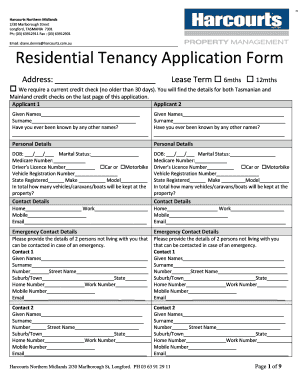
An online form is a digital document used to collect information from users over the internet. It replicates the layout and functionality of a paper form, but offers enhanced features like automated data validation, instant submissions, and easy integration with various software applications. Online forms are essential tools in various domains such as legal, financial, educational, and healthcare sectors, where they streamline the process of data collection and processing.
With platforms like DocHub, creating and managing fillable forms online has never been easier. The software allows users to convert traditional documents into interactive templates, ensuring efficient handling of data requirements. By leveraging online forms, organizations can reduce manual errors, improve response rates, and enhance user experience. The shift from paper to digital forms not only promotes sustainability but also accelerates workflow efficiency.
How to Use the Form Online
To effectively utilize an online form, users need to follow a structured approach. The process generally begins with accessing the form through a provided link or a web portal. Platforms like DocHub allow users to seamlessly edit and interface with forms in various formats such as PDF, DOC, or XLS.
- Open the Form: Access the online form via a web browser on a computer or mobile device.
- Fill Out Details: Input the required information into designated fields. Online forms guide users by outlining mandatory sections and providing tooltips for assistance.
- Attach Supporting Documents: If necessary, users can upload additional files to complement their form entries.
- Review Entries: Ensure all data is correctly filled out by revisiting each section and verifying details.
- Submit the Form: Once satisfied, users can digitally submit the form instantly through the platform, receiving immediate confirmation of receipt.
This methodical process ensures the accurate submission of information online while facilitating prompt processing.
Steps to Complete the Form Online
Completing an online form involves several well-defined steps that enable users to efficiently navigate the documentation process:
- Login or Registration: Start by logging into the platform. New users may need to create an account to access certain forms.
- Select the Form: Identify and select the form applicable to your needs, whether it's an application, survey, or feedback.
- Populate Fields: Enter data in fields like text boxes, drop-down menus, and checkboxes. Ensure all required fields, marked by an asterisk or highlighted, are filled.
- Use Form Tools: Take advantage of tools offered by DocHub, such as text editing, image insertion, and signature capture, to enhance document completion.
- Verify and Validate: Utilize the platform’s review tools to check for any errors or omissions.
- Submit and Track: Use the submit button to send the completed form. Platforms often allow you to track the status of your submission.
These steps are crucial in maintaining accuracy and ensuring a smooth digital interaction.
Why Should You Form Online
Forming online presents numerous advantages over traditional paper-based methods, offering both ecological and operational benefits:
- Efficiency: Online forms reduce the time spent on manual paperwork, expediting processing and decision-making.
- Accessibility: Forms are accessible from any device with an internet connection, enabling users from various locations to participate without logistical constraints.
- Cost-Effectiveness: Eliminate printing, mailing, and storage costs associated with paper forms.
- Data Accuracy: Digital forms enhance precision through automated checks and validations that minimize human error.
- Security: As offered by DocHub, robust encryption protocols and secure authentication provide peace of mind for sensitive data handling.
The compelling advantages of online forms make them an integral component of modern documentation strategies, promoting a more inclusive and efficient workflow.
Important Terms Related to Form Online
Understanding key terms related to online forms can enhance user experience and ensure compliance with best practices:
- Fillable Field: Interactive elements that allow users to input data within the form.
- Validation: Checks that ensure the entered data conforms to required formats and constraints.
- Encryption: Security protocols that protect data during transmission and storage, such as 256-bit SSL encryption used by DocHub.
- OAuth 2.0: A standardized authorization framework providing secure user login and data sharing capabilities.
- Electronic Signature (E-signature): A digital form of a handwritten signature with legal validity.
Familiarity with these terms ensures users can effectively engage with online forms, maximizing the functionalities of solutions like DocHub.
Key Elements of the Form Online
Online forms possess several crucial elements that define their functionality and usability:
- Form Fields: Spaces for users to enter applicable data, such as names, emails, and comments.
- Guidelines and Instructions: Tooltips and detailed instructions aid users in completing forms accurately.
- Automation Features: Pre-filled fields and auto-completion tools save time and enhance accuracy.
- File Upload Options: Capability for users to attach pertinent documents to their submissions.
- Error Notifications: Alerts notify users of incomplete or incorrectly filled fields, prompting necessary corrections.
These elements collaboratively ensure a comprehensive and facilitating user experience, streamlining data collection and management.
Software Compatibility
DocHub and similar platforms ensure compatibility with an array of software tools, enhancing the utility of online forms across different environments:
- Google Workspace: Direct integration allows users to access, edit, and sync documents from Google Drive and Gmail.
- Cloud Storage Services: Directly supports Dropbox and OneDrive for importing and exporting forms with ease.
- Document Formats: Compatibility with various file formats such as PDF, DOC, PPT, and XLS widens its application range.
These integrations streamline workflows for businesses and individuals who rely on these platforms, ensuring that online forms remain a versatile solution.
Penalties for Non-Compliance
Failure to properly submit or comply with form requirements can result in potential penalties:
- Financial Fines: Monetary penalties are often imposed in legal, tax, or regulatory forms for non-compliance.
- Legal Repercussions: Incorrect or incomplete submissions might lead to disqualifications or legal disputes.
- Delayed Processing: Non-compliance might result in processing delays that could impact business operations or personal obligations.
Understanding the importance of compliance underscores the necessity for accurate and timely completion of online forms to avoid these consequences.