
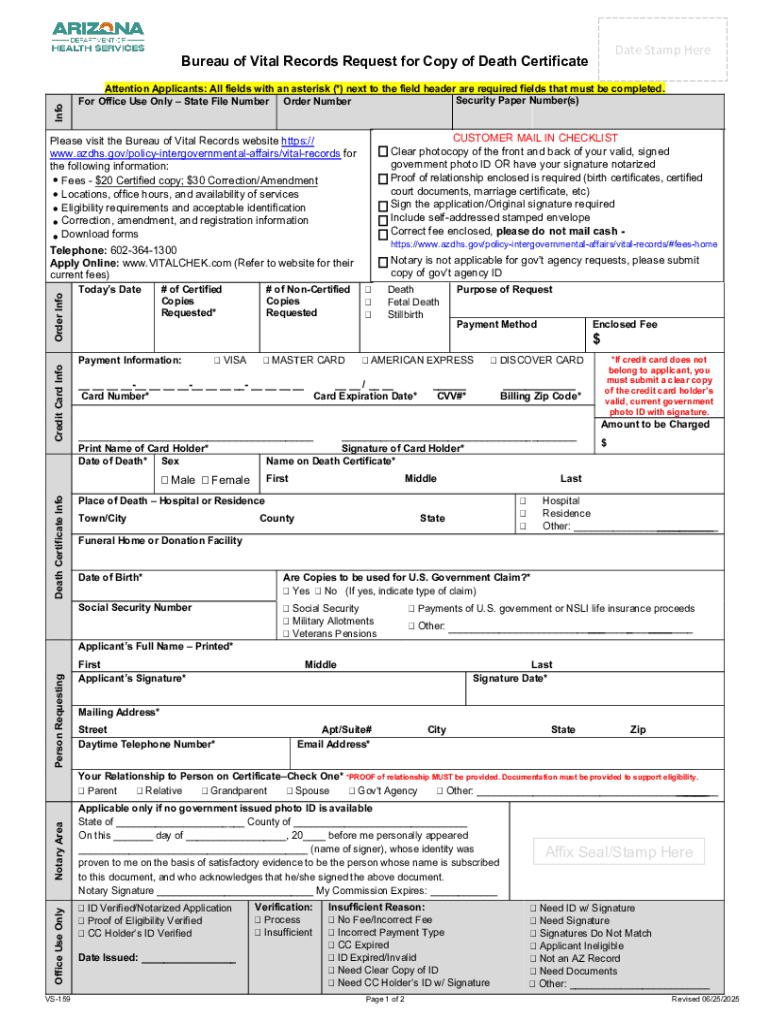







Definition and Meaning of Form Online
"Form online" typically refers to the digital versions of documents that can be accessed, filled out, and submitted via the internet. This format provides users a convenient method for processing forms without needing physical paperwork. Online forms cover a wide range of applications, from tax filings to legal requests and business transactions. The digitization of forms incorporates various features such as fillable fields, electronic signatures, and direct submission options, streamlining traditionally time-consuming processes.
How to Use Forms Online
Using online forms involves several straightforward steps designed to ensure efficiency and accuracy. Understanding these steps not only improves user efficiency but also minimizes errors:
- Access the Form: Navigate to the relevant website or portal where the form is hosted.
- Fill In Details: Input necessary information into the provided fields. These fields can include text boxes, dropdown menus, and checkboxes.
- Attach Documents: If required, attach supporting documents by following the instructions to upload files directly from your device.
- Review and Edit: Carefully check the completed form for any errors or omissions. Most platforms allow you to save progress and return later if you need to pause.
- Submit the Form: Use the submit function, usually a button clearly labeled, to send off the form electronically.
- Receive Confirmation: After submission, you should receive a confirmation email or notification that your form has been successfully filed.
Steps to Complete the Form Online
Working with online forms involves specific sequential steps to ensure data integrity and accuracy:
- Preparation: Before accessing the form, gather all necessary information and documentation. This could include personal identification numbers, payment methods, and any other relevant details.
- Filling Out the Form: Start by inputting your details, ensuring all mandatory fields are completed. Use the help or guidance tools often provided to understand form-specific requirements.
- Review: After you complete the form, it's crucial to review all entered data for accuracy. Many platforms provide a preview option to facilitate this.
- Submission: Submit the form through the online platform. Ensure you understand the submission method, whether it direct submission or download for later delivery.
- Follow-Up: Post-submission, monitor your email or account for confirmation and any follow-up actions required.
Key Elements of Forms Online
Understanding the components of online forms is essential for effective completion and submission:
- Fillable Fields: These include text boxes, radio buttons, and dropdown menus that allow for user input.
- Electronic Signatures: Many forms require legally binding electronic signatures, which can be created through digital signature tools.
- Validation Checks: Some forms have built-in validation protocols to ensure data integrity and prompt users if corrections are needed.
- Submission Confirmation: A receipt or confirmation notice after submission assures that the form was received and is under review.
Who Typically Uses Forms Online
Various individuals and entities benefit from utilizing online forms, including:
- Individuals: Personal tax filings, applications for government services, and legal documents.
- Businesses: Filing regulatory compliance documents, employee onboarding, and contract agreements.
- Educational Institutions: Enrollment forms, scholarship applications, and transcript requests.
- Government Agencies: Digital applications for permits, licenses, and records access.
Legal Use of Forms Online
Operating online forms within the legal framework ensures compliance and validity:
- Electronic Signatures: Governed by acts such as the ESIGN Act in the U.S., ensuring digital signatures hold the same weight as traditional ones.
- Data Protection: Compliance with privacy laws, such as GDPR or related U.S. regulations, is crucial to protect user information.
- Authenticity and Verification: Systems in place for verifying user identity and data authenticity bolster the legal standing of submitted forms.
State-Specific Rules for the Form Online
Online forms can be subject to state-specific regulations:
- Differences in Compliance: Each state may have individual rules concerning the filing process and requirements.
- Submission Protocols: Submission methods and deadlines can vary, requiring users to familiarize themselves with local guidelines.
- Notification of Changes: Keep aware of any changes in state policies or procedures that may impact how you complete and submit forms.
Examples of Using Forms Online
Practical usage scenarios demonstrate the flexibility and utility of online forms:
- Tax Filings: Individuals can complete and submit their tax forms electronically through platforms like IRS e-File.
- Business Registration: Entrepreneurs can file business formation documents and renewals through state business portals.
- Healthcare: Online forms facilitate patient information collection, insurance claims, and medical record access.
Fulfilling the mandate of detailed content within these sections should provide users with extensive information on the online form process, enhancing both their understanding and ability to navigate digital form environments effectively.




