UF Health Heart Transplant Referral Form (PDF) 2025

Get Form
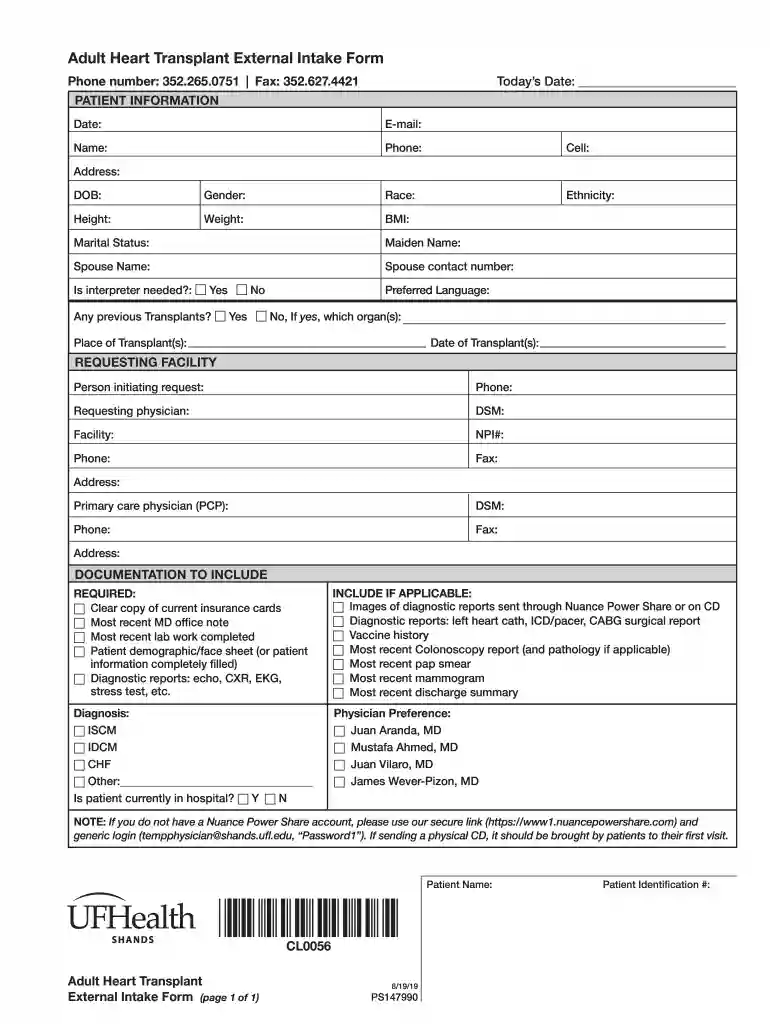
UF Health Heart Transplant Referral Form (PDF) Preview on Page 1

Here's how it works

01. Edit your form online
Type text, add images, blackout confidential details, add comments, highlights and more.

02. Sign it in a few clicks
Draw your signature, type it, upload its image, or use your mobile device as a signature pad.

03. Share your form with others
Send it via email, link, or fax. You can also download it, export it or print it out.

How to use or fill out UF Health Heart Transplant Referral Form (PDF) with DocHub

Form edit decoration
9.5
Ease of Setup
DocHub User Ratings on G2
9.0
Ease of Use
DocHub User Ratings on G2
  1. Click ‘Get Form’ to open the UF Health Heart Transplant Referral Form in our editor.
  2. Begin by entering the 'Today’s Date' at the top of the form. Fill in your personal information, including your name, phone number, and email address.
  3. Complete the patient demographic section by providing details such as date of birth, gender, race, ethnicity, height, weight, and BMI. Ensure accuracy for effective processing.
  4. In the 'REQUESTING FACILITY' section, input the details of the person initiating the request and their contact information. Include the requesting physician's name and facility details.
  5. Attach required documentation by checking off each item listed under 'DOCUMENTATION TO INCLUDE'. This ensures all necessary information is submitted for review.
  6. Finally, review all entries for completeness and accuracy before saving or sending your completed form directly from our platform.

Start using our platform today to easily fill out and submit your UF Health Heart Transplant Referral Form for free!

See more UF Health Heart Transplant Referral Form (PDF) versions

We've got more versions of the UF Health Heart Transplant Referral Form (PDF) form. Select the right UF Health Heart Transplant Referral Form (PDF) version from the list and start editing it straight away!
Versions Form popularity Fillable & printable
2019 4.8 Satisfied (56 Votes)
be ready to get more

Complete this form in 5 minutes or less

Get form

Got questions?

We have answers to the most popular questions from our customers. If you can't find an answer to your question, please contact us.
Contact us

Yes, a typed name is accepted as a valid electronic signature when you add it to your document using a compliant solution like DocHub. Simply import your UF Health Heart Transplant Referral Form (PDF) to our editor, click Sign in the top tool pane → Create your signature → Type your name in the proper tab, and select how it will look on your document.

If you need to edit your UF Health Heart Transplant Referral Form (PDF) on the internet easily, it does not matter what internet browser you employ. DocHub’s straightforward editing instruments are accessible using any internet browser. Simply open the appropriate tab in the editor, add your document, and fill it out without stress.

Are younger than 69 years old. Have been diagnosed with an end-stage heart disease like cardiomyopathy or coronary artery disease. Have been given a prognosis that suggests you have a risk of mortality within the next year if a heart transplant is not performed.
Finding a donor heart can be difficult. The heart must be donated by someone who is brain-dead but is still on life support. The donor heart must be in normal condition without disease and must be matched as closely as possible to your blood and tissue type to reduce the chance that your body will reject it.
The Advanced Heart Failure and Transplantation fellowship is an intensive training program for clinical fellows who plan to have a major career focus on caring for patients with advanced heart failure, cardiac transplantation and mechanical circulatory support.

People also ask

Factors such as medical urgency, time spent on the waiting list, organ size, blood type and genetic makeup are considered. The organ is offered first to the candidate that is the best match.

Related links